
Screenshots
Description
Open your favorite apps faster with Dockit. Swipe in from the screen edge, switch between apps instantly, customize your dock, and keep everything within easy reach.
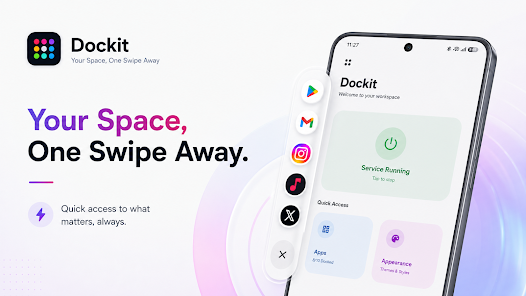
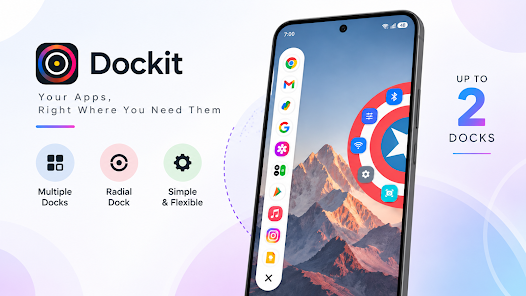
Say hello to Dockit – Edge Launcher! Launch apps quickly without ever returning to your home screen. Dockit saves valuable screen space by placing your apps and shortcuts along the edge of the display, and you can choose which side the edge dock appears on to suit your preference.
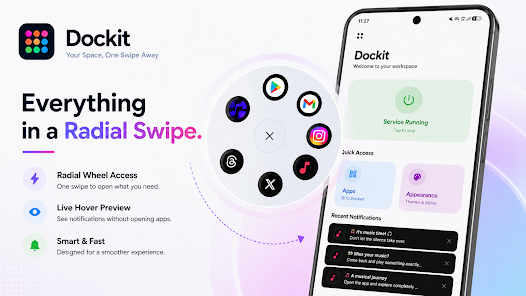
Dockit is especially useful if you constantly open and close a lot of apps. It also makes managing messages and browsing the web easier. Opening apps and getting tasks done feels effortless and smooth: simply swipe from the screen edge to reveal your dock, slide to the app you want, and it opens right away.
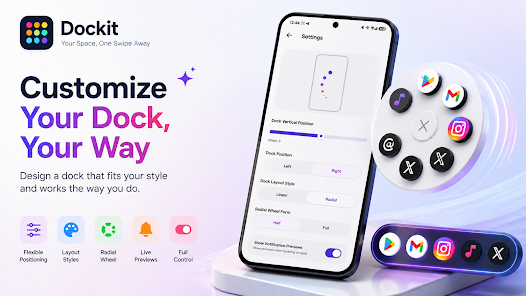
Dockit relies on a handy one-handed Hold & Release interaction to help you open apps. You can also adjust how the dock responds and change its layout style to match what you like.
Dockit also stands out for its wide range of customization options. Change visual themes, backgrounds, and colors to reflect your personal style.
All in all, Dockit is a fantastic launcher that lets you open your apps quickly and personalize your phone to fit your style!
Folder Widgets
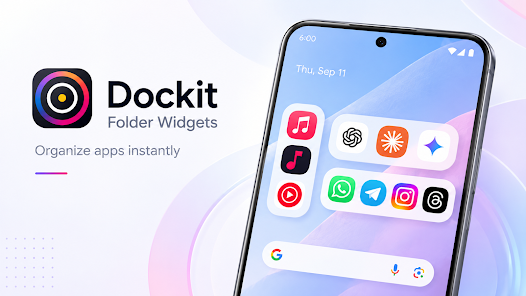
Personalize your home screen and add Folder Widgets to group apps into customizable folders. Choose grids in different sizes and orientations, and add or remove apps from Folder Widgets on the fly.
Taskbar Support
The Dockit taskbar gives you quick access to your apps at all times, even when the home screen isn't visible.
System Toggles
Dockit includes system controls with toggles for Flashlight, Sound, Wi-Fi, Bluetooth, Hotspot, notifications, and more.
App Arrangement
Fully customize the order of your apps and folders, and rearrange your home screen to best suit your workflow.
Smooth Dock Animations
Pick the interaction style that suits you best with Dockit, choosing from animations such as Elastic or Smooth Slide, or turn animations off so the dock changes instantly.
Built for heavy multitaskers. Communication apps like messaging, social apps, browsers, media, productivity, and other utility apps can all be placed in the dock for easy access while you use your Android phone.
Dockit uses an Accessibility Service to power its edge launcher, and this service is only active when you turn it on. The launcher edge service also supports other launcher-related features. According to the developer, the edge launcher does not collect or share any user data.
How to install
- Download the APK file above to your phone.
- Allow “Install unknown apps” when prompted.
- Open the downloaded APK and tap Install.
- If the package includes OBB/XAPK data, follow the bundled instructions.
MOD APKs are modified builds, so Play Protect may show a warning. Install only if you trust the file; use at your own risk.