
Screenshots
Description
Dark Google EMUI 10/10.1 Theme for Huawei/Honor MOD APK
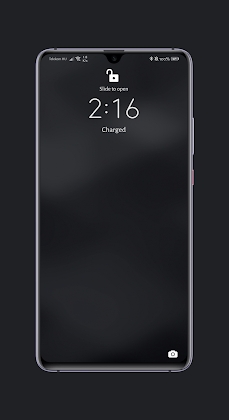
Crafted specifically for EMUI 10.1, this theme delivers a seamless, uniform visual experience across your device.
Explore our collection for even more custom themes!
Key Features:
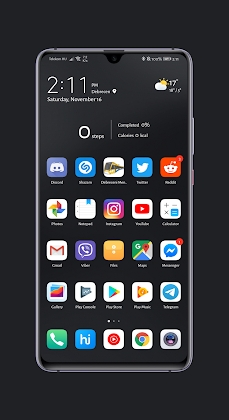
Deep dark backgrounds paired with signature Google accent colors. Fully tailored for fans of the Google Dark Experience, this design harmonizes perfectly with dark-mode Chrome and Gmail across your entire OS. 🙂
Includes over 300 custom icons, with non-themed application icons styled to blend in naturally.
Clean, clutter-free minimalist aesthetic.
– Crisp, highly legible typography (customizable right inside the Themes App).
Sleek dark notifications (simply restart your device if any display glitches occur).
Installation Guide:
1. Download the application
2. Install and launch the app
3. Tap "Yes" to proceed
4. Enable Dark Mode in your device Settings.
5. Open the Huawei/Honor Themes App
6. Apply this theme
7. Enjoy the sleek new look!
How to install
- Download the APK file above to your phone.
- Allow “Install unknown apps” when prompted.
- Open the downloaded APK and tap Install.
- If the package includes OBB/XAPK data, follow the bundled instructions.
MOD APKs are modified builds, so Play Protect may show a warning. Install only if you trust the file; use at your own risk.