

Screenshots
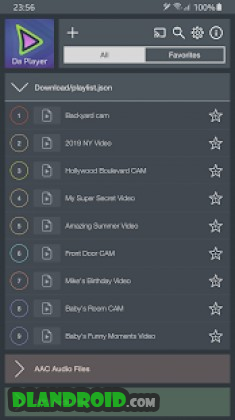
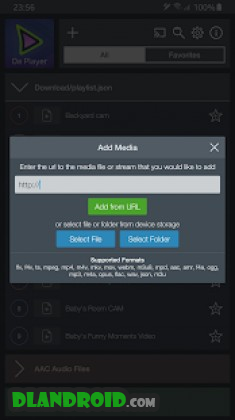
Description
Da Player – Video and live stream player 5.0.6 Apk Premium is an advanced Android app in the Video Players & Editors category.
Get the latest Da Player – Video and live stream player Apk Premium for Android via direct download link at GameMod.dev.
Developed by Da Player, Da Player – Video and live stream player is a feature-rich Video Players & Editors application ready to install and enjoy on any Android device.
Stream live broadcasts, playback local videos, and enjoy protected media effortlessly with Da Player, supporting both single files and curated playlists.
It also serves as a convenient testing and distribution tool for developers who want to showcase media content without developing a standalone application.
Fully compatible with .flv, .f4v, .ts, .mpeg, .mp4, .m4v, .mkv, .mov, .webm, .m3u8, .mpd, .aac, .amr, .f4a, .ogg, .mp3, .m4a, .opus, .flac, .wav, .m3u formats, as well as .json playlists created via da-player.com.
Features: – Import secure .json playlists created on da-player.com; – Stream live audio and video feeds seamlessly; – Play web-based audio and video streams; – Access and play offline local media files; – Bookmark favorite tracks and streams for quick access; – Built-in quick search tool; – Tailored video and audio codecs for specific file types; – Full DVB subtitle integration; – Multi-track audio and video selection; – Picture-in-picture floating pop-up player; – Customizable default audio and subtitle languages; – Native Chromecast casting; – Manage and delete custom local playlists or individual entries; – Easy playlist sharing options; – Intuitive swipe gestures for volume and brightness; – Adjustable display aspect ratios and screen orientation; – Optimized interface for non-touch platforms such as Android TV;
Da Player – Video and Live Stream Player APK
Da Player – Video and Live Stream Player APK
What's New:
– General bug fixes and performance improvements;
How to install
- Download the APK file above to your phone.
- Allow “Install unknown apps” when prompted.
- Open the downloaded APK and tap Install.
- If the package includes OBB/XAPK data, follow the bundled instructions.
MOD APKs are modified builds, so Play Protect may show a warning. Install only if you trust the file; use at your own risk.