

Screenshots
Description
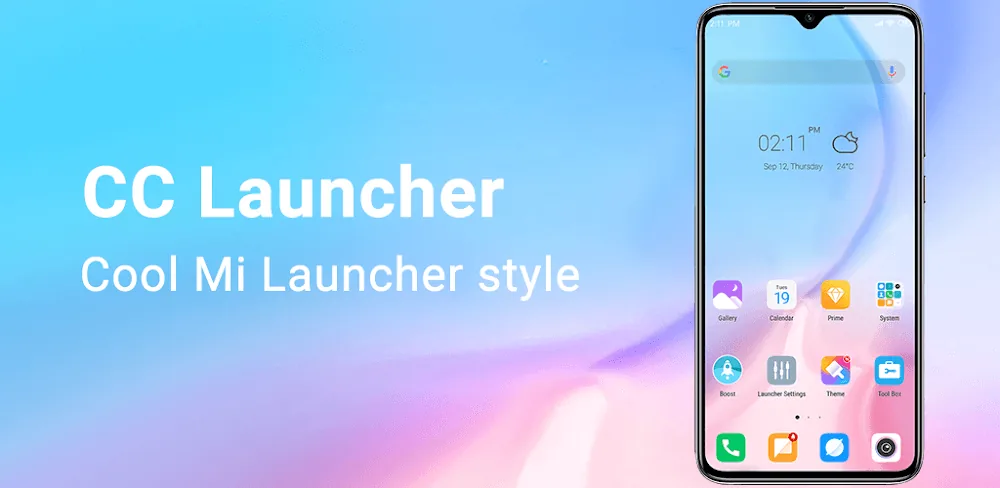
Give your Android a fresh look with Cool Mi Launcher! Enjoy the sleek Xiaomi and Redmi UI, custom icon packs, and plenty of handy features. Upgrade your home screen today!
Discover the next level of Android personalization with Cool Mi Launcher, a refined CC Launcher inspired by the latest Xiaomi and Redmi design language. If you have ever wished for the polished, intuitive feel of a premium MIUI device, this launcher is built for you. It goes well beyond surface-level aesthetics, reworking how your device looks, responds, and feels to use. Unlike typical launchers, Cool Mi Launcher combines style and performance so closely that your phone can feel like a brand-new flagship.
A New Standard of Style
Cool Mi Launcher delivers a striking visual upgrade to your mobile experience. The moment you install it, you will notice a clear improvement in sharpness and detail. Every icon, transition, and menu is carefully designed to look premium. Whether you own a budget handset or a flagship, the launcher adapts smoothly to deliver a crisp, high-definition interface that looks great and works well. You can enjoy the celebrated Xiaomi look without having to buy a new phone.
Key Features of Cool Mi Launcher:
- Authentic MIUI Experience: Enjoy the signature look of Xiaomi and Redmi devices, including updated icons, notification shades, and settings layouts.
- Large Theme and Wallpaper Collection: Pick from thousands of high-quality themes, live wallpapers, and static backgrounds that suit your personal style.
- Broad Icon Pack Support: Works with nearly any icon pack available, and you can even customize individual icons with your own images.
- Smart Gesture Controls: Assign double-taps, swipes, and pinches to launch specific apps or shortcuts for faster navigation.
- App Hider and App Lock: Keep your private apps out of sight or secure them with a PIN or pattern lock.
- Fully Customizable Dock: Adjust the dock's background, icon count, and size to make your home screen work better for you.
- T9 Search and Quick App Index: Find any app in an instant with the smart T9 search bar and a handy A-Z sidebar.
Advanced Interaction Mechanics
Cool Mi Launcher is about more than looks. It changes how you actually use your phone. The CC Launcher engine manages system resources efficiently, so your device feels noticeably more responsive. The Smart Categorization feature automatically sorts your apps into logical folders such as Games, Social, and Tools, cutting down on clutter. For power users, the Side Toolbar offers quick access to everyday tools like the flashlight, calculator, and battery saver without leaving the screen you're on.
Performance-Oriented Optimization
We know performance matters. Cool Mi Launcher is designed to stay lightweight and easy on your battery. With the built-in Power Booster and Junk Cleaner, you can keep your phone running well straight from the home screen. It includes over 500 transition effects, such as 3D cube, wave, and cross-fade, all tuned to run smoothly even on older hardware. It strikes a balance between style and utility, giving you full control over your mobile experience.
Conclusion
Take your smartphone experience further with the Cool Mi Launcher MOD APK, a CC Launcher built to bring the best of the Xiaomi ecosystem to any Android device. It is more than a skin. It is a capable utility that offers the freedom of full Android customization. Whether you are an enthusiast who loves deep personalization or a casual user who simply wants a modern, fresh look, this launcher delivers. Download Cool Mi Launcher from GameMod.dev today and enjoy a more beautiful and efficient mobile experience!
How to install
- Download the APK file above to your phone.
- Allow “Install unknown apps” when prompted.
- Open the downloaded APK and tap Install.
- If the package includes OBB/XAPK data, follow the bundled instructions.
MOD APKs are modified builds, so Play Protect may show a warning. Install only if you trust the file; use at your own risk.