
Screenshots
Description
Control Center OS 15 Mod Apk
Over the past year, I have dedicated significant effort to ensure you receive the highest quality app experience. You certainly won't be disappointed.
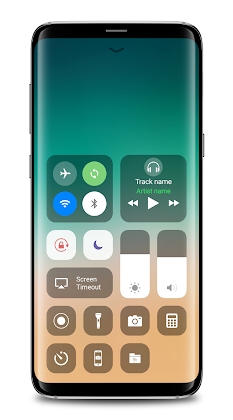
Easily manage your Android device by adding a convenient floating bar to your screen. You can instantly toggle settings, record your screen, and launch your preferred applications. The Control Center is also perfect for preserving your physical hardware buttons, such as the volume keys, and is particularly helpful for users with larger smartphones.
– Airplane Mode: Quickly deactivate your Wi-Fi and Bluetooth connections with a single tap.
– Wi-Fi: Enable your Wi-Fi to browse the web, enjoy music streaming, or download your favorite media.
– Bluetooth: Effortlessly link your device to wireless keyboards, car audio systems, headphones, and other Bluetooth-compatible peripherals.
– Do Not Disturb: Silence incoming calls and notifications to ensure you aren't interrupted while your phone is locked.
– Portrait Orientation Lock: Keep your screen stable and prevent it from rotating when you move your device.
– Brightness Control: Adjust your screen's illumination levels from any interface.
– Flashlight: Utilize your camera's LED as a powerful torch whenever you need extra visibility.
– Alarms and Timer: Easily manage your alarm clock, stopwatch, or check time zones across the globe.
– Calculator: Perform calculations with an interface that functions just like a standard desktop calculator.
– Camera: Gain instant access to your camera so you never miss the perfect shot.
– Audio Control: Conveniently play, pause, and adjust the volume for your favorite music and podcasts.
– Screen Recording: Capture your on-screen activity effortlessly. This feature is available for Android 5.0 and newer versions.
– Screenshot: Take snapshots of your screen (requires Android 5.0 or higher).
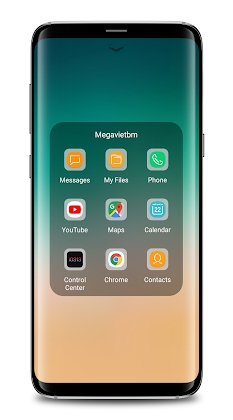
Launch any game or application installed on your device with ease.
Customize your experience by adjusting various styles, including vibration settings and the size of the control bar.
We value your input, so please share your feedback with us.
Control Center – We kindly ask that you review our site and provide a five-star rating.
Our team is committed to resolving any technical issues you encounter as promptly as possible.
Should you have suggestions for new features, please reach out to us via email.
* This application utilizes the Device Administrator permission.
This permission is strictly for locking your device when the screen-off function is activated. Please enable Administration in the settings before using this feature. To remove the app, simply open it and select the Uninstall button.
* This application makes use of Accessibility services.
This permission is required for:
Inspecting the contents of active windows to enable features like back navigation and recent app access.
Rest assured, we never collect or store your private personal information.
How to install
- Download the APK file above to your phone.
- Allow “Install unknown apps” when prompted.
- Open the downloaded APK and tap Install.
- If the package includes OBB/XAPK data, follow the bundled instructions.
MOD APKs are modified builds, so Play Protect may show a warning. Install only if you trust the file; use at your own risk.