

MOD features
- Premium Unlocked
- No Ads
Screenshots
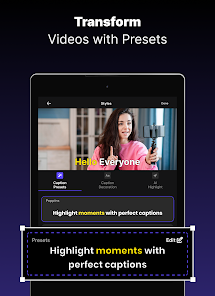
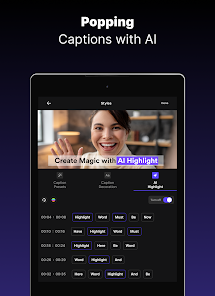
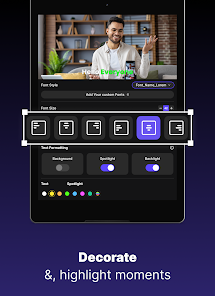
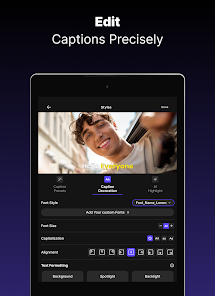
Description
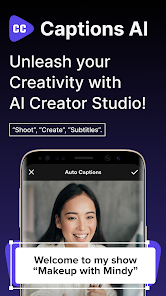
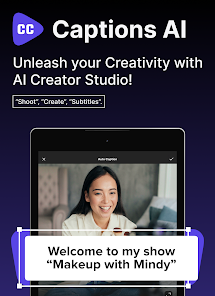
Captions AI: Videos Subtitles is a powerful app that uses artificial intelligence to automatically create and polish subtitles for your videos. It's an ideal solution for content creators, short-form video editors, educators, online business owners, and anyone who wants professional subtitles without the tedious manual typing.
Captions AI: Videos Subtitles – Automatic and accurate video subtitling made simple
Adding subtitles is often the most time-consuming part of video editing, since you have to listen to every sentence, type it out, and line it up with the timeline. Automatic speech recognition takes much of that work off your hands. Once the conversion is done, you can review the dialogue, edit the text, and adjust the display style to fit the look of your video.
Key Features
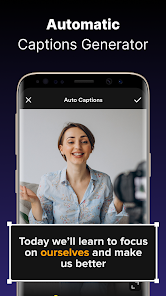
AI-powered automatic subtitle generation
The app's standout feature is its ability to analyze the speech in a clip and turn it into text quickly. Rather than typing each line yourself, just upload your video and let the system do the heavy lifting. Every subtitle is generated from the audio, and you can refine them however you like.
Recognition accuracy depends on audio quality, the speaker's accent, speaking pace, and background noise. Clear dialogue usually produces faster and more accurate results. Even so, it's a good idea to review the final output before publishing to fix any minor recognition errors.
Customization and text editing
After the text is extracted, you can easily edit the content to improve its flow. This is especially useful for clips with technical terms, proper nouns, slang, or unclear speech.
Editing directly saves a lot of time compared to typing from scratch. You can also adjust line breaks by hand so the subtitles stay clean and easy to read on mobile screens.
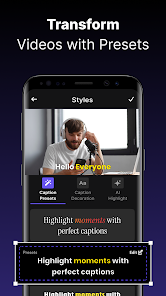
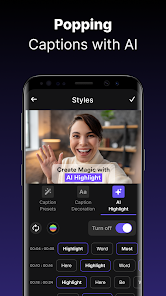
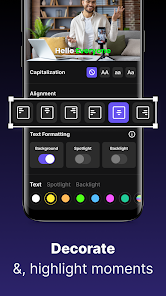
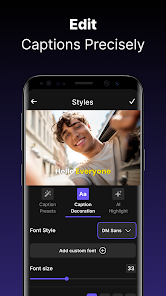
Vibrant and eye-catching subtitle styles
Beyond accuracy, the visual design of subtitles plays a big role in the viewing experience. Well-designed subtitles keep viewers engaged and help them follow your message even when the sound is muted.
The app lets you match text styles to your video's color palette. You can freely pick fonts and effects that suit your content, whether it's an academic presentation or a trending social media clip.
Streamlining your video production workflow
Captions AI: Videos Subtitles fits neatly into your entire video production process. Instead of juggling separate tools for speech recognition and subtitle editing, you can handle everything within a single workspace.
This utility is especially valuable for high-volume creators who need to finish multiple projects quickly. By automating the tedious typing, you have more time to focus on script depth and visual quality.
Real-world user experience
One of its strengths is the user-friendly interface, which is easy to pick up even for beginners. Import your video, let the system extract the speech, then review and customize the text in just a few taps.
For scenes with heavy background noise, loud music, or multiple speakers, the AI-generated subtitles may need more careful checking. Fast or mumbled speech can also cause errors. That's why it's best practice to thoroughly review the subtitles before exporting your video.
Conclusion
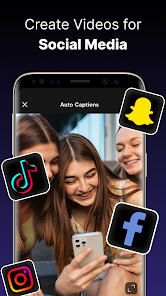
Captions AI: Videos Subtitles is an excellent choice for anyone who wants to speed up the subtitling process. The combination of smart speech-to-text technology and flexible customization tools saves you a lot of effort while making your videos more engaging. If you regularly produce videos for social media, education, or marketing, this is a powerful assistant worth having on your device.
How to install
- Download the APK file above to your phone.
- Allow “Install unknown apps” when prompted.
- Open the downloaded APK and tap Install.
- If the package includes OBB/XAPK data, follow the bundled instructions.
MOD APKs are modified builds, so Play Protect may show a warning. Install only if you trust the file; use at your own risk.