
Screenshots


Description
- Home /
- Apps /
- Tools
Caller Name Announcer 5.9.7
- Tools
Welcome to Caller Name Announcer, a top-rated Android tool that reads out the caller's name the moment an incoming call or text message arrives. TELEGRAM Report Developer EAGLE APPS Size 5 MB Version 5.9.7 Requires Android 6.0 Get it on Mod Info Premium Unlocked
- Telegram
Report this app
Images
Description
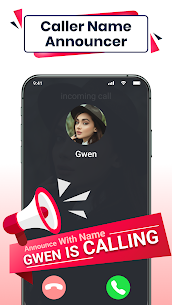
Caller Name Announcer is a quick, easy-to-use, and highly customizable announcer app. It reads aloud incoming calls, SMS, and WhatsApp messages, and it includes a flashlight alert that flashes whenever you receive a phone call, text, or app notification.
Upgrade Your Phone Experience with Caller Name Announcer
Staying in touch matters more than ever in today's busy world. Caller Name Announcer takes your connectivity a step further with a range of features that make handling calls, SMS, and WhatsApp messages simpler and more convenient. Built with both practicality and user experience in mind, it's an essential download for anyone who wants to get more out of their mobile communication.
Caller ID: Know Who's Calling
One of the standout features of Caller Name Announcer is its advanced Caller ID. It shows you who is calling and helps you identify unknown numbers, giving you added peace of mind and security. After every call, you get a detailed call summary so you never miss important details.
Personalized Announcers for All Your Notifications
The app includes several announcers tailored to different types of notifications:
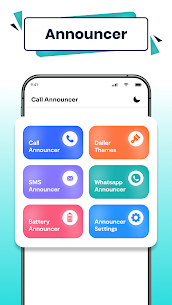
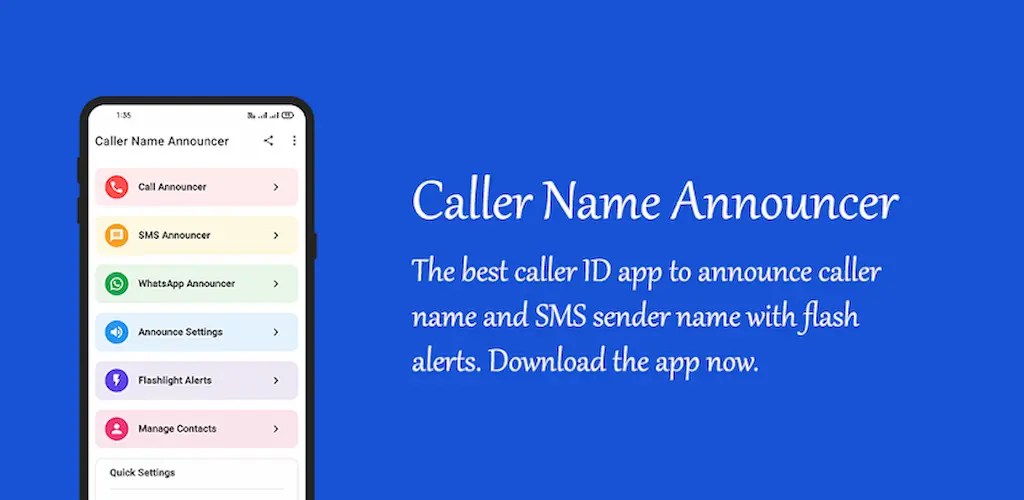
- Call Announcer: Clearly announces incoming calls so you can tell who's calling without looking at your screen.
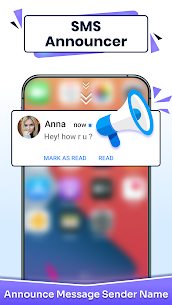
- SMS Announcer: Reads your text messages aloud, so you can keep your hands free.
- WhatsApp Announcer: Alerts you to new WhatsApp messages with an audible announcement.
And that's not all. More announcers are on the way to make your experience even better.
Customizable Announcement Settings
With Caller Name Announcer, you have full control over how and when you receive announcements:
- Contact-Specific Settings: Turn off announcements for particular contacts to avoid unwanted interruptions.
- Fake Name Announcements: Choose to announce a fake name instead of the real one for extra privacy.
- Mode Compatibility: Works smoothly in all sound modes, including Ring, Silent, and Vibrate.
- TTS Engine Flexibility: Works with any Text to Speech (TTS) engine, so you can pick the voice you like best.
- Multilingual Support: Reads out announcements in a variety of languages, as long as your TTS engine supports them.
- Volume Customization: Adjust separate volume levels for calls, SMS, and WhatsApp messages so the notifications you care about most stand out.
Flashlight Alerts for Better Visibility
In dim surroundings, locating your phone can be tricky. The Caller Name Announcer app tackles this with its clever flashlight alert feature:
- Blinking Flash: Your phone's flash blinks whenever a call, SMS, or app notification arrives, making your device easy to spot.
- Customizable Patterns: Pick from several flash blinking patterns to match your taste.
- Gesture Control: Stop the flash alert with simple gestures, such as shaking your phone or pressing the power button.
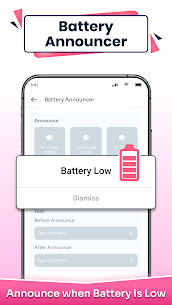
- Battery-Friendly: Flash alerts switch off automatically when your battery runs low, helping preserve battery life.
Conclusion
The Caller Name Announcer app is a complete solution for managing your phone notifications. Packed with advanced features, including Caller ID, personalized announcers, customizable settings, and flashlight alerts, it makes staying connected simpler and more convenient than ever. Whether you're driving, sitting in a meeting, or just prefer hands-free notifications, this app has you covered. Download it today on GameMod.dev and see the difference for yourself!
Related apps
SmartCookieWeb 17.0-beta3 SmartCookieWeb 5.40 MB No Ads Aloha Browser 8.12.1 Aloha Mobile 151.42 MB Premium Unlocked Facemoji Emoji Keyboard Pro 3.6.8.4 Nexileap 39.99 MB Pro Unlocked Notifications archive 1.6.10 Difer 9.25 MB Premium Unlocked Ice Box – Apps freezer 3.30.14 G Ruoxin He 16.44 MB Pro Unlocked
How to install
- Download the APK file above to your phone.
- Allow “Install unknown apps” when prompted.
- Open the downloaded APK and tap Install.
- If the package includes OBB/XAPK data, follow the bundled instructions.
MOD APKs are modified builds, so Play Protect may show a warning. Install only if you trust the file; use at your own risk.