

Screenshots
Description
Calculator Vault- Gallery Lock Mod Apk
Discreetly protect your private pictures, sound clips, and video recordings with this Calculator Vault. Integrated applock safeguards keep your concealed media completely hidden from the standard system gallery.
Is your privacy guard still openly visible on your device screen?
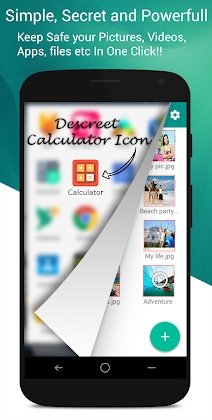
Snooping individuals can easily identify standard privacy tools and wipe them out to bypass your restrictions. Disguised as an ordinary mathematical tool, this stealthy vault reveals your hidden storage only when you enter your personal passcode. To anyone else, it behaves just like a regular calculator, guaranteeing that nobody discovers you have a secure media safe installed.
Key Features:
Import and secure pictures directly from your device media storage.
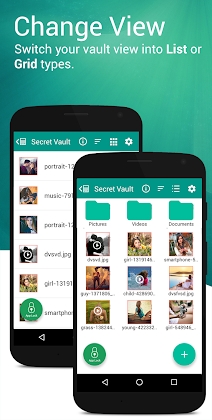
Organize folders and files effortlessly, with smooth toggling between grid and list layouts.
Shoot new snapshots and record clips straight from the camera to stash them securely inside the vault.
Jot down confidential thoughts and notes using the integrated text editor.
Activate the face-down screen gesture in preferences to instantly exit the vault, switch applications, or bring up a safe webpage whenever someone walks in.
Browse through memories via the built-in media viewer, complete with slideshow shuffling and custom playback intervals.
Dark Mode: Browse your protected photo collection comfortably with an eye-friendly dark color palette.
– Customize the application's appearance by picking personalized accent colors in preferences.
Restore hidden snapshots and clips to your default phone gallery at any moment with the unlock function.
Easily organize all stored content with flexible file creation, renaming, and deletion tools.
– Secure sensitive apps using customizable Pattern or PIN options via App Lock.
Smart App Lock Features:
Intruder Snapshot: Silently captures a selfie of anyone who enters an incorrect PIN or pattern attempt.
Disguised Crash Screen: Fool onlookers with a simulated force-close screen, making unauthorized users believe the app is unresponsive while only you know how to unlock it.
Biometric Security: Swiftly unlock both your calculator and locked applications using your enrolled fingerprints.
Top Useful Tools
Direct Share to Hide: Instantly tuck away media right from your file browser or system gallery without launching the vault first.
Built-in GIF Viewer: Seamlessly browse animations with pinch-to-zoom, image rotation, and intuitive swipe-down closing gestures.
Smart Slideshow: Play automated presentations of concealed photos and animated GIFs, with easy sharing options to social platforms straight from the safe.
Integrated Media Player: Stream your stashed clips smoothly inside the locker, allowing you to share select videos with friends without exposing the rest of your vault.
Advanced Settings
Uninstall Guard: Prevent unauthorized deletion of the application to ensure your private files stay safe.
Requires Device Administrator access to maintain security functions.
Employs Accessibility services to boost locking speed and optimize battery efficiency. You can toggle this permission directly within Applock preferences. GameMod.dev assures users that only essential operational data is utilized for app lock reliability.
Frequently Asked Questions
Q: What should I do if I forget my password and need to reset it?
A: Launch the Calculator app to begin the recovery process. Input 11223344 and hit the Equal (=) key. Once the password reset screen appears, provide the correct answer to your security question to configure a new passcode. Alternatively, you can verify via your recovery email address by typing in the security code if you linked one previously.
Q: Will my hidden photos still be accessible if I reinstall the application after uninstalling it?
A: Make sure to unhide and restore your media from the vault prior to deleting the app. Any hidden files will be permanently erased and cannot be recovered following a fresh installation or reinstall.
How to install
- Download the APK file above to your phone.
- Allow “Install unknown apps” when prompted.
- Open the downloaded APK and tap Install.
- If the package includes OBB/XAPK data, follow the bundled instructions.
MOD APKs are modified builds, so Play Protect may show a warning. Install only if you trust the file; use at your own risk.