

Screenshots

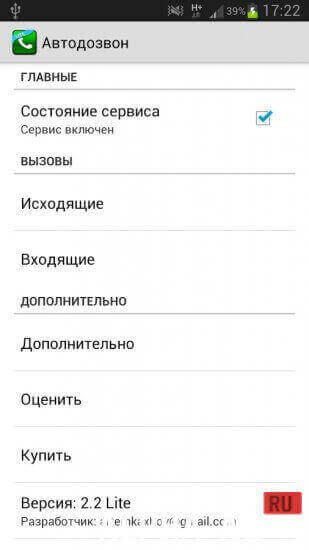
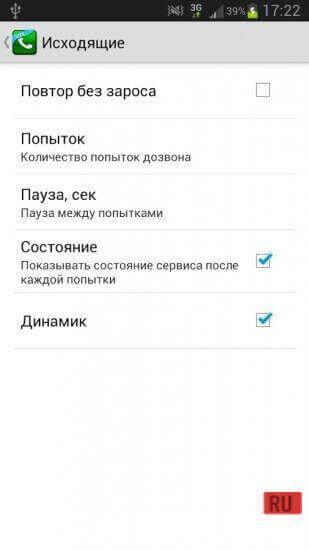


Description
Auto RedialIs the subscriber busy, unavailable, or out of network coverage? With the "Auto Redial" app, you can make redials automatically by pre-configuring the number of attempts and the redial order for unanswered subscribers.
Characteristics
When you urgently need to reach people—colleagues, clients, friends, or relatives—it seems as if out of sheer bad luck the subscriber is busy, unavailable, out of network coverage, etc.
If you previously had to call the subscriber back manually by searching through your contacts or call log, downloading the "Auto Redial" app will allow you to automate this process. The program will automatically make calls until the call connects.Features
The utility features a simple interface and minimalistic design. You can start using the program right after the first launch. However, if desired, you can open the settings and modify the default parameters.
You can adjust the number of redial attempts, pause duration, status notifications, speakerphone activation, or transferring calls to auxiliary devices (headphones, wireless headsets, and so on).The program has already saved a tremendous amount of time for office workers, call center staff, and professional drivers who cannot afford to be distracted by dialing over and over again. Offering unmatched functionality and stability, this program will help you too—just give it a try!
Below you can download the Auto Redial app for Android for free.
0 12 Jul Additional information:- Android version required: 4.0 or later
- Age restrictions: 3+
- Russian localization: present
- Cache installation: not required
Subscribe to our YouTube channel!
Add a commentHow to install
- Download the APK file above to your phone.
- Allow “Install unknown apps” when prompted.
- Open the downloaded APK and tap Install.
- If the package includes OBB/XAPK data, follow the bundled instructions.
MOD APKs are modified builds, so Play Protect may show a warning. Install only if you trust the file; use at your own risk.