

Screenshots
Description
Autoroid – Automation Device Settings 1.6.3.0 APK Full Paid is a premier Tools app for Android devices.
Download the latest version of Autoroid – Automation Device Settings Full Paid APK for Android via fast direct links.
Developed by MIN Studio, Autoroid – Automation Device Settings is an essential utility designed to optimize and automate your Android experience.
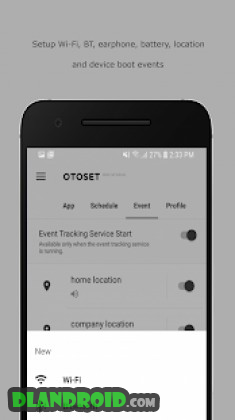
This smart automation tool triggers system changes whenever you open or close specific apps, or whenever connection states (such as Wi-Fi, Bluetooth, or headphones) change. You can also automate daily device configurations using flexible time-based profiles and schedulers.
Trial Features: • Monitor active applications to adjust system configurations to your preferred settings • Automatically close background tasks or preserve app transitions on startup • Set time-based triggers with scheduled notifications • Modify audio and connectivity states when joining or leaving Wi-Fi networks and Bluetooth devices • Create and switch complete setting profiles with a single tap, including custom launcher shortcuts
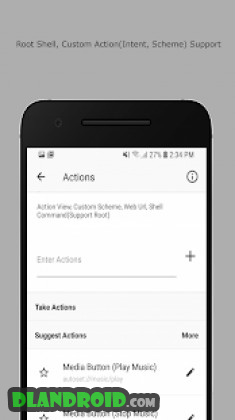
✔ Supported Configurations: • Wi-Fi network toggle • Bluetooth pairing and status • Display brightness levels • Screen rotation lock (including forced rotation across unsupported apps) • Screen timeout duration • Media playback volume • Sound and vibration modes • GPS and cellular data toggles (requires secure setting permission via ADB) • Portable Wi-Fi hotspot • Background synchronization • Do Not Disturb mode • NFC toggle • Third-party integration (Poweramp, Adguard) • Additional root-level system privileges • Full configuration backup and restore
✔ Trigger Events: • Wi-Fi connect / disconnect • Bluetooth connect / disconnect • Headphone plug / unplug • Charger connect / disconnect • Geofence arrival / departure • Custom root commands
✔ Granting Permissions for GPS and Mobile Data Toggles: To toggle GPS and mobile data automatically, Android requires elevated security privileges that cannot be granted from within the app itself. Connect your device to a computer and run the following ADB command via your terminal: `adb shell pm grant com.kmshack.autoset android.permission.WRITE_SECURE_SETTINGS`
– Note: If your custom profile resets unexpectedly while multitasking due to default system behavior, resolve the issue by enabling usage data access and ignoring system UI transition events.
✔ Common Practical Use Cases: • Automatically activate Wi-Fi when opening YouTube to conserve your mobile data plan. • Maximize display brightness and audio volume automatically whenever navigation starts. • Lower game audio levels instantly upon launching your favorite titles. • Force landscape view immediately when opening media players or reading apps. • Automatically toggle Bluetooth on when starting music streaming services. • Mute ringers and switch to silent mode during scheduled office hours. • Automatically silence phone alerts when connected to your office Wi-Fi network. • Launch music playback and adjust media volume the moment headphones are connected. • Automatically trigger assigned applications when pairing with specific Bluetooth devices.
A versatile automation assistant engineered to streamline phone configurations and execute routines based on real-time device events.
For bug reports and support requests, please contact the developer email with detailed descriptions to ensure quick troubleshooting.
* This utility requires Android Accessibility services to function properly.
Autoroid – Automation Device Settings APK Full
Autoroid – Automation Device Settings APK Full
What’s New:
– Added system applications to the selectable app list • Resolved background service startup bugs on Android 8.0
How to install
- Download the APK file above to your phone.
- Allow “Install unknown apps” when prompted.
- Open the downloaded APK and tap Install.
- If the package includes OBB/XAPK data, follow the bundled instructions.
MOD APKs are modified builds, so Play Protect may show a warning. Install only if you trust the file; use at your own risk.