

Screenshots


Description
- Home /
- Apps
Associative Swipe (Home button) MOD APK (Pro Unlocked) 7.0.0
- Apps
- Tools
The application places a software button at the bottom center of your display and assigns multiple useful actions to it. Report Developer Yurii NesterukSize 5 MBVersion 7.0.0Requirements 5.0Get it on
- Telegram
Report this app
Images
Mod info
- Pro Unlocked
Description
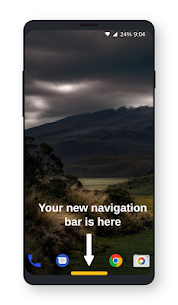
Associative Swipe (Home button) places a virtual button right at the bottom center of your screen, giving you quick access to various custom actions.
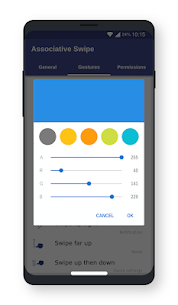
Supported gestures include: – Tap – Double tap – Long press
– Swipe up – Swipe left – Swipe right – Swipe up left – Swipe up right – Swipe up high
– Swipe up and down – Swipe left and back – Swipe right and back – Swipe up left and back – Swipe up right and back
You can trigger these commands using simple gestures: – Back – Home – Recent apps – Notifications – Quick Settings
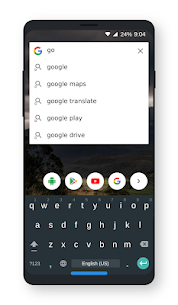
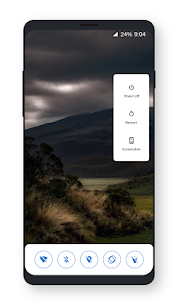
– Power menu – Split screen – Screen lock – Web search
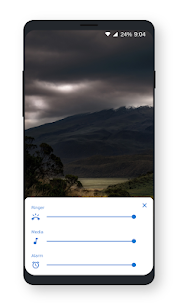
– Volume panel – Vibration mode – Silent mode – Sound settings
– Next track – Previous track – Handy tools panel – Control panel
– Voice command – Open camera – Open web browser – Launch assistant
This tool requests Device Administrator permission for: – BIND_DEVICE_ADMIN: exclusively utilized to lock the display and turn off your screen – CAMERA: to toggle the flashlight
This utility relies on Accessibility services solely for the following capabilities: – Back – Home – Quick settings – Recent apps – Split screen – Power menu – Notification shade – Screen lock – Capture screenshot
Related apps
Multi Parallel: Multi Accounts 4.1.60.1022 Winterfell Applab - Clone App & Status Downloader 9.58 MB Premium Unlocked IP Scanner 2.0.3 DigitalBox Studios 8.54 MB Premium Unlocked Computer Launcher Pro 19.27 Pro Themes and Launchers 12.29 MB Premium Unlocked Notifications archive 1.6.12 Difer 9.23 MB Premium Unlocked APN Varies with device APN Tech Ltd. Premium Unlocked
How to install
- Download the APK file above to your phone.
- Allow “Install unknown apps” when prompted.
- Open the downloaded APK and tap Install.
- If the package includes OBB/XAPK data, follow the bundled instructions.
MOD APKs are modified builds, so Play Protect may show a warning. Install only if you trust the file; use at your own risk.