

Screenshots

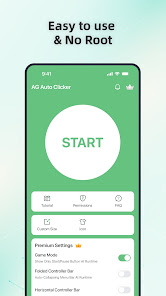
Description
AG Auto Clicker delivers an intuitive solution for running automated screen taps at customized time intervals. Whether you need indefinite tapping, a fixed duration, or a specific cycle count, it handles the job seamlessly. Users can easily position interactive floating target circles anywhere on their display. Plus, with advertisements disabled, you get a clean, uninterrupted workflow.
Features of AG Auto Clicker APK
Effortless Auto-Tapping Setup
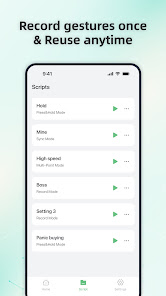
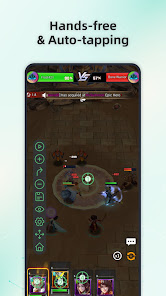
If repetitive screen tapping is wearing you out, AG Auto Clicker serves as an ideal automated assistant. It enables you to customize automated clicking profiles that run in the background without manual effort. You can multitask freely while the tool takes care of your continuous tap routines across various apps and games.
User-Friendly Interface
Exploring the utility is straightforward right after setting up your first automated task. The interface presents three distinct operating modes, each tailored with practical configurations that take only moments to master. A great starting point is the single-target mode, designed specifically for rapid, nonstop tapping on a single coordinate.
Single and Multi-Target Click Options
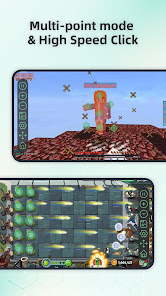
Within the single-target settings of AG Auto Clicker, you will find quick instructions on toggling the functionality. Once enabled, an on-screen target icon appears that can be dragged directly over any target area. When switching over to multi-target mode, you can deploy multiple point markers across the display while easily tweaking overall action timers.
Simple One-Tap Customization
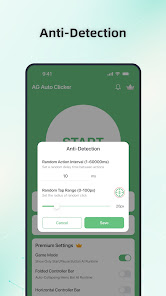
Fine-tuning click parameters to suit your routine takes minimal effort. When activating the automated clicker, you can choose from three duration formats: unlimited, a fixed time limit, or a predetermined number of cycles. Users can also configure the exact delay interval between taps, which proves especially beneficial for mobile games that demand rapid attack combos.
Android Version Compatibility
Before downloading the application, make sure your device fulfills the necessary system requirements. The utility is compatible exclusively with Android 7.0 and above due to core API limitations on older releases. Furthermore, running prolonged, high-frequency tapping loops works best on a reliable and stable hardware environment.
No Root Access Required
Setting up automated actions requires no technical workarounds—simply install the app and start utilizing its complete toolkit immediately. It runs fully without root permissions, eliminating the hassle and security risks of modifying your Android device just to automate your screen inputs.
Ad-Free Experience
While the application offers seamless and powerful automation features, standard usage may occasionally display pop-up advertisements. Removing these interruptions ensures a smoother experience, allowing you to run your tapping sequences continuously without distracting ad breaks slowing you down.
How to install
- Download the APK file above to your phone.
- Allow “Install unknown apps” when prompted.
- Open the downloaded APK and tap Install.
- If the package includes OBB/XAPK data, follow the bundled instructions.
MOD APKs are modified builds, so Play Protect may show a warning. Install only if you trust the file; use at your own risk.