

Screenshots
Description
4G Mode | Ping Master Mod APK
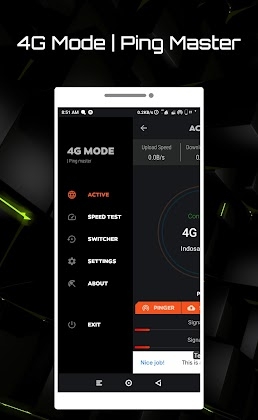
Ping Master is an essential network utility packed with compelling features and a sleek interface. It boasts an elegant UI with sliding navigation panels that easily adjust between compact and extended layouts.
Here are several standout tools and features designed to enhance your network performance:
# Active Connection
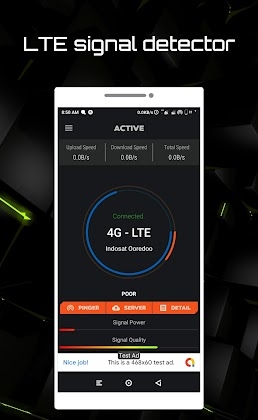
Track your real-time network status right on the primary dashboard, displaying crucial metrics such as:
Real-Time Network Speed: Live monitoring of download rates, upload rates, and aggregate bandwidth
Active Network Name
Connection Type
LTE Signal Strength
LTE Signal Quality
View detailed cellular telemetry including RSRP, RSRQ, PCI, and raw dBm readouts
# Custom DNS Servers
Configure alternative DNS providers to elevate your browsing and connectivity performance.
Pick from a wide selection of DNS providers in settings, then toggle them directly from the main interface.
* Server latency will vary based on your geographic location.
* Custom DNS is optimized for gaming and web browsing. If you run into download interruptions, simply switch back to default DNS.
# Connection Details
Access detailed metrics for your active network, including your IP address, APN configuration, and subnet mask.
# Burst Pinger
Measure true packet travel latency between your device and remote destinations by transmitting asynchronous ICMP packets.
Lower latency delivers a smoother, far more responsive connection.
The burst ping utility can dispatch up to 50 asynchronous ICMP packets within a single test cycle.
Pick from built-in host presets or manually input any destination hostname. Searched targets are stored in your log history for quick future testing.
# Speed Test
Ping Master
Intelligent host discovery pinpoints the nearest test server to your location, ensuring highly accurate speed benchmarks.
# LTE Switcher
Force your Android device to remain locked onto a single cellular band. Ping Master navigates directly to hidden radio settings so you can lock onto 4G/LTE or 3G/WCDMA modes.
This stops automatic network roaming and keeps your mobile data anchored to your chosen frequency band.
A perfect solution for mobile gamers who need stable LTE connectivity without unexpected band handoffs causing sudden latency spikes.
*Important Note
Should you experience any GSM cellular network problems following the setup of 'Switcher', simply toggle Airplane Mode on and off to refresh your network connection and restore the default configurations.
Please note that LTE Switcher is not optimized for Samsung or Huawei devices and might fail to operate properly on these brands.
--
Try Ping Master and leave a positive review for 4G Mode
Thank you very much for your kind support!
How to install
- Download the APK file above to your phone.
- Allow “Install unknown apps” when prompted.
- Open the downloaded APK and tap Install.
- If the package includes OBB/XAPK data, follow the bundled instructions.
MOD APKs are modified builds, so Play Protect may show a warning. Install only if you trust the file; use at your own risk.