
Screenshots



Description
- Home /
- Apps /
- Tools
1DM+21.9
- Payment
- Tools
1DM+ is a fast, feature-rich download manager for Android, with Torrent download support built in. It can speed up downloads by up to 500% compared with standard downloading. When there's nothing to download and the Smart Download option is turned off, the app doesn't run background services, which helps extend battery life. TELEGRAMYOUTUBE Report Developer Vicky BonickSize 58.23 MBVersion 21.9Requirements Varies with deviceDownloads 100,000+Get it on
- Telegram
Report this app
Mod Info:
Paid Features Unlocked ● Stable mod ● Debug info removed ● Multiple languages available ● No active trackers or advertisements ● Requires Android 7.0 and up ● CPU architectures: armeabi-v7a, arm64-v8a ● Optimized and cleaned resources for faster loading.
Description
1DM+ (One Download Manager Plus), formerly known as IDM+, is a high-speed download manager for Android with built-in torrent support. It can accelerate downloads dramatically compared with regular downloading. It also avoids running background services when nothing is downloading and Smart Download is switched off, which helps preserve battery life.
Clean Experience: Ad-Free and Customizable
Enjoy managing your files without interruptions, since 1DM+ is completely ad-free. You can choose between dark and light themes and use the app in a wide range of languages, including Chinese (Traditional and Simplified), Spanish (including Latin America), French, German, Italian, Japanese, Korean, Portuguese (Brazil), Russian, Turkish, Arabic, and many more.
Torrent and Streaming Support
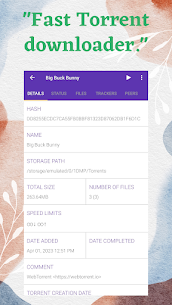
Download torrent content through a magnet link, a torrent URL, or a torrent file saved on your device. You can also download from HTTP Live Streaming (HLS) websites, making the app handy for media sources that deliver content in segments.
Flexible Download Controls and Reliability Tools
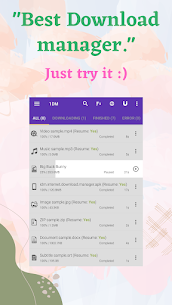
Pause and resume downloads on supported links, start or stop everything at once with "Pause all" and "Start all," and quickly clear out completed or unwanted items. Downloads keep running even after you close the app, and failed downloads are retried with unlimited attempts and a custom delay. Smart error handling helps you avoid losing progress or data.
Smart Automation: Clipboard, Scheduling, and Link Management
Turn on Smart Download and the app will detect downloadable links you copy to your clipboard and prepare downloads automatically. Import download links from a text file or straight from the clipboard, and export your link lists whenever you need to move tasks elsewhere. For downloads that should run at specific times, the built-in download scheduler has you covered.
Security and Privacy Options
Save usernames and passwords to log in automatically while browsing and downloading from password-protected sites. You can also download password-protected files directly. For added privacy, downloaded files can be hidden so they don't show up openly to other users.
Storage, Sharing, and Organization
Download straight to an SD card when your device supports it, and manage every file type, including archives, music, videos, documents, and program files. Once downloads finish, open or share files right from the app. You can also sort files by name, size, or date and organize them by type and time for easier browsing.
Notifications That Keep You Informed
1DM+ offers expanded notifications that display download progress, either as a combined total or for each download separately. You can turn on vibration and a completion sound so you're alerted when large files finish.
Advanced Speed Features: Parallel Downloads and Multi-Part Splitting
You can run up to 30 downloads simultaneously, which is handy when you're managing a lot of files. For faster performance on a single file, the app supports multi-part downloading with up to 32 parts per download, fetching chunks in parallel whenever the server allows it.
Network Tools: Proxies, Speed Limiting, and Wi‑Fi Only
You can route traffic through proxies, with or without authentication. When you need to control bandwidth, you can apply a speed limiter globally or to individual downloads. You can also limit downloads to Wi‑Fi only, helping you avoid using mobile data.
Link Refresh and Integrity Checks
If a link expires, you can refresh it directly or use the built-in browser to recover it. For verification, the app can calculate an MD5 checksum, allowing you to confirm the file is intact after downloading.
Built-In Browser and Media Link Catching
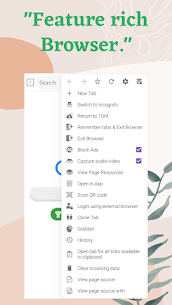
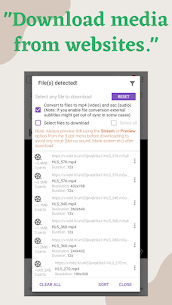
1DM+ comes with its own web browser featuring tabs, history, and bookmarks. You can browse privately in incognito mode. The app can also detect music and video download links automatically on supported websites, so you can start downloads with minimal copying and pasting.
Why the App Requests Permissions
- Internet/Network access: the app needs this to download files.
- Storage access: the app uses this to save downloaded content.
- Vibration control: the app uses this for download-complete alerts when you enable them.
- Wake lock: the app uses this to keep the device awake during active downloads.
Images
Download links
5
JOIN OUR TELEGRAM GROUP
How to install 1DM+ Mod APK?
1. Tap the downloaded 1DM+ Mod APK file.
2. Touch install.
3. Follow the on-screen steps.
Note: Important!
- Delete any previous original or mod version before installing the latest mod.
- If needed, sign in with your email or social media account. The modded app cannot be signed in with Gmail.
- Enjoy!
Related apps
Vpnify 2.5.5 VPNIFY 38 MB Windscribe VPN 4.3.2528 Windscribe 96 MB TeraBox 4.38.2 Flextech Inc. 212 MB 1.1.1.1 + WARP 6.87.0 Cloudflare Inc. 40 MB AdGuard 5.10.2 AdGuard Software Limited 67 MB
How to install
- Download the APK file above to your phone.
- Allow “Install unknown apps” when prompted.
- Open the downloaded APK and tap Install.
- If the package includes OBB/XAPK data, follow the bundled instructions.
MOD APKs are modified builds, so Play Protect may show a warning. Install only if you trust the file; use at your own risk.