

Screenshots


Description
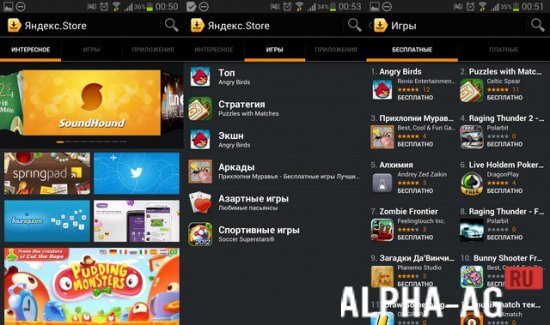
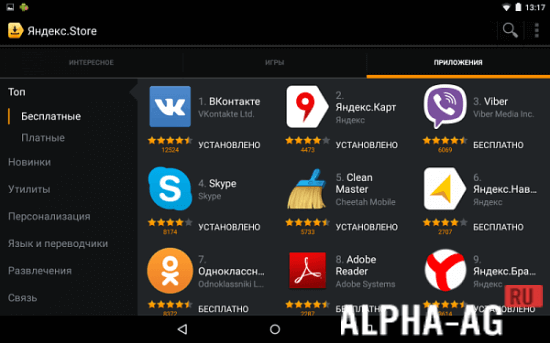
Yandex.StoreThe alternative store has many apps that for various reasons are not available on Google Play. Moreover, Yandex.Store can be moved to a memory card, but when installed in system folders, it has access to autostart and update installation without distracting users.
Specifications
More than 100,000 apps in the Yandex store have been checked for viruses by Kaspersky systems. You can be confident in the complete security of your device when downloading and installing any apps!
A feature of the app is also the ability to install the utility on a memory card. However, when installed in the device's internal memory, autostart and automatic installation of apps becomes available, which do not require direct user involvement, which is very convenient.Features
Yandex.Store offers a wide range of apps to suit every taste. Some of them are distributed on a paid basis. Several options convenient for Russian (and not only) users are available for payment. You can use a bank card, and also pay for purchases from the mobile account of MTS, MegaFon, Beeline and other carriers.
At the same time, a consistent 10% of any purchase is credited back to your bonus account. Money from this account can be used to pay for new apps in Yandex.Store, as well as for in-app purchases. Of course, you can also make purchases in Yandex.Store via Yandex.Money.
0 28 Jul Additional information:- Requires Android version: 2.3.3 or higher
- Age restrictions: none
- Russian localization: present
- Cache installation: not required
Subscribe to our YouTube channel!
Add a commentHow to install
- Download the APK file above to your phone.
- Allow “Install unknown apps” when prompted.
- Open the downloaded APK and tap Install.
- If the package includes OBB/XAPK data, follow the bundled instructions.
MOD APKs are modified builds, so Play Protect may show a warning. Install only if you trust the file; use at your own risk.