
Screenshots
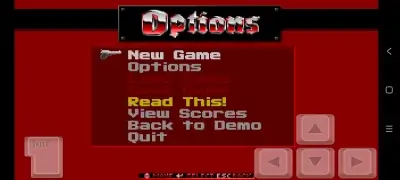
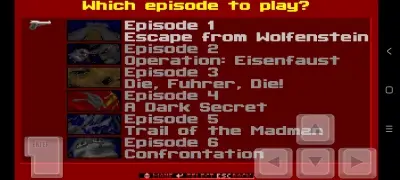
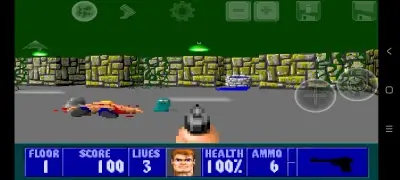
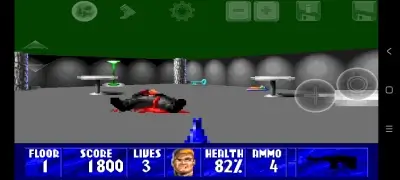
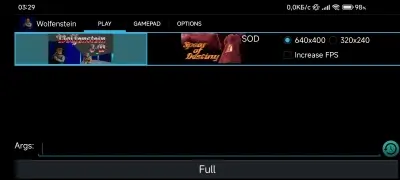
Description
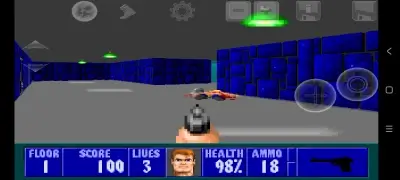
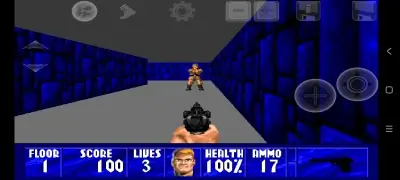
Wolfenstein 3D (Touch) MOD Download - Experience a premium unofficial port of the legendary Wolfenstein 3D brought to Android devices. This version faithfully recreates every sound, visual asset, and object from the original PC release. Players can fully personalize the control scheme, including button positioning and size, adjust analog stick responsiveness, or even map a physical controller for a better experience.
Available game titles and expansions:
- Wolfenstein 3D (Wolf3D);
- Wolfenstein 3D: Spear of Destiny;
- Mission 2: Return to Danger;
- Mission 3: Ultimate Challenge.
Modifications included in this APK (by VESP):
- Streamlined launcher by removing Social links, Email DEBUG logs, and Demo options;
- Customized application name and icon.
Build details (by FuRReX):
- Utilizes the authentic PC version cache files;
- Verified for compatibility with Android 9.0 up to Android 13.0.
Available mods and maps:
- Extreme Wolfenstein 3D (v1) (_mod_extreme-wolf-v1.pk3) - Enhances the overall gameplay experience;
- ECWolf HDpack (_mod_ecwolf-hd-pack.pk3) - Upgrades graphical fidelity (Option 1);
- ECWolf RMST (_mod_ecwolf-rmst.pk3) - Upgrades graphical fidelity (Option 2);
- WolfPak (_map_wolfpak1.pk3) - Adds an extra map (use with Wolfenstein 3D);
- WolfPak 2 (_map_wolfpak2.pk3) - Adds an extra map (use with Wolfenstein 3D).
Installation guide for Wolfenstein 3D on Android:
- Download and install the Wolfenstein 3D Touch APK file;
- Open the game and provide the necessary "Storage" permissions (required for modern Android versions);
- Download the game cache and extract it to the following directory: SDCard/Beloko/Wolf3d/FULL
- Launch the game and navigate to "OPTIONS" to verify the "Beloko Folder" path is set to: storage/emulated/0/Beloko
- Head to the "PLAY" tab, choose your preferred campaign, and hit the "Full" button;
- The game should load successfully if the steps were followed correctly.
Installation is finished.
Guide for adding mods and maps to Wolfenstein 3D Touch:
- Launch the Wolfenstein 3D (Wolf3D) application;
- Navigate to the "PLAY" tab and input the filename of your chosen mod or map into the "Args" field (e.g., "_mod_extreme-wolf-v1.pk3"). To run multiple mods or maps simultaneously, list them with a space in between (e.g., "_mod_extreme-wolf-v1.pk3 _map_wolfpak1.pk3");
- Select the "Full" button to start.
Setup finished. Stay tuned: get instant email alerts whenever this entry receives updates. Subscribe (Subscribers: 0)
Game Previews
4 8 12
App Details
Version: 1.4.1 | Requires: Android 3.1 or higher | Language: English | Studio: Open Touch Gaming | Type: Modded | Root Access: No | Keywords: Beloko, Wolfenstein 3D, Wolfenstein, Wolfenstein, Wolfenstein 3D for Android
How to install
- Download the APK file above to your phone.
- Allow “Install unknown apps” when prompted.
- Open the downloaded APK and tap Install.
- If the package includes OBB/XAPK data, follow the bundled instructions.
MOD APKs are modified builds, so Play Protect may show a warning. Install only if you trust the file; use at your own risk.