

Screenshots



Description
j4velinSize
2 MBVersion
1.9Requirements
Varies with deviceGet it on
Mod Info
Pro Unlocked Report this app
Images
Description
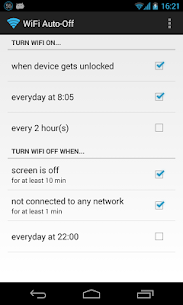
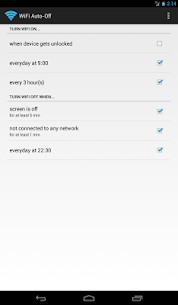
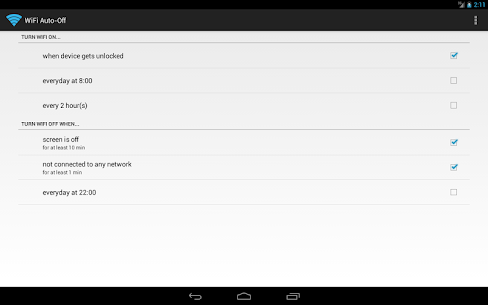
This simple app can help you increase the standby time of your device: WiFi Automatic automatically disables your WiFi radio when you don’t need it and thereby lowers battery consumption.
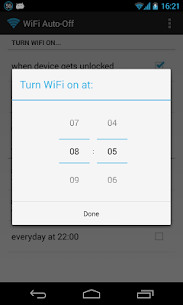
You can also specify to automatically turn on WiFi again if you turn on your device or when you enter a specified location (requires a cell radio and therefore does not work on WiFi-only tablets!). Also, the app can regularly scan for available networks to connect to and re-disable WiFi if no suitable network is found. This way, you are always connected to your WiFi network when using the device.
WiFi Automatic is open source: https://github.com/j4velin/WiFi-Automatic
A WiFi connection generally uses less power than a mobile data connection, so on your phone, it makes sense to keep the WiFi radio active, whenever a WiFi network is in range
Permissions:
RECEIVE_BOOT_COMPLETED – is required to start the service again when rebooting your device
The following permissions are required to observe and change the WiFi state:
CHANGE_WIFI_STATE
ACCESS_NETWORK_STATE
ACCESS_WIFI_STATE
The following permissions are required for the “turn on WiFi when entering these locations” feature:
INTERNET
WRITE_EXTERNAL_STORAGE
ACCESS_COARSE_LOCATION
ACCESS_FINE_LOCATION
BILLING
Developer's apps
Wallpaper Changer 5.1.1 j4velin 3.20 MB Premium Unlocked Notification Toggle 3.8.9 j4velin 8 MB Premium UnlockedRelated apps
Insget 3.14.4 Spaple 88.09 MB Premium Unlocked Poke Genie 8.19.1 Poke Genie 107.92 MB NekoBox+ 1.4.2-101 NekoBox+ 159.46 MB No Ads Inure App Manager build107.3.0 Hamza Rizwan 25.96 MB Premium Unlocked SmartCookieWeb 17.0-beta3 SmartCookieWeb 5.40 MB No AdsHow to install
- Download the APK file above to your phone.
- Allow “Install unknown apps” when prompted.
- Open the downloaded APK and tap Install.
- If the package includes OBB/XAPK data, follow the bundled instructions.
MOD APKs are modified builds, so Play Protect may show a warning. Install only if you trust the file; use at your own risk.