

Screenshots
Description
- Home /
- Apps /
- Communication
VPN Share 20260828.15
- Communication
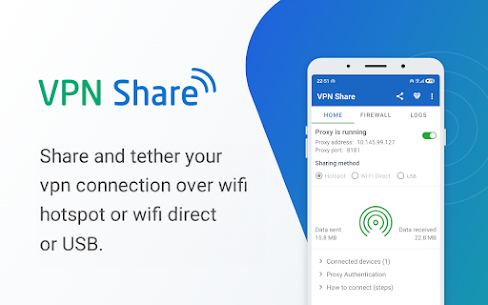
Share your VPN connection with other devices over a Wi-Fi hotspot, Wi-Fi Direct, or a USB cable. Connect a laptop, tablet, or second phone and it will route traffic through the same VPN as the host device. TELEGRAM Developer: Iorgana Software Size: 7.54 MB Version: 20260828.15 Requirements: 9 Get it on Mod Info: Premium Unlocked
- Telegram
Report this app
Images
Description
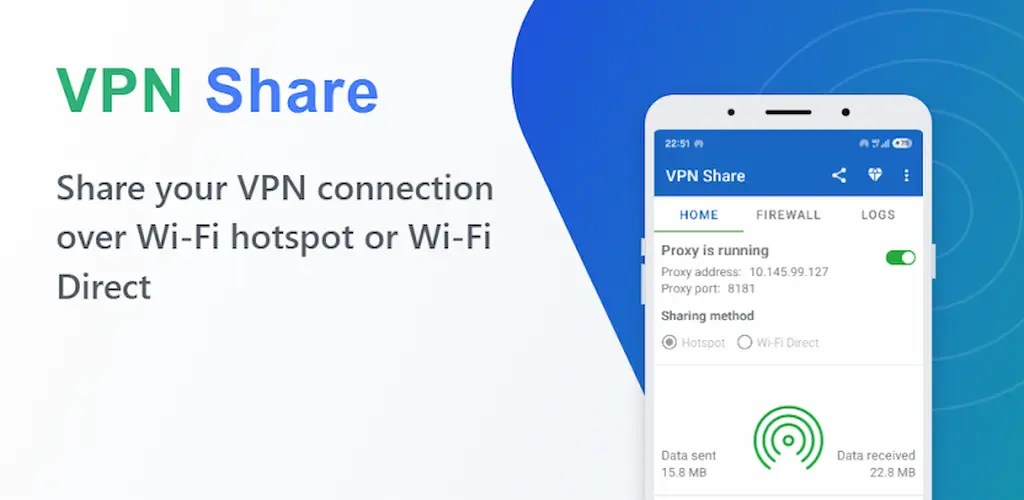
VPN Share Mod APK – Share your VPN connection with other devices over a Wi-Fi hotspot, Wi-Fi Direct, or a USB cable. Connect a laptop, tablet, or second phone and it will route traffic through the same VPN as the host device.
Why Use VPN Share? When you tether a connection, Android normally does not pass your VPN along to the connected devices, so they get the plain, unprotected connection. VPN Share solves this by routing those devices through a local proxy that runs on top of your VPN.
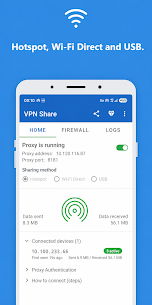
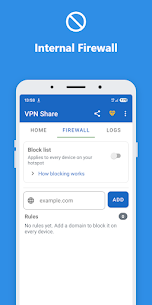
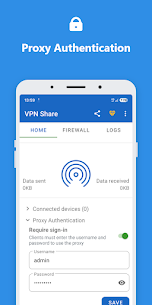
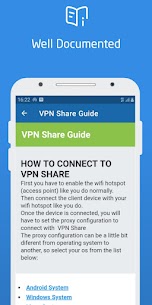
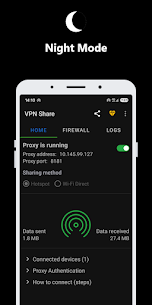
Key Features ✅ Three Sharing Methods: Share your VPN over a hotspot, Wi-Fi Direct, or USB to connect other devices. In Wi-Fi Direct mode the app creates the network and displays its name and password so you can join it. Over USB, plug the phone into a PC, enable USB tethering, and enter the proxy address and port shown in the app. ✅ Cross-Platform: Setup guides cover Android, Windows, iOS, Linux, and more. ✅ Local Proxy Server: Routes incoming and outgoing data through the VPN socket. ✅ Proxy Authentication: Protect the proxy with a username and password so only approved devices can connect. ✅ Firewall: Block specific addresses across all connected devices. ✅ Connected Devices: See how many devices are connected and how much data each one has used. ✅ Proxy Status: A live, in-memory view of how the local proxy is running, so you can confirm it's working. It is cleared when you stop the proxy. ✅ Night Mode: Dark theme support. ✅ More to Discover: Explore the rest of the app on your own 🙂
VPN App Compatibility Warning Some VPN apps may prevent VPN Share from sharing their connection. This is a limitation of those VPN apps, not a fault in VPN Share. If a connected device gets no internet while your VPN is active, check whether your VPN app has an “Allow local network” (also called “Allow LAN”) option, or switch to a VPN that supports it.
Privacy VPN Share does not collect or upload your traffic. The proxy runs entirely on your device. The status view is held in memory only while the proxy is running and is cleared when you stop it. Nothing is written to storage and nothing is sent to us.
How It Works VPN Share runs a local proxy server that listens for incoming requests and forwards them through your active VPN connection rather than the regular one. Connected devices receive the same routing as the host device.
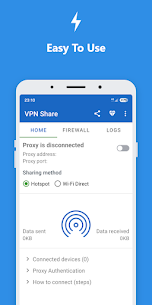
Easy to Use Turn on your hotspot or Wi-Fi Direct, or connect a USB cable, start the proxy, and enter the address and port on the other device. If you get stuck, tap “Need help” in the app for step-by-step instructions for each operating system.
Download VPN Share for free and start sharing your VPN connection with any device, regardless of its operating system.
Related Apps
DaRemote 5.16.3 iDeskangel 25.92 MB Premium Unlocked Vani: Answer Calls by Voice 20.7 Hide Application 27.32 MB Premium Unlocked Brave Browser 1.98.60 Brave Software 317.84 MB Premium Unlocked OH Private Browser 6.0.1 One Handy 4.48 MB Premium Unlocked OH Browser 15.0.1 One Handy 6.38 MB Premium Unlocked
How to install
- Download the APK file above to your phone.
- Allow “Install unknown apps” when prompted.
- Open the downloaded APK and tap Install.
- If the package includes OBB/XAPK data, follow the bundled instructions.
MOD APKs are modified builds, so Play Protect may show a warning. Install only if you trust the file; use at your own risk.