

Screenshots

Description
Compress, resize, and optimize videos in seconds. Shrink file sizes, free up storage, share faster, and keep HD footage looking sharp.
This Video Resizer & Compressor MOD APK comes with Pro and Paid features unlocked, so you get full access to every premium tool without restrictions or extra costs. Manage video file sizes and resolutions with the complete optimization suite.
What's Modified in Video Resizer & Compressor
- Pro and Paid features are enabled in this build, giving you full access to all compression and resolution tools.
This is version 3.1, about 67 MB, with the package name com.video.resizer.compressor. It has been re-signed, so it cannot be installed over the original store version.
About Video Resizer & Compressor
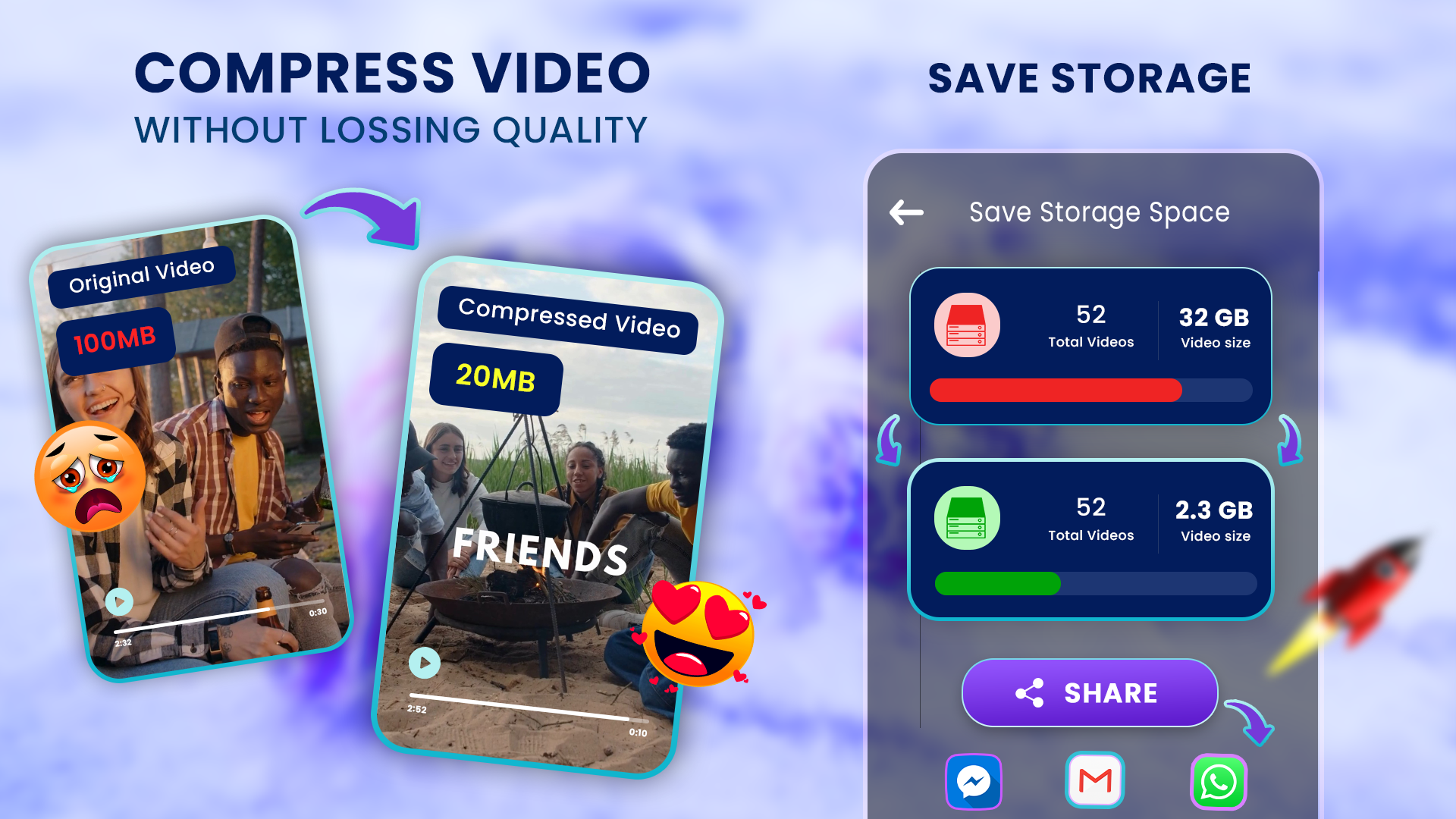
Video Resizer & Compressor helps you reclaim storage on your phone by shrinking large video files that would otherwise take up too much room. Recording in HD or even 4K fills space quickly and can slow your device down, leaving little room for new recordings. This tool reduces file sizes while preserving as much quality as possible, identifying the most effective areas in each file to apply compression. It is especially handy for long recordings such as lectures or meetings when you don't have enough space for the full event. You choose how much compression to apply, freeing up space so you can store far more footage on your device without needing external storage.
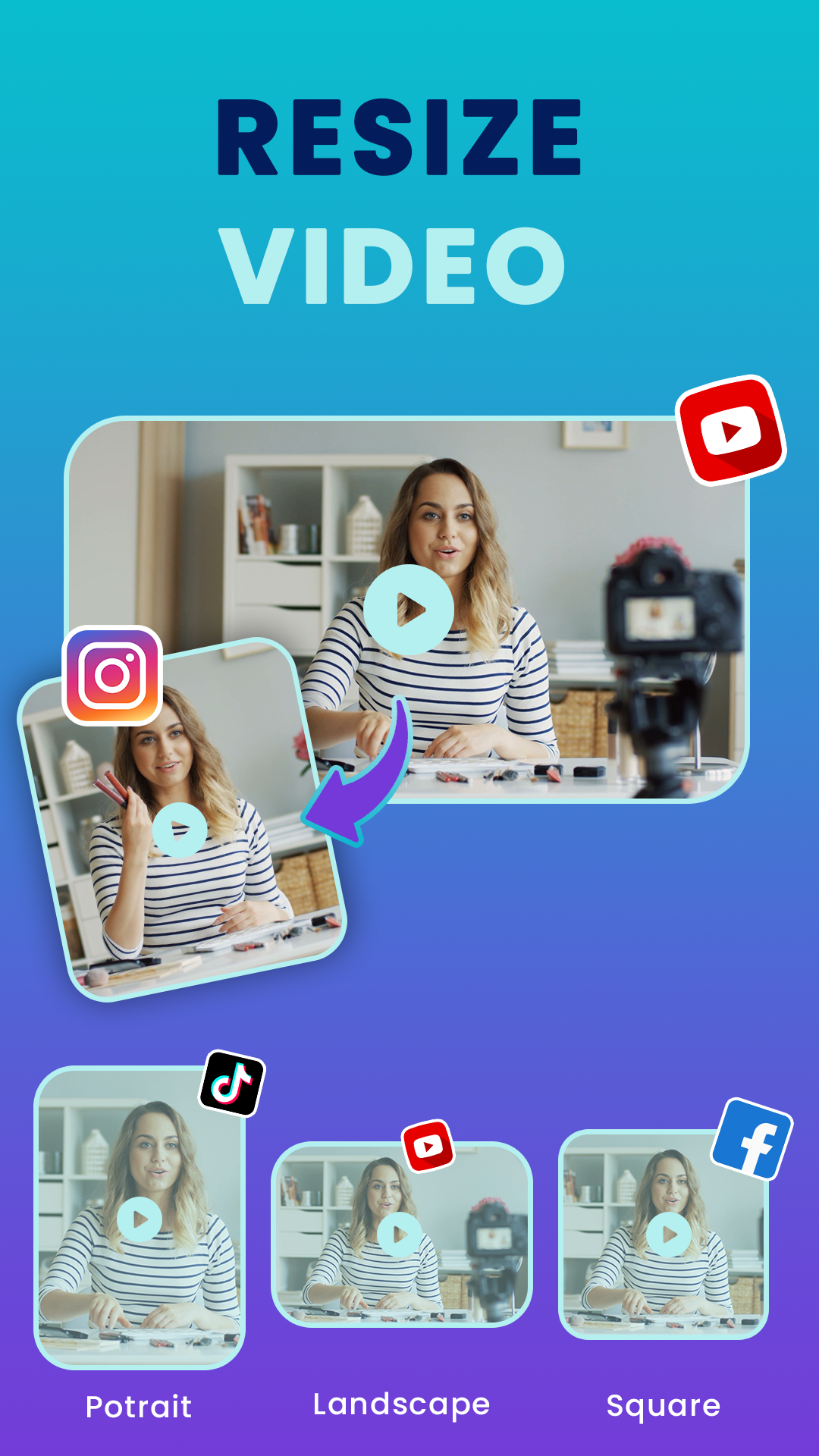
You can upload, downscale, and optimize video files for different platforms using the resolution options built into the app. Output ranges from 144p (240 lines) up to 1080p, with dedicated optimizations for 4K footage. Fine-grained resolution control lets you convert a large 4K video into a 720p version, or keep the 4K resolution while optimizing it into a much smaller file. This is useful for creators who need to tailor videos for specific viewing environments, whether that is a large, high-fidelity desktop display or a small, low-resolution mobile screen.
The app includes built-in compression presets (high, medium, and low). High and medium modes prioritize speed and small file size, which comes at some cost to quality, so they suit footage that doesn't need fine detail. Both use the same encoding engine, with the high mode applying more aggressive optimized settings. The presets automate much of the compression process and are organized in a modular way to simplify what can otherwise be a complicated task. A typical workflow involves loading your video, setting the parameters, and starting the compression. The app is built to handle demanding jobs, including 4K encoding. Because 4K footage is resource-intensive, other apps running at the same time may cause a device to lag or freeze, so this tool is designed to stay lightweight and place minimal strain on system resources.
If you work with large volumes of video, the Batch Video Compress tool makes your workflow much faster. Rather than compressing clips one at a time, you can select multiple videos and apply the same settings to all of them at once. This is especially useful for vloggers and content creators who post on platforms such as Instagram, Facebook, and TikTok, where a longer video is often split into several clips. You can process all the clips you've recorded for the day in one go, adjusting resolution and quality consistently across the set. The batch processor can also automatically tweak settings to meet a target file size.
Beyond color correction, the app also includes audio enhancement tools. Audio tracks in video files can be bulky, lowering quality while inflating file size. This app strips out unneeded audio streams and shrinks the file without sacrificing quality. A preview mode lets users compare the original and edited files side by side, or play them back to back. Since the real aim of processing a video is to end up with a file that meets your quality expectations, preview mode makes it easy to confirm the file size is small enough. It also helps you verify that essential elements, such as the audio stream, haven't been lost. Preview mode gives you peace of mind that neither the audio nor the video has been distorted. In short, it works as quality control, assuring you that the core parts of the file, the audio stream and audio/video sync, remain intact.
The Video Resizer & Compressor MOD APK lets you compress videos right on your Android device. With it, you can work around size limits on various social platforms and still share larger clips. Smaller files mean faster uploads, making it easier to post videos to YouTube, Instagram, TikTok, and other platforms. You can also send large videos more easily via email and messaging apps such as WhatsApp and Telegram. The benefits reach a wide range of users. Students can share lectures and lessons more efficiently, professionals can quickly post and send work presentations, and gamers can share their best gameplay highlights. Because the app is so straightforward, you don't need any prior knowledge of video compression or uploading to get the most out of it.
Key features
- Smart video compression that reduces file size with minimal loss in quality
- Resolution resizing options from 144p up to 4K
- High, medium, and low compression modes
- Batch video compression to process multiple files at once
- Custom file size control for hitting a specific output size
- Audio optimization that keeps sound clear during compression
- Preview before saving to check output quality
Related MOD APKs
- CapCut – Video Editor
- Capcut MOD
- Youtube Vanced
- FilmoraGo
FAQ
Is Premium unlocked in Video Resizer & Compressor MOD APK?
This 3.1 build of Video Resizer & Compressor comes with Pro and Paid features unlocked. Everything else matches the Envobyte Ltd. release, and these modifications are active as soon as you install the app.
What is the latest version of Video Resizer & Compressor MOD APK?
The current 3.1 build matches the Envobyte Ltd. release from May 9, 2026. We don't host older versions. To update, install this file over the existing app; if you run into a signature conflict, uninstall the previous version first.
Is Video Resizer & Compressor MOD APK safe to download?
This Video Resizer & Compressor 3.1 release from Envobyte Ltd. has Pro and Paid features unlocked and has earned a 4.6 rating from 39 users here. It does not require root access. You may see a Play Protect warning during installation, but downloading directly from this page ensures you get the correct file.
Does Video Resizer & Compressor MOD APK remove the watermark?
This version includes Pro and Paid unlocks. Since watermark removal is part of the premium tier in Video Resizer & Compressor, check the export screen after installing to confirm the feature is active.
How to install
- Download the APK file above to your phone.
- Allow “Install unknown apps” when prompted.
- Open the downloaded APK and tap Install.
- If the package includes OBB/XAPK data, follow the bundled instructions.
MOD APKs are modified builds, so Play Protect may show a warning. Install only if you trust the file; use at your own risk.