

MOD features
• The license agreement dialog no longer appears when you open the browser for the first time. • The following have been disabled or removed: logging, analytics, Wakelock, and debug information. • Built-in search suggestions appear on the homepage when Settings → Appearance → Advanced search bar is enabled. A rare bug may occur where, after entering a search, returning to the home page fails; tapping the empty space below the search box fixes it. • Icon signatures on the home page now wrap onto two lines. • Available languages: Russian, Ukrainian, and English. • The audio/video player no longer pauses ('sleep') when the screen turns off. • Chinese hosts have been replaced with 1Hosts in the assets folder. • User certificates are now accepted. • Optimization and ZipAlign have been applied. • The toolbar is painted black (Night mode). • The app has been renamed to Браузер Via. • After tapping 'Exit', the app no longer lingers in either active or background processes.
Screenshots

Description
Via Browser is a smart, versatile web client packed with practical tools, including robust ad-blocking, rapid file and picture downloads, and supercharged browsing speeds.
This customized Via Browser MOD APK edition delivers a much cleaner, hassle-free browsing experience by ditching the startup license prompt and stripping out background telemetry. It also features subtle visual tweaks like a sleek dark toolbar and two-line icon labels, while guaranteeing that no rogue background services stay running once you close the app.
What’s Modified in Via Browser
- Eliminated the initial user agreement pop-up that normally shows up on your first launch.
- Deactivated and cleared out all diagnostic tracking and built-in telemetry to bolster personal privacy.
- Stripped away wakelocks and debug code to minimize battery and memory overhead.
- Added direct homepage search suggestions that activate whenever the enhanced search bar is toggled in appearance options.
- Fixed an uncommon issue where users were unable to return to the start screen following a query by allowing a tap on the blank space underneath.
- Revamped the start screen design so icon labels are neatly arranged across two lines.
- Integrated multi-language translations for English, Russian, and Ukrainian.
- Prevented media playback from automatically sleeping when your phone's display shuts off.
- Swapped out the stock Chinese host lists for 1Hosts inside the assets directory to refine ad and content filtering.
- Configured the browser to seamlessly recognize and trust user-installed security certificates.
- Gave the top navigation bar a solid black finish for a consistent, dark-themed appearance.
- Updated the app's home launcher title to Браузер Via.
- Ensured every active service and hidden background task instantly terminates as soon as you hit the exit button.
Built on version 7.3.0 with a tiny footprint of only 3M under package name mark.via.gp; please note this modded release features custom signatures and cannot directly overwrite the stock Via Browser MOD APK.
About Via Browser
Created by developer Tu Yafeng, Via Browser is an ultra-fast web browser engineered to deliver high-speed navigation without putting user privacy on the line. While lightning-fast browsing often demands heavy hardware resources, this client focuses on delivering a smooth, low-stress surfing experience that is light on your system. Its lightweight architecture makes it ideal for bandwidth-heavy sessions such as online gaming or streaming video content. In addition, Via Browser comes equipped with a powerful integrated ad blocker that removes disruptive banners and pop-ups to keep page loading instantaneous. Every single utility inside the app is finely tuned for optimal responsiveness, allowing it to perform effortlessly even on older Android devices.
Recent updates to the application allow you to navigate and interact with your favorite online content much more comfortably. A dedicated bookmarks bar now makes organizing frequently visited websites simpler than ever, saving you from navigating complicated nested menus. Browsing history management has also been significantly upgraded, giving you the flexibility to wipe web data across specific date ranges or purge all recorded records simultaneously instead of clearing items one by one. Furthermore, crash reporting has been refined so non-standard input is not transmitted without permission. These enhancements foster a secure, virtually error-free environment where you can freely navigate the web with complete peace of mind.
Storage management is a standout strength of this browser, making it a perfect fit for phones with limited disk space. Thanks to efficient caching and downloading tools, users can effortlessly grab pictures and documents on the fly. Simply tapping an image lets you export it in the exact resolution and format required for your tasks. On top of that, you can preserve full web pages and online documents for offline reading when you have no connection. To safeguard your hardware, Via Browser actively blocks deceptive download prompts, malicious scripts, and invasive trackers, keeping your device completely protected against unwanted downloads and unnecessary data waste.
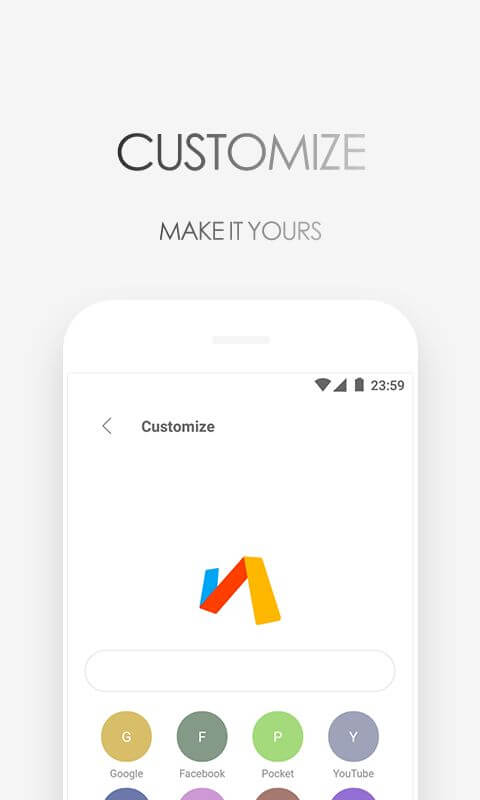
Customization and security are the two final pillars of an app's overall functionality. Browser personalization goes well beyond picking a theme: every user can build a distinctive experience that reflects their own taste. You can choose a wallpaper, rearrange the toolbar, and remove widgets you don't need to keep the browser clean and focused. This flexibility extends into information security as well. The browser lets you browse the web without being followed by ads, and gives you control over how long your data is kept, creating a more secure overall browsing experience. It also helps protect your privacy by blocking illegal websites and hiding the spam ads that clutter social networks, keeping your data safer.
Key features
- Lightweight browser design with a minimal data footprint.
- Fast image downloads and quick document saving tools.
- Customizable themes and homepage wallpaper options.
- Flexible interface layout with adjustable actions and removable tools.
- Detailed history management with time-based deletion.
- Refreshed bookmarks bar for quick access to saved pages.
- Automatic blocking of unauthorized and illegal websites.
- Warning system for downloads that come from junk advertisements.
- Privacy tools that stop tracking and help protect your information.
- Built-in ad blocking for movies and games.
Related MOD APKs
- MovieBox ID: Watch Movies, TV Series, K-Dramas & Anime for Free
- KWGT Kustom Widget Pro
- SnapTube
- Terabox
FAQ
What does Via Browser MOD APK unlock?
This 7.3.0 build of Via Browser comes with the Optimized update. It works like the Tu Yafeng release, and all modifications become active as soon as you finish installing it on your device.
What is the latest version of Via Browser MOD APK?
Version 7.3.0 is the current build, matching the Tu Yafeng release from August 22, 2026. We don't host older versions here. To update, install this file over your existing app; if you get signature errors, uninstall the current version first.
Is Via Browser MOD APK safe to download?
This 7.3.0 version of Via Browser is the Tu Yafeng app with the Optimized changes applied. It has a 3.7/5 rating from 33 users and does not require root. Play Protect may show a warning during setup, which is expected, so always download from this page.
Can I use Via Browser MOD APK on PC or iPhone?
Since this is an Android package, it won't install on an iPhone. On Windows or macOS, you can run the APK through an Android emulator such as BlueStacks or LDPlayer: install the emulator, then drag the file into it.
How to install
- Download the APK file above to your phone.
- Allow “Install unknown apps” when prompted.
- Open the downloaded APK and tap Install.
- If the package includes OBB/XAPK data, follow the bundled instructions.
MOD APKs are modified builds, so Play Protect may show a warning. Install only if you trust the file; use at your own risk.