
Screenshots
Description
V-Player - All in One (Unlocked) 2.5.38 APK
| Version | 2.5.38 |
|---|---|
| Size | 64 MB |
| Latest Update | October 23, 2026 |
| Category | Photos & Video |
| Support | Android 7.0 |
| Google Play ID | com.rpk.video_player |
V-Player brings together a video player, a music player, and a handful of mini-games in a single Android app, made for anyone who wants to watch and listen to the files already stored on their phone. Published by T. A. STUDIO on Google Play, it has passed 100,000 downloads and holds an average of roughly 3.9 stars from more than 230 reviews. Rather than juggling a separate movie player and music app, you can handle both from one place.
Content
Toggle
Overview of V-Player
V-Player is one of the all-in-one Android video players built for people who keep both videos and music on their devices and want everything managed through a single interface. It features a dark theme and customizable themes, which make nighttime viewing more comfortable. Since this app comes from a small developer, it's worth testing each feature on your own device to see how it performs.
How it Works
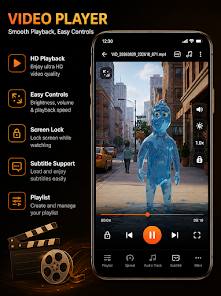
On first launch, the app may ask for access to storage and media files so it can scan and play the content on your device. Once the scan is finished, your videos and tracks are sorted for quick access. In terms of formats, it handles popular video types such as MP4, MKV, WEBM, MOV, AVI, and 3GP, along with audio files like MP3, WAV, AAC, and M4A. The supported format list is broader than this, but if you have an uncommon file, open it first to confirm it plays before relying on the app.
Included Tools
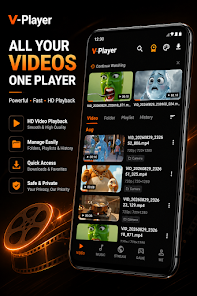
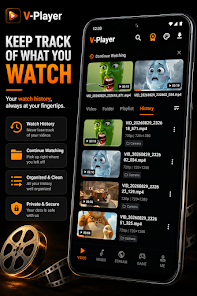
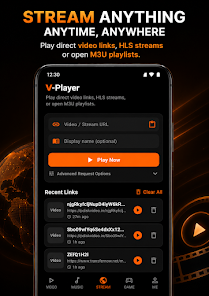
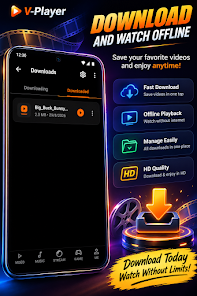
The music section includes playlists and background playback, so your audio keeps going while you use other apps. The resume feature picks up unfinished videos right where you left off, saving you from manually searching for your spot. You'll also find an MP3 converter, a download manager, and tools for organizing your media library. Together, these turn the app into a compact toolkit for handling content on your device.
Highlights
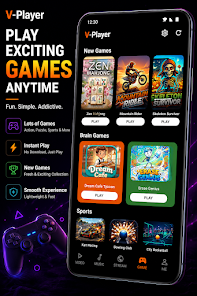
What sets it apart from standard players is the built-in mini-game section, offering quick entertainment without installing extra apps. The app also highlights personal file protection features. On the data side, the developer says they don't share information with third parties and may collect device identifiers and encrypted transmission data, but the store page notes that this data cannot be deleted. Advertising and in-app purchases are not mentioned on the store page.
Tips for Using V-Player
Grant storage access only at the level needed for scanning and playback, and review the permissions list during installation, since the store page doesn't show them in full. Sort your videos and music into clearly named folders to keep your library organized. Test a few files in the formats you use most, especially MKV or large files, to see how smoothly they run. Turn on background playback for music when you're multitasking, and use the resume feature for long movies. Read the Data Security section carefully before installing, particularly the point about data that cannot be deleted. The store page doesn't list a minimum Android version beyond the requirement shown above, so double-check compatibility on your device. Only play content you have the right to use, and download the app only from Google Play.
Conclusion
V-Player is a good fit if you'd like one app for playing videos, listening to music, and enjoying a few mini-games, especially when your device already holds a large media collection. It supports many formats and includes useful extras such as MP3 conversion, playlists, and background playback. With a rating around 3.9 stars and data that cannot be removed, it's worth trying with your own library and weighing the privacy details before relying on it every day.
How to download & install V-Player – All in One (Unlocked) for Android
How to install
- Download the APK file above to your phone.
- Allow “Install unknown apps” when prompted.
- Open the downloaded APK and tap Install.
- If the package includes OBB/XAPK data, follow the bundled instructions.
MOD APKs are modified builds, so Play Protect may show a warning. Install only if you trust the file; use at your own risk.