

Screenshots
Description
- Home /
- Apps /
- Tools
TurboFPS Pro 3.21
- Tools
TurboFPS Pro is a root-free gaming utility for Android that taps into supported system settings through Shizuku on compatible devices. TELEGRAM Report Developer Xn1 Studio Size 15.78 MB Version 3.21 Requires Android 7.0 Get it on Mod Info Premium Unlocked
- Telegram
Report this app
Images
Description
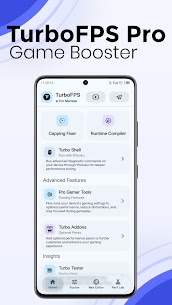
TurboFPS Pro Mod APK is a root-free gaming utility for Android that uses Shizuku to reach supported system settings on compatible devices.
Note: Available features depend on your device, Android version, and manufacturer. Shizuku must be running for any feature that needs elevated permissions.
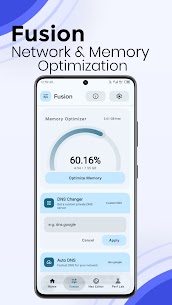
Fusion Memory Optimizer, DNS Changer, Auto DNS
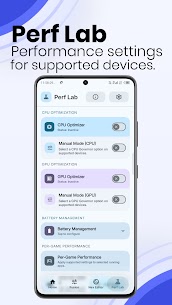
Perf Lab CPU Optimizer, GPU Optimizer, Battery Management, Per-Game Performance, and Advanced Optimization (depending on your device)
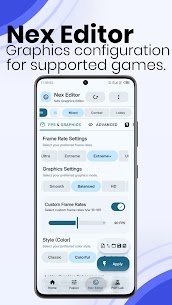
Nex Editor is a graphics configuration editor for BGMI and PUBG Mobile. It modifies configuration values stored in game files, and the available options vary by game and device. Compatible with BGMI, PUBG Mobile Global, KR, VN, and TW.
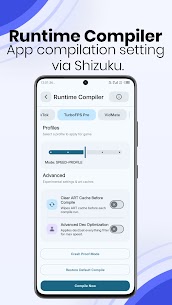
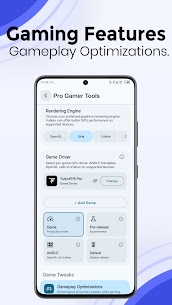
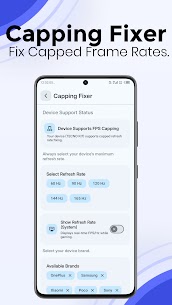
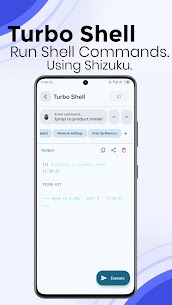
Capping Fixer, Runtime Compiler, Turbo Shell, Pro Gamer Tools, Turbo Addons, Turbo Tester, Turbo Tips
Supported games: BGMI, PUBG Mobile (Global, KR, VN, TW), Free Fire MAX, Call of Duty: Mobile, Delta Force Mobile, Mobile Legends, Honor of Kings, Wild Rift, Valorant Mobile, Genshin Impact, Roblox, Fortnite, and Brawl Stars.
Some features require a Pro License.
TurboFPS Pro is not affiliated with or endorsed by any game publisher. Results vary by device, Android version, and game version. The app only works with settings that Android and your device support.
Related apps
VirusGuard 98 Ashwath Hegde 10.85 MB Premium Unlocked GreerGuard 43.4 GreerGuard 14.38 MB Premium Unlocked SD Maid SE 2.2.2-rc0 darken 17.43 MB Pro Unlocked Aloha Browser 8.12.0 Aloha Mobile 151.05 MB Premium Unlocked AdGuard 4.15.0 ADGUARD SOFTWARE LIMITED 77.88 MB Premium Unlocked
How to install
- Download the APK file above to your phone.
- Allow “Install unknown apps” when prompted.
- Open the downloaded APK and tap Install.
- If the package includes OBB/XAPK data, follow the bundled instructions.
MOD APKs are modified builds, so Play Protect may show a warning. Install only if you trust the file; use at your own risk.