

Screenshots

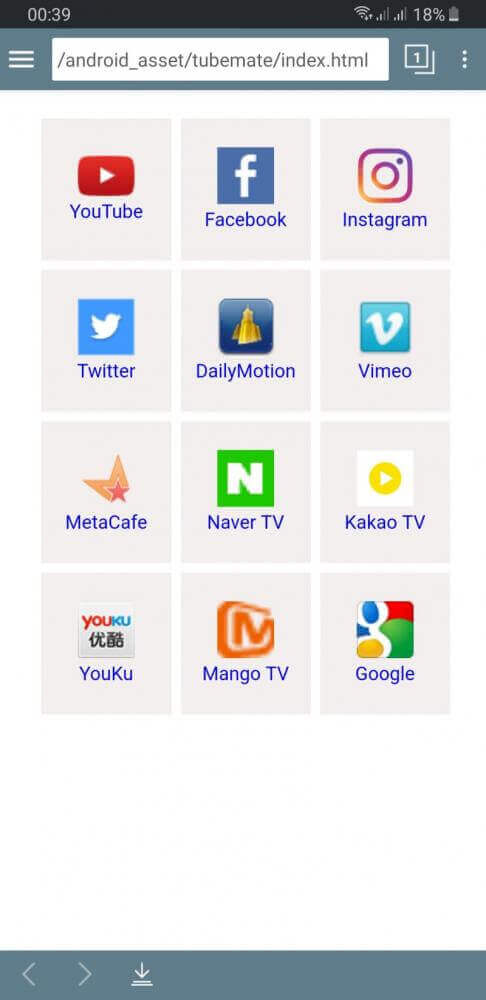

Description
This TubeMate MOD APK delivers an ad-free experience throughout the app. With the interruptions removed, you can search for, watch, and download videos without any promotional content getting in the way.
What's Modified in TubeMate
- All advertisements have been stripped from the interface, so you can browse and download videos without interruptions.
This build is version 3.4.19 at 25M, with an unknown package name. Because the file has been re-signed, it can't be installed as an update over a copy downloaded from an official store.
About TubeMate
TubeMate lets you download media from YouTube and keep it on your device. It also works as a media player that handles a wide range of file formats. In addition, it functions as a video downloader, so you can save the audio or video content you choose to your local storage. If you want to keep copies of content you enjoy, TubeMate makes that easy. You can follow the creators you like and watch their videos later, even without an internet connection. For people in areas with slow or unreliable internet, it can be a practical way to save media for offline viewing.
The interface is designed to resemble mainstream video streaming platforms, which makes it feel familiar from the first launch. In fact, it closely mirrors the official YouTube app, a choice the developers made to shorten the learning curve. Most navigation relies on swipe gestures. Swiping in from the left edge reveals your watch history and bookmarks, so you can save channels or videos and return to them whenever you like. Swiping in from the right edge opens the downloads manager, where your saved videos, separate audio file lists, and custom playlists are organized. Being able to sort videos and audio into playlists makes it easier to manage a large media library.
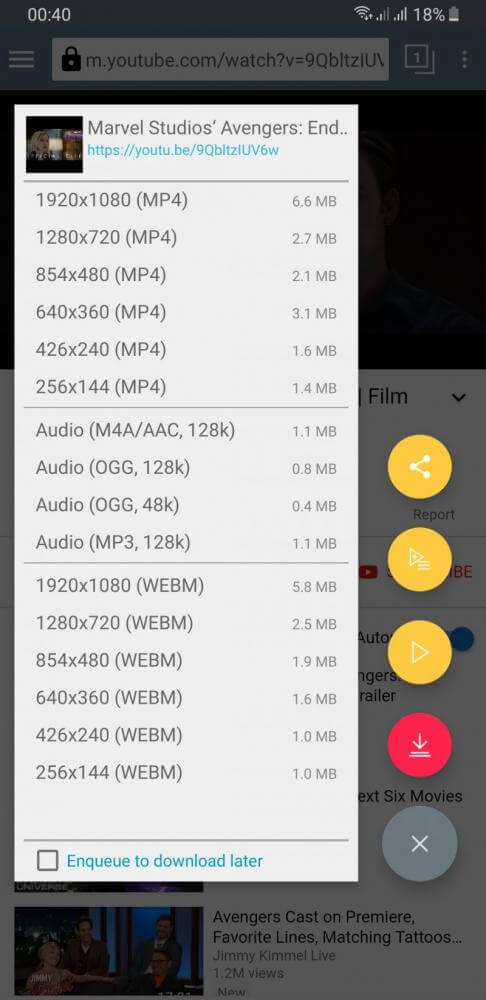
Downloading is kept as simple as possible. To save a video, tap the download button in the lower right area of the screen, marked with a download icon. A menu then appears listing the available formats and quality levels. This helps you control how much data you use and how much storage space the file takes up. For videos you want to watch, you can save them as MP4 files. If you only need the audio, such as for music or podcasts, you can choose MP3 or OGG. Each option shows its quality, so you can pick the one that fits your needs.
Efficient use of your device's hardware is another core part of the design. The app includes tools to help manage video file sizes and storage space, and it offers native support for external storage, particularly SD cards. Using external storage helps prevent your internal memory from filling up. You can create and name folders on the card to keep your downloads organized and separate from system files and other apps, which also makes them easier to find later. If you set an SD card as your primary download location, your entertainment library can grow as large as the card itself, and you can back up or move the card along with all of your downloads.
Navigating the app feels effortless thanks to intuitive gesture controls built around natural horizontal swipes. Instead of cluttering your screen, secondary sections stay tucked away until you need them. Swiping inward from the left side instantly brings up your watch history alongside saved bookmarks, making it simple to revisit favorite videos and channels without typing another search query. On the opposite side, dragging in from the right edge opens the built-in media manager. To keep your offline collection organized, this hub neatly separates audio tracks from video clips, letting you jump straight to your saved songs without digging through video files.
TubeMate MOD APK upgrades the standard downloader into a versatile, all-in-one entertainment station where streaming and downloading work seamlessly together. Beyond saving clips offline, you can explore YouTube's vast library, discover trending creators, and enjoy videos across countless categories. As you browse, your personal offline catalog expands, backed by handy built-in tools to curate custom video playlists and music collections. Whether you simply want to grab a quick clip for your lunch break or hoard entire playlists for an offline flight, this package delivers granular control over file resolutions, download queues, and device storage.
Key Features
- Save YouTube clips across diverse formats such as MP4, MP3, and OGG
- Pick your preferred video resolution based on what the source provides
- Enjoy a clean layout inspired by the official YouTube mobile app
- Swipe from the left border to quickly open bookmarks and watch history
- Swipe from the right edge to manage playlists, audio tracks, and downloads
- Store downloaded media directly onto an external micro SD card
- Organize downloads smoothly using custom folder structures
- Play saved audio tracks and video files directly with the built-in player
- Tap the handy bottom-right action button to choose download options
- Control device storage easily by choosing custom destination folders
Related MOD APKs
- Spotify Music
- Spotify X Gold
- YouTube Music
- Apple Music
FAQ
Does TubeMate MOD APK remove ads?
Yes, this TubeMate (3.4.19) edition comes with No Ads pre-enabled. It preserves all native Devian Studio features, with ad-free perks working immediately after installation.
What is the latest version of TubeMate MOD APK?
The current 3.4.19 release mirrors the latest Devian Studio build, updated on March 7, 2026. GameMod.dev provides only the newest package available. You can upgrade by installing this file over your existing setup, or perform a clean reinstall if a signature mismatch occurs.
Is TubeMate MOD APK safe to download?
The TubeMate 3.4.19 release on GameMod.dev offers the clean Devian Studio build enhanced with No Ads. Rated 3.4/5 across 70 user votes, it runs without root permissions. Because it is a modified package, Google Play Protect may display a routine prompt, so be sure to download directly from GameMod.dev.
Can I use TubeMate MOD APK on PC or iPhone?
This package is designed exclusively for Android, meaning it cannot run natively on iOS devices like an iPhone or iPad. However, desktop users on Windows or macOS can easily launch the 25M APK using Android emulators like BlueStacks or LDPlayer by simply dragging the file into the virtual window.
How to install
- Download the APK file above to your phone.
- Allow “Install unknown apps” when prompted.
- Open the downloaded APK and tap Install.
- If the package includes OBB/XAPK data, follow the bundled instructions.
MOD APKs are modified builds, so Play Protect may show a warning. Install only if you trust the file; use at your own risk.