
Screenshots
Description
TSF Launcher 3D Shell
- Updated: June 25, 2019, 16:51
- Version 3.9.4
- Build 30904
- Requirements: Android 2.2+
- Category: Personalization
- Price: Free
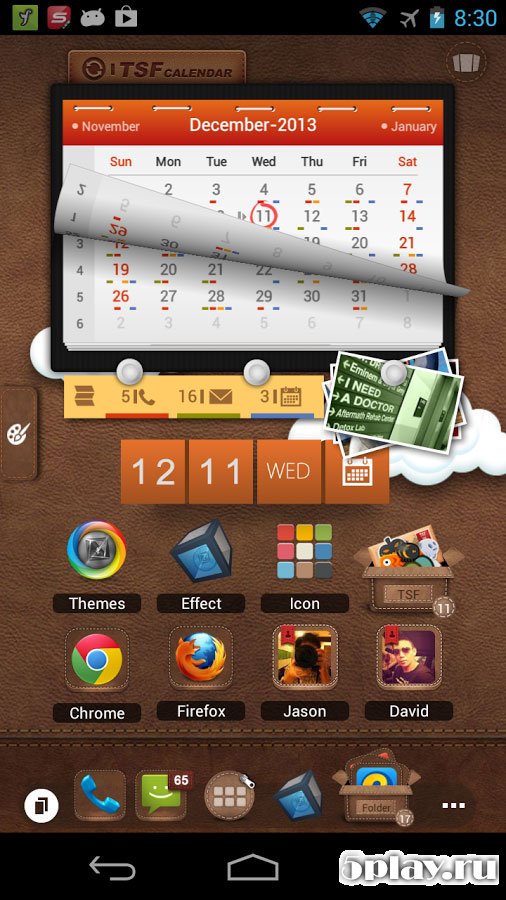
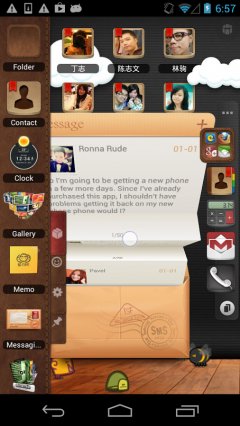
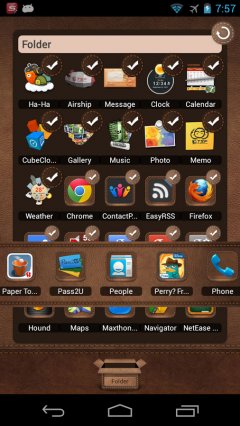
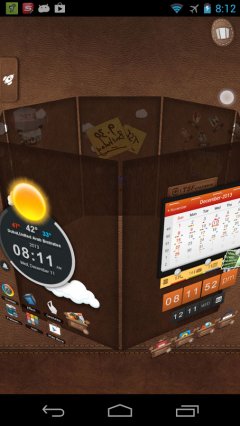
Download TSF Shell 3D Launcher APK — a vibrant, dynamic home screen launcher designed to breathe new life into your Android phone. Engineered for smooth and intuitive operation, it lets you navigate and control your mobile setup effortlessly. The real standout highlight is its rich visual appeal, boasting slick 3D graphics and fluid transition animations that bring every tap to life.
Users can explore roughly ten distinctive desktop layouts alongside an adaptable, virtually limitless dock. Best of all, it delivers this striking look while remaining gentle on your device's RAM and overall hardware performance. The launcher also comes packed with native 3D widgets covering everyday essentials like weather updates, audio playback, and photo galleries. Furthermore, you can assign custom gesture shortcuts to launch folders or your favorite apps in an instant.
Easily customize icon themes and take advantage of rapid setup tools to place your go-to shortcuts straight onto the home interface. TSF Shell 3D Launcher is a feature-packed, eye-catching customization tool for anyone eager to overhaul their phone's appearance. Need help with the download? Guide to installing games and apps | How to install games with OBB / cache | How to capture a screenshot | How to install APKS files
How to install
- Download the APK file above to your phone.
- Allow “Install unknown apps” when prompted.
- Open the downloaded APK and tap Install.
- If the package includes OBB/XAPK data, follow the bundled instructions.
MOD APKs are modified builds, so Play Protect may show a warning. Install only if you trust the file; use at your own risk.