

Screenshots
Description
Toon Blocks APK 0.254.0 (Full Game) for Android | Marek Dobrowolski | 0
| Updated On | 23/02/2026 |
|---|---|
| Category | Art & Design |
| Version | 0.254.0 |
| Size | 36 MB |
| Requires | Android 7.0 |
| Get it on | Google Play |
| MOD Features | No |
- Coming soon
Toon Blocks lets you build your very own animated world. It is a cartoon-style block building app that lets you craft everything from grand castles to sci-fi robots or even a colorful comic scene. Find out more below.
Note: You can also check out similar apps in the same category on GameMod.dev, such as Room Planner or Desygner.
About Toon Blocks
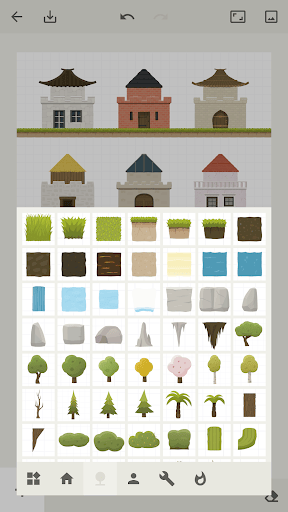
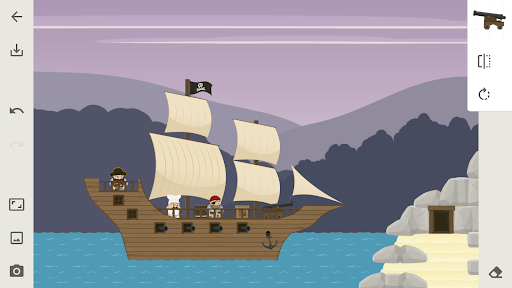
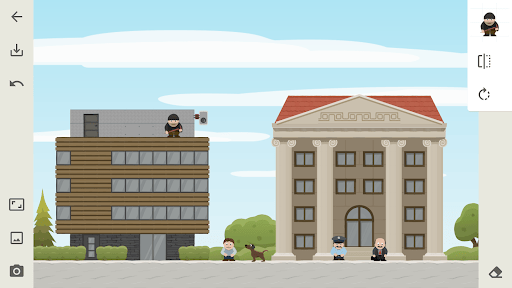
Toon Blocks is a playful, cartoon-style block building app that suits players of all ages. At the start, you get access to many kinds of blocks, including bricks, stones, wood, and decorative pieces in classic, modern, or sci-fi designs. With each block, you can rotate, flip, zoom in, zoom out, and arrange it however you like to construct houses, castles, spaceships, or unique comic scenes.
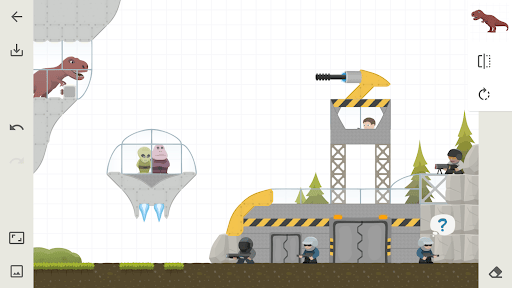
The app features a range of adorable cartoon characters, such as warriors, pirates, dinosaurs, and fantasy creatures. Thanks to them, you can bring lively stories to life based on your imagination. Once you finish, every creation can be saved as an image to share with friends or use as a personal comic background.
Toon Blocks requires no special drawing skills. Simply drag, drop, and build, and you'll quickly have a vibrant world in your own style. It is an enjoyable entertainment tool that also helps develop visual thinking and design sense in a gentle, approachable way.
Freely Build a World in Cartoon Style
Toon Blocks gives you an open environment where you can freely create whatever you imagine. The interface lets you select, drag, rotate, and arrange hundreds of different block types, such as bricks, wood, stone, and metal, so you can build anything from simple structures to intricate ones. Each block can also be resized and repositioned, making assembly easy. You can start with a small house and expand it into a castle, a city, or even a fantasy planet.
With unlimited blocks at your disposal, you can develop your world without limits. Combining many materials at once creates intuitive effects of color, depth, and space. It is an ideal choice for anyone who wants to practice image design, three-dimensional thinking, and imagination in the most fun and accessible way.
Rich Character and Accessory Library
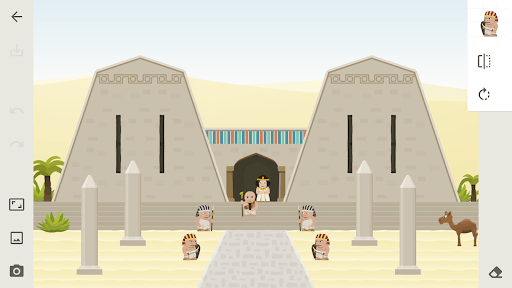
Another highlight of Toon Blocks is its diverse character and prop system. The library includes many character models, such as knights, pirates, robots, aliens, tribal warriors, and witches, all in charming cartoon styles. Each character can be dragged into the scene, repositioned, turned in a new direction, or made to interact with surrounding objects.
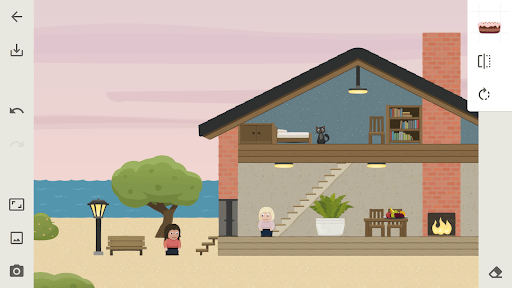
The app also offers accessories like trees, watchtowers, vehicles, bridges, weapons, flags, and many small details to make your scenes more vivid. Combining these elements helps you create lively comic scenes with depth and clear storytelling.
If you enjoy building stories or creating illustrations for personal projects, this toolkit will be extremely useful. Whether you are a beginner or already familiar with design apps, you can get started quickly thanks to the intuitive layout and simple controls.
Unlimited Creative Space and Flexible Sharing
One of the standout strengths of Toon Blocks is its nearly boundless creative space. Players can assemble their own miniature world with whatever details they like, without being boxed in by a fixed scenario. The app sets no tasks, enforces no binding rules, and doesn't require unlocking levels, giving you complete freedom to express your own ideas.
Once you're done, you can export your creation as a high-quality still image and save it to your device or share it through social networks, chat apps, or email. This is especially handy for anyone who wants to keep their creative results or show ideas to friends. Plus, there's no need to register an account or stay online, so the whole experience feels faster and more convenient.
Friendly interface, easy to use for all ages
Toon Blocks is built to keep the user experience simple, especially welcoming to kids and to people without any drawing skills. Block types, characters, and accessories are laid out clearly with easy-to-understand illustrated icons. Core actions such as dragging and dropping, rotating blocks, and zooming in or out all work through simple touch gestures, so you can concentrate on creating instead of learning how the software works.
What's more, adding and removing blocks in the scene runs smoothly, with no noticeable delay or lag, even on mid-range devices. The app also lets you save your works as PNG images and share them with ease. Thanks to quick access and straightforward controls, Toon Blocks works as a light entertainment tool that is both educational and helpful for building imagination in an intuitive way, suited to children and adults who enjoy creativity.
Download Toon Blocks APK for Android
Overall, Toon Blocks is a great choice if you're looking for a creative outlet and a way to bring your own world to life. It offers a user-friendly interface, easy-to-use tools, and a rich content library, delivering a fun experience that really sparks the imagination.
Available VersionToon Blocks v0.253.0Original XAPK
How to install
- Download the APK file above to your phone.
- Allow “Install unknown apps” when prompted.
- Open the downloaded APK and tap Install.
- If the package includes OBB/XAPK data, follow the bundled instructions.
MOD APKs are modified builds, so Play Protect may show a warning. Install only if you trust the file; use at your own risk.