
Screenshots


Description
Keep an eye on your phone's temperature in real time, avoid overheating, boost performance, and keep your device running smoothly and safely. 🔥📊
This build gives you full access to every feature by unlocking Premium status. The Thermal Monitor MOD APK makes all monitoring tools and system insights available from the very first launch.
What's Modified in Thermal Monitor
- All premium features are unlocked, giving you complete access to every monitoring and alert tool without making any additional purchases.
Version 3.9.1 is 2 MB in size and uses the package name com.rollerbush.thermal. Because this file is re-signed with a different certificate, it can't be installed as an update over the version from the official store.
About Thermal Monitor
Thermal Monitor – Phone Temp helps you keep your device's temperature under control. Rising temperatures can hurt battery health and shorten a device's lifespan. This app lets you manage thermal conditions and check temperatures in detail, helping you understand where heat comes from and which device functions are causing it. With it, you can better manage heat output and keep your device within its intended operating range. This is especially useful during demanding tasks such as gaming or video streaming. The app delivers real-time data and can be used while the device is connected to a wall charger.
This software offers live device monitoring, showing detailed information about system load and, most importantly for this purpose, the load on the central processing unit (CPU). Every processor has a limit on how hard it can work, and when the load exceeds that limit, its temperature rises. The aim here isn't to measure the processor's temperature directly, but to understand how hard it's working. Once you can see the load climbing, you can identify the processes responsible, especially those that consume a lot of power and make the device run very hot. The Thermal Monitor Modified Application (Mod APK) displays these load spikes in real time, helping you understand exactly why your device is heating up. All of this information appears in easy-to-read, live dashboards.
The app also takes battery health into account. Lithium-ion batteries gradually lose health and capacity for several reasons, with heat exposure being one of the main ones. Keeping battery temperatures under control can help preserve the health of the device's power system. The app collects temperature data from the battery, which can help you decide when to charge and when to take a break from heavy workloads. It also helps you recognize when charging becomes too harsh on the battery, and it provides tools for analyzing your charging habits so you can better understand how to extend battery longevity. One feature shows the thermal state of the battery while other background apps are running.
To protect your hardware from damage, the app includes an overheating alert system. Alerts are triggered when the hardware reaches a set threshold, warning you to act before any permanent damage occurs. Each alert comes with a suggestion for a feature that can bring the hardware back to a safe operating state. The app automatically adjusts the hardware to a safe state by recommending ways to manage its temperature, such as changing usage patterns or closing resource-heavy apps. To find these solutions, it analyzes your hardware usage patterns, and the resulting recommendations are presented in the app's performance insights.
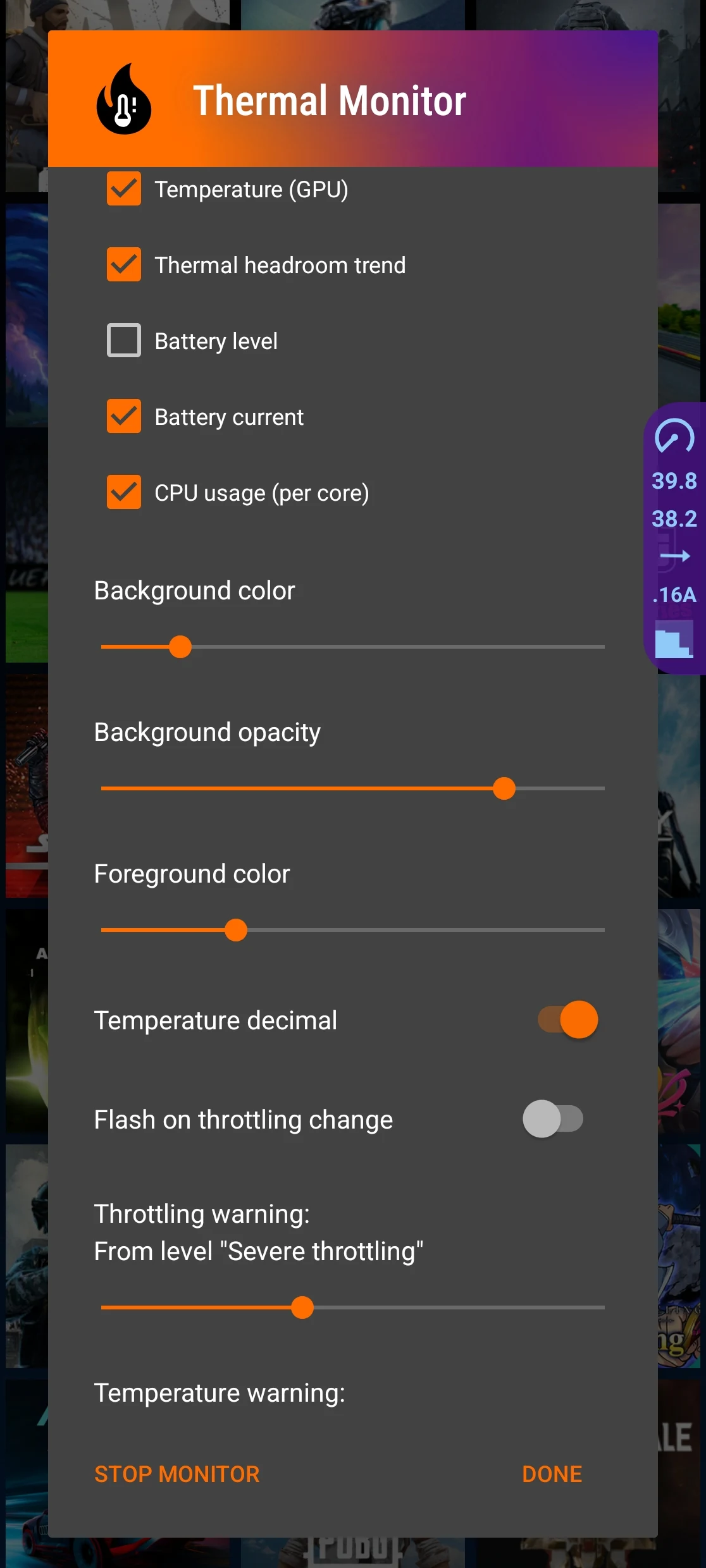
Our main focus during development was to create an exceptionally light and streamlined interface. We set out to design an application that tracks essential hardware statistics in real time without heavily taxing battery reserves or raising device temperatures. You can easily personalize the appearance to suit your preferences, featuring a dedicated dark theme optimized for low-light environments. The dark mode backend has been thoroughly refined to remain as resource-friendly and compact as possible. As a result, the layout stays uncluttered and intuitive, enabling you to tap any dashboard item for in-depth diagnostic details.
Constant tracking allows you to catch heating problems before thermal throttling begins to impair performance. Whenever internal heat reaches critical levels, Android throttles processor clock speeds to protect internal hardware, which triggers severe frame drops and lagging. Thermal Monitor safeguards your device by alerting you at the earliest signs of rising heat. Keeping thermal levels in check is vital for smooth operation, particularly when handling demanding tasks or running heavy 3D games. Prolonged workloads inevitably cause throttling and ruin the experience; tracking temperatures in real time mitigates these issues and keeps your phone running at its best.
Key Features
- Real-Time Temperature Monitoring
- CPU and System Usage Overview
- Battery Temperature Tracking
- Overheating Alerts
- Cooling Recommendations
- Performance Insights
- Simple and Clean Dashboard
- Dark Mode Support
Related MOD APKs
- MovieBox ID: Watch Movies, TV Series, K-Dramas & Anime for Free
- KWGT Kustom Widget Pro
- SnapTube
- Terabox
FAQ
Is Premium unlocked in Thermal Monitor – Phone Temp MOD APK?
Yes, this version 3.9.1 of Thermal Monitor – Phone Temp comes with Premium Unlocked. All premium features are unlocked and ready to use immediately upon installation.
What is the latest version of Thermal Monitor – Phone Temp MOD APK?
The most recent update is version 3.9.1, updated on August 21, 2026. GameMod.dev provides only the latest working release. You can install it straight over your existing build; should a signature conflict occur, simply uninstall your previous installation before reinstalling.
Is Thermal Monitor – Phone Temp MOD APK safe to download?
Thermal Monitor – Phone Temp 3.9.1 features full Premium Unlocked functionality and holds a 4.7 rating across 36 community reviews. No root access is needed. Feel free to bypass standard Play Protect warnings and download securely from GameMod.dev.
Can I use Thermal Monitor – Phone Temp MOD APK on PC or iPhone?
This APK package is designed exclusively for Android systems and will not work on iOS devices like an iPhone or iPad. However, you can easily run this lightweight 2 MB file on a computer via Android emulators such as LDPlayer or BlueStacks simply by dragging it in.
How to install
- Download the APK file above to your phone.
- Allow “Install unknown apps” when prompted.
- Open the downloaded APK and tap Install.
- If the package includes OBB/XAPK data, follow the bundled instructions.
MOD APKs are modified builds, so Play Protect may show a warning. Install only if you trust the file; use at your own risk.