

Screenshots





Description
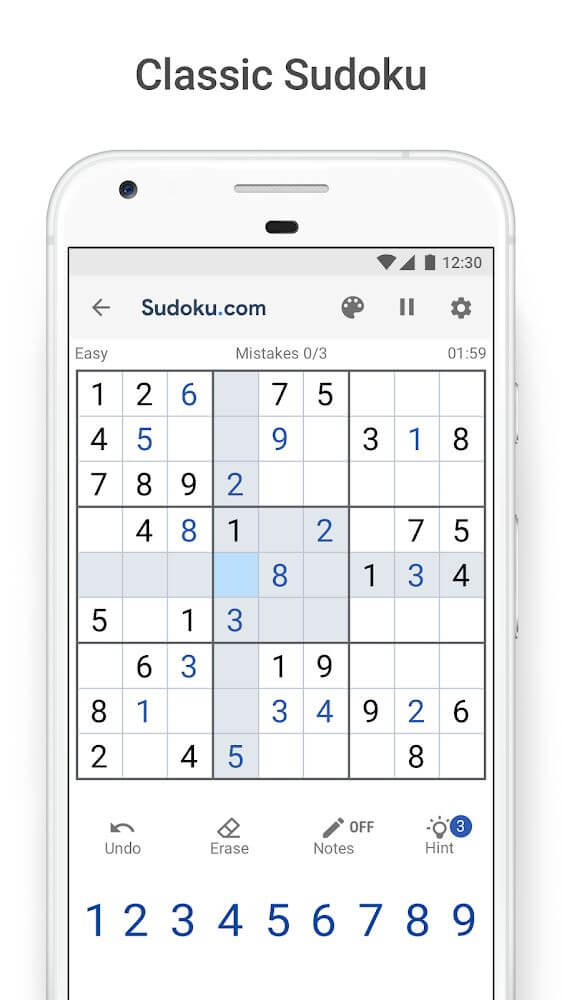
Sudoku.com is a mobile version of the classic number puzzle, where players fill a grid of levels, using in-game tools to solve each one and customize their experience.
This Sudoku.com MOD APK strips out all ads from the puzzle experience, so you can play without interruptions. With the ad system disabled, you can move between levels and use in-game assist tools without commercial pop-ups or video overlays getting in the way.
What's Modified in Sudoku.com
- The ad system has been completely disabled, giving you an ad-free experience during both gameplay and menu navigation.
This build is version 6.18.0, about 113 MB in size, with the package name com.easybrain.sudoku.android. Because the file is re-signed, it can't be installed as an update over a copy from the official store.
About Sudoku.com
Sudoku is a fantastic digital take on the classic number puzzle. Your goal is to fill the 9×9 grid with numbers 1 through 9 so that each row, column, and 3×3 box contains every digit exactly once. The game offers hints and tips to help you decide where each number belongs, and it usually signals when you've placed a number where it repeats in a row, column, or box. Success in Sudoku depends largely on logic and careful number placement.
The game packs in an enormous amount of content, with more than 10,000 puzzles. Finishing one puzzle automatically unlocks the next, so progressing is smooth and rewarding. You'll find a wide range of puzzles, from easy to hard, and you can check and adjust the difficulty whenever you like. It's a great fit for players of every skill level and age.
Several features help you tackle puzzles. The hints feature is the one players use most; it often reveals the correct number for a particular square. Since each player has a limited number of hints, you'll want to use them strategically. You can also manipulate the board in other ways: the undo feature takes back your last move, and the delete feature clears a number you've placed. Like many puzzle games, the goal is to solve the puzzle within a set number of allowed mistakes, and the game tracks how many errors you make in each session.
You can switch between puzzles at any time without losing your progress, and play however you like. Like most games of this kind, your progress is saved whenever you exit a puzzle or close the app, so you can pick up right where you left off. Since sessions can be paused at any moment, it's a great way to pass a few spare minutes, and you're never forced to play in one continuous sitting.
The designers put a strong focus on choice and device compatibility. Sudoku.com MOD APK can run on almost any device, as long as you adjust a few settings to make the interface comfortable to use. The game adapts to different display sizes and keeps the interface as large as possible to fit the 9×9 grid. You also control the colors used for numbers, so you can pick combinations that suit your taste. This can ease eye strain during long play sessions. Other interface elements can be customized too, and the developers have put real effort into giving you plenty of options. Alongside the large catalog of levels, a save system lets you store your progress across the different stages.
Key features
- 9×9 classic Sudoku grid
- More than 10,000 levels
- Difficulty levels for beginners and advanced players
- Hints system for identifying clues
- Undo functionality to revert moves
- Delete feature for error removal
- Mistake counter and limit
- Automatic progress saving and pausing
- Customizable screen colors
- Support for various screen sizes
Related MOD APKs
- Groovepad
- Drum Pad Machine
- Jigsaw Puzzles
- Nonogram Color – Logic Puzzle
FAQ
Does Sudoku.com – Classic Sudoku MOD APK remove ads?
Version 6.18.0 of Sudoku.com – Classic Sudoku comes with No Ads already removed. It works just like the official Easybrain release, and every modification is active as soon as you finish installing it.
What is the newest version of Sudoku.com – Classic Sudoku MOD APK?
Version 6.18.0 is the latest build from Easybrain, last updated on August 31, 2026. We don't host older releases on GameMod.dev. To update, simply install this file over your existing app; if you get a signature conflict, uninstall the old version first.
Is the Sudoku.com – Classic Sudoku MOD APK safe to download?
This 6.18.0 release of Sudoku.com – Classic Sudoku, available on GameMod.dev, is the Easybrain app with No Ads enabled. 61 players rated it 3.5/5. Root access is not needed. Google Play Protect may show a warning during installation, which is normal for mod files, so always download from this page.
Can I run Sudoku.com – Classic Sudoku MOD APK on a PC or iPhone?
Since this is an Android package, it won't install on iPhone or iPad. To use it on Windows or macOS, open the 113M APK with an emulator such as BlueStacks or LDPlayer. Install the emulator, then drag the file into it.
How to install
- Download the APK file above to your phone.
- Allow “Install unknown apps” when prompted.
- Open the downloaded APK and tap Install.
- If the package includes OBB/XAPK data, follow the bundled instructions.
MOD APKs are modified builds, so Play Protect may show a warning. Install only if you trust the file; use at your own risk.