

Screenshots






Description
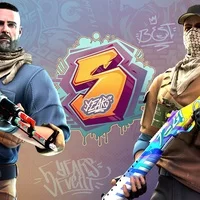
StandOGO is a private server for Standoff 2, returning players to the origins of the classic mobile shooter. Enjoy modern features like avatar customization and stats. There are no complicated mechanics here, only intense firefights.
Description
The setting is simple — you find yourself at the epicenter of intense PvP battles. The sole goal is to outplay the opponent using a limited arsenal. You need to control points, predict opponents' actions, and conserve ammo. Use weapons such as the M4, Deagle, or AWM and secure victory.
The main objective is to dominate the battlefield, whether by eliminating the enemy team or holding positions. There is no need to upgrade weapons or character abilities here. All that matters is your reaction time, shooting skills, and strategic approach to duels. For example, on the Snow Village map you will have to use cover and high ground, while on Sandstone you rely on accurate shooting in tight spaces.
Customization is worth noting: you can upload an avatar from the gallery, choose a unique nickname, and track your personal match statistics. Analyze your mistakes and come up with new tactics to win. The sound design will delight fans of the original game: the bolt clicks of the AWM, muffled footsteps in the snow — this is exactly why players fell in love with Standoff 2. Four legendary maps are available: Short Dust 2, Training Outside, Snow Village, and Sandstone.
Features
- Low system requirements — runs on low-end devices without crashes.
- Online matches — dynamic shootouts with real users will make your day.
- Customization — use various skins for characters and weapons.
- Graphics — high-quality detailing, 3D textures, and animations.
- Stable updates — new content appears almost every month.
- Free — all features are available without payments or subscriptions.
You can download the StandOGO private server for Android for free from this page.
How to install
- Download the APK file above to your phone.
- Allow “Install unknown apps” when prompted.
- Open the downloaded APK and tap Install.
- If the package includes OBB/XAPK data, follow the bundled instructions.
MOD APKs are modified builds, so Play Protect may show a warning. Install only if you trust the file; use at your own risk.