
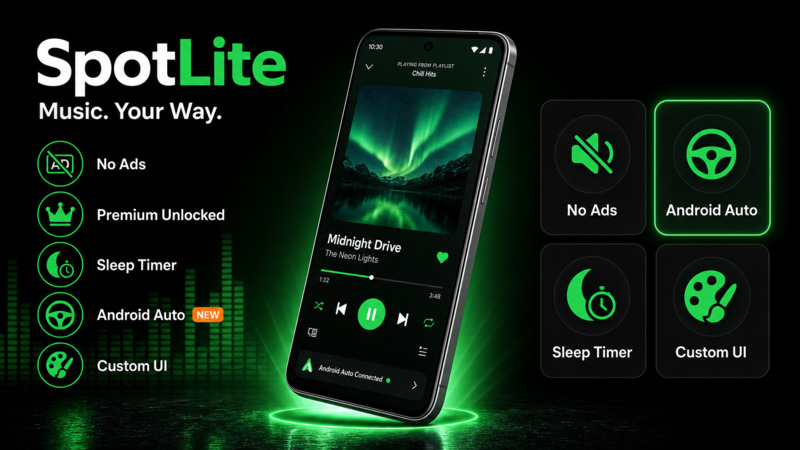
Screenshots


Description
SpotLite MOD APK is an unofficial Android music client built for listeners who want more control over everyday playback. It brings together Premium-style listening, fewer ad interruptions, Android Auto support, Material You colors, lyrics, a sleep timer, themes, fonts, and handy player controls in one compact app.
What Is SpotLite?
SpotLite delivers a familiar music player experience with useful Android integrations. Play tracks on demand, seek within songs, repeat tracks, control playback from the notification shade and lock screen, use Bluetooth headset buttons, and bring your listening setup into Android Auto.
Technical Specs
- Size: around 10 MB
- Minimum Android version: Android 10.0 or later
- Architecture: universal APK
- Signature: stable release key, so updates install cleanly over compatible SpotLite builds
MOD Features
- Premium-Style Listening: on-demand playback, repeat, seeking, and unlimited skips.
- Fewer Ad Interruptions: a smoother audio and player experience with fewer upgrade prompts.
- Android Auto Support: audio playback, media controls, and browsing through Library, Recently Played, and Made For You.
- Notification and Lock Screen Controls: Bluetooth headset controls, plus automatic pause when headphones disconnect.
- Lyrics and Sleep Timer: practical tools for commutes, late-night listening, and long queues.
- Material You and Custom UI: wallpaper-based colors, manual themes, custom fonts, and Compact or Full toolbar modes.
Best For
- Listeners who want Premium-style controls with fewer common ad interruptions.
- Drivers who want audio playback, browsing, and media controls through Android Auto.
- People who value lyrics, a sleep timer, themes, fonts, and player customization.
- Owners of Android 10.0+ devices who want a compact universal APK.
Known Limitations
- Android 10.0 or later is required for this version.
- Regional availability still applies: tracks that are unavailable in your region remain controlled by the music service.
- Offline downloads are not unlocked: they still require official account rights.
- No automatic updates from the Play Store: install new releases manually from this page.
- Unofficial client: SpotLite is not affiliated with or endorsed by the original music service.
How to Install SpotLite APK
- Tap Download APK to get the latest SpotLite package.
- Allow Install unknown apps for your browser or file manager in Android settings.
- Open the downloaded APK and tap Install.
- To preserve your personal settings, simply update over a compatible release of SpotLite. In case Android flags a signature mismatch during installation, uninstall the previous version before trying again.
- Open SpotLite to verify that account sign-in, song streaming, Android Auto sound, synced lyrics, UI themes, and the sleep timer are all working properly.
Changelog
v3.1.0
- Login Restored - Solved the account sign-in error present in previous releases.
- Music Playback Restored - Resolved the silent playback bug so tracks now stream seamlessly.
- Android Auto Audio Fixed - Fixed the audio failure encountered when linking v3.0 to Android Auto.
v3.0.0
- Reliability Rebuild - Rolled out a major stability overhaul without compromising any of SpotLite's signature capabilities.
- Android Auto Follow-up - The silent playback bug encountered in this version has been patched in v3.1.0.
v2.9.0
- Floating Player Card - Introduced a sleek, curved mini-player bar alongside enhanced quick actions on the Compact toolbar.
- Queue Now Playing - Enhanced the visual highlight for the active song right inside the play queue.
v2.8.0
- Material You Theme - Users on Android 12 or newer can automatically sync SpotLite's interface palette with their active wallpaper.
- Search Typeahead and Diagnostics - Integrated instant query suggestions as well as an export feature for system diagnostics.
v2.7.0
- Introduced multi-language support, a custom sleep timer, library folders, Android Auto navigation, and upgrades to the Compact toolbar.
v2.6.0
- Added Compact and Full toolbar styles, enhanced playback notifications, direct Android Auto Library streaming, and automatic pausing upon headphone disconnection.
v2.5.0
- Introduced a welcome onboarding walkthrough, an option to replay the intro, and better layout clarity across the Settings menu.
v2.4.0
- Rolled out personalized font choices, playback progress bars in notifications, integrated lyrics, and various startup display patches.
Frequently Asked Questions
Is SpotLite MOD APK safe to install?
Absolutely. Every SpotLite APK available on GameMod.dev is thoroughly checked for security risks and confirmed functional on Android 10.0 and newer.
Do I need to root my Android device to use SpotLite?
No, root privileges are completely unnecessary; SpotLite runs smoothly on any non-rooted Android 10.0+ smartphone or tablet.
Does SpotLite support Android Auto?
Yes. SpotLite supports Android Auto for audio playback, browsing, and media controls right from the car's display.
What is the file size of the SpotLite APK, and which devices can run it?
The SpotLite APK weighs in at roughly 10 MB and comes as a universal package that works on compatible devices running Android 10.0 or newer.
Where can I download the newest SpotLite MOD APK?
SpotLite won't receive updates through Google Play. You can find each new release published here on GameMod.dev.
How to install
- Download the APK file above to your phone.
- Allow “Install unknown apps” when prompted.
- Open the downloaded APK and tap Install.
- If the package includes OBB/XAPK data, follow the bundled instructions.
MOD APKs are modified builds, so Play Protect may show a warning. Install only if you trust the file; use at your own risk.