
Screenshots

Description
- Payment
Smart Tools co.Size
8 MBVersion
2.5.14Requirements
6.0Get it on
Mod Info
Full Version Report this app
Images
Description
Smart Light Pro is the 5th set of Smart Tools® collection. This app includes 3 light tools below.
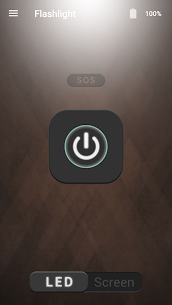
(1) Smart Flashlight
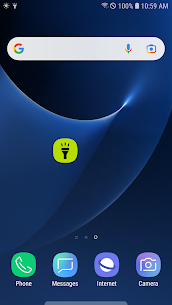
Have you ever wanted a simple and handy flashlight app? [Smart Flashlight] can be the solution.
This tool has three essential modes without complicated features.
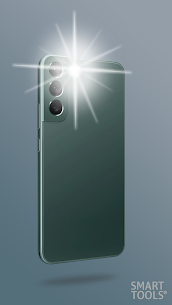
– LED light : if your phone has LED, you can turn it on as a torch.
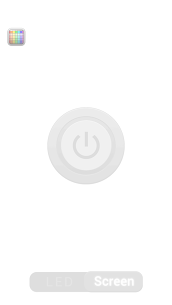
– Screen light : you can turn your screen into a brilliant light source. It is enough to find your way in the dark.
– LED widget : you can create a flashlight widget on home screen.
(2) Smart Magnifier
This tool turns your device into a Magnifying Glass using camera zoom, auto-focus and LED flash.
When you want to magnify small things and words, [Smart Magnifier] can be the solution, too.
– LED light
– Screenshot
– Screen freezing
– Camera zoom & Digital zoom (5x)
– Rotating camera view
– Auto-focusing (to activate, tap anywhere on the screen.)
(3) Smart Mirror
You can use your front camera as a mirror.
When you want to see your face for makeup or shaving, [Smart Mirror] can be the solution.
– Screenshot
– Screen freezing
– Digital zoom (5x)
– Expose (bright/dark) control
– Effect control
– Border light
– Rotating camera view
Developer's apps
Unit Converter Pro 2.6.9 Smart Tools co. 3.78 MB Full Version Smart Measure Pro 2.6.16 Smart Tools co. 3 MB Full Version Smart Tools 2.1.18 Smart Tools co. 9 MB Full Version Smart Ruler Pro 2.8 Smart Tools co. 2 MB Full Version Vibratio Meter 1.6.24 Smart Tools co. 12 MB OriginalRelated apps
Insget 3.14.4 Spaple 88.09 MB Premium Unlocked Poke Genie 8.19.1 Poke Genie 107.92 MB NekoBox+ 1.4.2-101 NekoBox+ 159.46 MB No Ads Inure App Manager build107.3.0 Hamza Rizwan 25.96 MB Premium Unlocked SmartCookieWeb 17.0-beta3 SmartCookieWeb 5.40 MB No AdsHow to install
- Download the APK file above to your phone.
- Allow “Install unknown apps” when prompted.
- Open the downloaded APK and tap Install.
- If the package includes OBB/XAPK data, follow the bundled instructions.
MOD APKs are modified builds, so Play Protect may show a warning. Install only if you trust the file; use at your own risk.