

Screenshots


Description
Skype- Updated 31-05-2021, 14:46
- Version 8.72.0.94
- Build number 1250107947
- Requirements Android 6.0+
- Genre Communication
- Price Free


The application interface is simple and user-friendly. At the top, there is a panel with three tabs: recent activity, contacts, and call information. Navigation between them is carried out by swipes or by tapping the icons in the panel. The design Skype for Android is made according to Material Design standards, the color theme is classic, in blue and white tones. The side menu is hidden and opens with a swipe from left to right or with a special button indicated by three horizontal stripes. In the menu, you can change your status and avatar, edit personal data, and go to advanced settings.
Here the user can configure emoticons and mojis, change automatic authorization settings, configure friend additions, and also choose the video quality for calls. To make free calls, it is enough to add the user as a friend and select the desired option in the chat. Do not forget about the quality of the Internet connection. For video calls, it is recommended to use high-speed wireless networks (Wi-Fi, 3G, LTE).
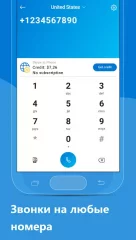
Skype has a feature to call mobile and landline numbers, as well as send SMS, but you will have to pay for such comfort. The prices for paid services can be found on the company's official website, and you can top up your account directly from the app. The app chat is no different from those in other services or social networks. It is possible to send emoticons, attach files, images, videos, and even locations.
Summing up, it is worth saying that Skype is an excellent modern program for audio and video calls. A simple and well-thought-out interface will not let the user get lost, and a wide range of features will allow you to choose the optimal way of communication. Having trouble downloading? Installing games and apps Installing games with cache How to take a screenshot How to install APKS
How to install
- Download the APK file above to your phone.
- Allow “Install unknown apps” when prompted.
- Open the downloaded APK and tap Install.
- If the package includes OBB/XAPK data, follow the bundled instructions.
MOD APKs are modified builds, so Play Protect may show a warning. Install only if you trust the file; use at your own risk.