
Screenshots


Description
SharemanWith just a few taps, you can easily download almost any content to your mobile device. At the same time, the application can be installed on any Android device running OS 4.0 or higher.
Characteristics
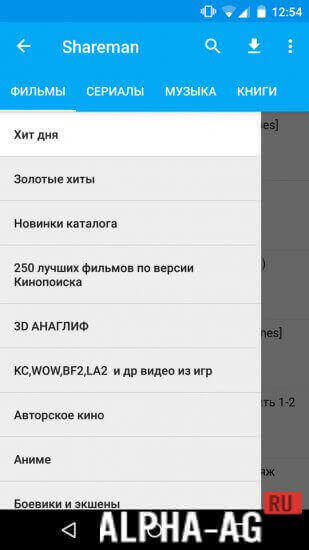
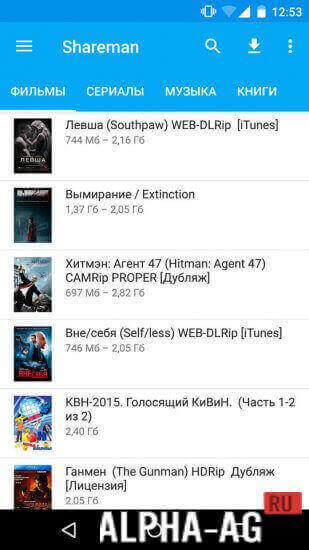
The application features a simple and extremely clear interface, and on the top panel you can find categories for various files, such as "TV Series", "Movies", and others.
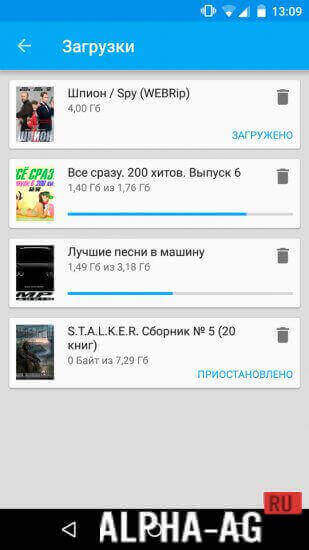
In the upper right corner are buttons for search, navigating to the main menu, and downloads.You can also go to the settings menu to specify the folder where all downloaded files will be saved. You can also configure update settings and select your preferred type of internet connection.
Features
Going to the home screen, you will be able to see a list of subcategories of the category you selected on the left. For example, if you select the "Movies" section, it will contain subcategories like "Sci-Fi", "Westerns", "Thrillers", and others.
Meanwhile, the "Music" section includes subcategories like "Jazz", "Electronic", and others. The "TV Series" section provides a different classification by titles. Moreover, each episode is presented as a separate download.
In any section, you can find categories such as "New Releases", "Golden Hits", "Hit of the Day", and others. This way, you will always be aware of the files that are considered more popular.
On our website you can download the Shareman app for Android for free.
1 Oct 27 Additional information:- Requires Android version: 4.0 or higher
- Age restrictions: 3+
- Russian localization: present
- Cache installation: not required
Subscribe to our YouTube channel!
Add a commentHow to install
- Download the APK file above to your phone.
- Allow “Install unknown apps” when prompted.
- Open the downloaded APK and tap Install.
- If the package includes OBB/XAPK data, follow the bundled instructions.
MOD APKs are modified builds, so Play Protect may show a warning. Install only if you trust the file; use at your own risk.