
Screenshots


Description
- Home /
- Apps /
- Tools
Screen Off Pro (Screen Lock) 2.0.2
- Payment
- Tools
Screen Off Pro (Screen Lock) lets you lock your Android device instantly with a single tap. Developer: AURON | File Size: 2 MB | Version: 2.0.2 | Android Requirement: 5.0+ | Mod Info: Full Version
- Telegram
Report App
Screenshots
App Overview
Screen Off Pro (Screen Lock) offers a quick, effortless way to power down and lock your smartphone screen in just one touch. Packed with helpful extras including customizable icon styles, biometric fingerprint support, audio effects, a floating overlay shortcut, and desktop widgets, this utility ensures top convenience. Here is an in-depth breakdown of how each tool elevates your daily usage.
Vibrant Custom Icons
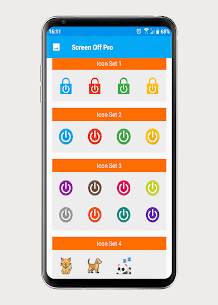
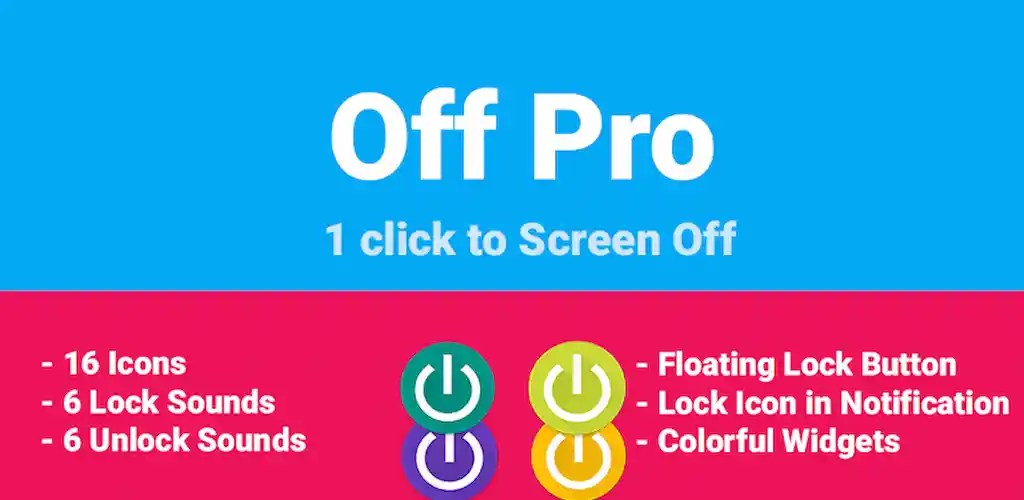
Screen Off Pro includes 19 colorful launcher icons to help tailor the screen-locking shortcut to your personal taste. These vibrant, eye-catching graphics make it easy to match your phone's home screen theme while adding a unique visual flair.
Fingerprint Sensor Compatibility
With built-in fingerprint sensor support, unlocking your smartphone stays fast, fluid, and secure. Once your biometric data is configured, you can effortlessly access your home screen while keeping your personal device safely guarded against unauthorized access.
Customizable Locking Sounds
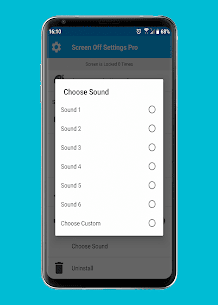
Screen Off Pro provides six distinct lock audio effects to give you clear feedback every time you power off your display. You can also import your own audio files to give your device a totally personalized screen-off alert.
Always-on Floating Shortcut
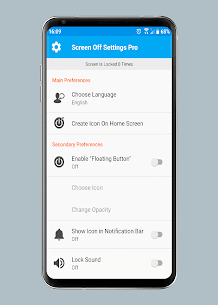
One of the standout utilities in Screen Off Pro is its movable floating button, which hovers above any active window or app. You can drag and position it anywhere along your display for instant one-touch locking without interrupting what you are doing.
Lock via Notification Shade
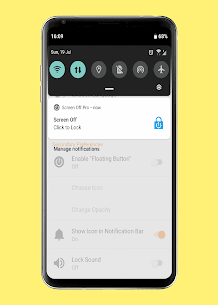
Screen Off Pro also integrates right into your Android pull-down notification panel. This allows you to lock your screen directly from any running game or app without needing to head back to the launcher or find a dedicated desktop icon.
Quick Home Screen Widgets
Add convenient locking widgets right onto your Android desktop. With multiple layout styles and sizes to choose from, these customizable widgets let you turn off your display immediately without launching the main application.
Clean Ad-Free Interface & Reliable Support
Boasting an intuitive, clean interface, Screen Off Pro guarantees a smooth and distraction-free workflow with zero commercial ads. Furthermore, dependable technical support is readily available to assist you whenever you run into questions or performance issues.
Device Administrator and Accessibility Permission
On Android devices running a version earlier than 9, Screen Off Pro needs Device Administrator permission to lock the screen. On Android 9 and newer, the app uses Accessibility permission for the same purpose.
Icon Credits
The cat icon in the app was designed by “Flat Icons” and sourced from flaticon.com. The panda icon comes from “Smashicons” on flaticon.com, and the dog icon was created by “Icons8” at icons8.com.
Conclusion
Screen Off Pro (Screen Lock) is an ideal choice for anyone who wants a fast and simple way to lock their phone screen. Its colorful icons, fingerprint support, lock sounds, floating button, notification bar lock option, and home screen widgets give users a useful set of tools that enhance everyday use. The clean interface, ad-free experience, and dependable technical support further make it a great pick for those who prefer smooth, uninterrupted performance.
Related apps
Insget 3.14.4 Spaple 88.09 MB Premium Unlocked Poke Genie 8.19.1 Poke Genie 107.92 MB NekoBox+ 1.4.2-101 NekoBox+ 159.46 MB No Ads Inure App Manager build107.3.0 Hamza Rizwan 25.96 MB Premium Unlocked SmartCookieWeb 17.0-beta3 SmartCookieWeb 5.40 MB No Ads
How to install
- Download the APK file above to your phone.
- Allow “Install unknown apps” when prompted.
- Open the downloaded APK and tap Install.
- If the package includes OBB/XAPK data, follow the bundled instructions.
MOD APKs are modified builds, so Play Protect may show a warning. Install only if you trust the file; use at your own risk.