

Screenshots
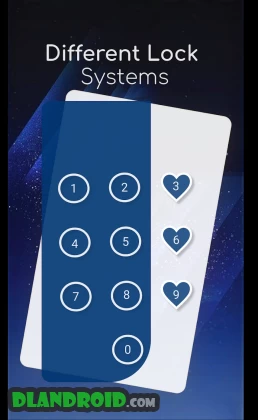

Description
Screen Lock – Time Password 1.4.0 Pro APK Latest is a Tools app for Android
Download the Screen Lock – Time Password Pro APK from Adria Devs Studio, packed with plenty of cool features in the Android Tools category.
Worried about someone spotting your PIN as you unlock your phone? Screen Lock – Time Password (Dynamic Password) has you covered. It turns your phone's current time into the lock screen password, and since the time changes every minute, the password changes with it, making it nearly impossible to guess. WHAT'S NEW ★ An iPhone-style lock screen for Android. ★ Works on most Android phones. ★ Fully customizable lock screen. ★ Strong, highly secure locking. ★ One of the best parallax effects around. ★ Customizable sliding text. Show your own name or a friend's name on your lock screen. ★ Hide and protect photos and videos: media imported into the phone can only be viewed after entering the correct password. ★ Private browser: your browsing leaves no trace. A bookmark feature is included too.
Features
✔ Custom lock screen wallpaper. Use an HD wallpaper or pick one from your gallery. ✔ Unlock sound can be turned on or off. ✔ Unlock vibration can be turned on or off. ✔ Supports both 12-hour and 24-hour time formats. ✔ Uses little memory and battery, keeping the device simple and clean. ✔ Screen Lock – Time Password is 100% safe and secure. ✔ Choose your own lock type. The passcode can change dynamically to match the option you pick: ► Current Time: the default lock screen password. For example, at 01:47 your PIN is 0147. ► PIN Passcode: any password you choose. ► PIN + Minute Passcode: for example, if your chosen digits are 12 and the time is 01:45, your PIN is 1245. ► PIN + Current Time Passcode: for example, if your chosen digits are 45 and the time is 02:37, your PIN is 450237. ► PIN + Day Passcode: for example, if your chosen digits are 45 and the date is 4 July 2017, your PIN is 450407. ► PIN + Hour Passcode: for example, if your chosen digits are 12 and the time is 01:45, your PIN is 4501.
FAQ
★ How do I open Screen Lock – Time Password if it's hidden? 1. Go to the app info page (Settings > Applications > Screen Lock > Storage) and tap Manage space or Clear storage.
★ How do I set up Screen Lock on Xiaomi / MI phones? Xiaomi and MI phones handle permissions differently, so to use Screen Lock – Time Password on them, follow these steps: 1. Open the Security app and go to Permissions. Select the Permissions option, then choose Screen Lock – Time Password and allow all permissions. 2. Go back to Permissions, open Auto Start, and allow Screen Lock – Time Password to start automatically.
★ Why the app needs each permission: android.permission.INTERNET, android.permission.READ_PHONE_STATE and android.permission.ACCESS_NETWORK_STATE: the ad provider reads phone and network state to show and improve ad quality. android.permission.SYSTEM_ALERT_WINDOW: needed to display the lock screen. android.permission.RECEIVE_BOOT_COMPLETED: locks the device as soon as it restarts. android.permission.CAMERA: captures images for the lock screen wallpaper. android.permission.READ_EXTERNAL_STORAGE: lets you change the lock screen wallpaper. android.permission.PROCESS_OUTGOING_CALLS: opens the lock screen during calls.
★ IMPORTANT: Don't uninstall this app before restoring your personal files, or they will be lost forever.
Screen Lock – Time Password does not collect any of your personal information.
What's New: – Ad removal option enabled – Added password recovery – Minor bug fixes – Performance improvements – If you enjoy the app, support our developers by leaving a 5-star rating.
How to install
- Download the APK file above to your phone.
- Allow “Install unknown apps” when prompted.
- Open the downloaded APK and tap Install.
- If the package includes OBB/XAPK data, follow the bundled instructions.
MOD APKs are modified builds, so Play Protect may show a warning. Install only if you trust the file; use at your own risk.