

Screenshots
Description
Samsung Keyboard 5.6.10.25 Final Apk is the latest productivity tool designed for Android devices
Get the newest version of Samsung Keyboard Apk for Android via direct download link
Developed by Samsung Electronics Co., Ltd., Samsung Keyboard is a top-tier Android productivity app built to enhance your daily typing experience. Packed with diverse input options and user-friendly tools, it makes texting and writing effortless on any compatible device.
Key Features • Multilingual support – Samsung Keyboard offers comprehensive typing compatibility across more than 80 languages worldwide.
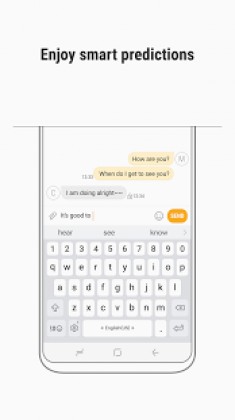
• Intelligent typing tools – Predictive text: Automatically adapts to your unique writing habits, suggesting accurate words and phrases in real time as you compose messages. The suggestion engine improves continuously the more you type. – Automatic spell check: Instantly spots misspellings and recommends correct alternatives. – Custom text shortcuts: Set up handy macros for common phrases and long sentences, allowing you to insert them quickly from the recommendation bar. – Quick language switching: Effortlessly cycle through installed languages simply by swiping across the spacebar. – Contextual layout: The keyboard dynamically adapts its keys to match specific input fields, including URLs, email addresses, and search bars. – Typo correction: Learns your common keystroke patterns to fix accidental mistakes seamlessly.
• Diverse input modes – Built-in clipboard: Easily store, browse, and paste copied snippets of text or saved images whenever needed. – Gesture typing: Glide your finger across letters to type smoothly or swipe to navigate the cursor precisely. – Voice and handwriting: Dictate messages on the fly or sketch letters directly with integrated handwriting recognition. – Flexible layouts: Switch between standard, split, floating, or convenient one-handed modes depending on your screen size and posture.
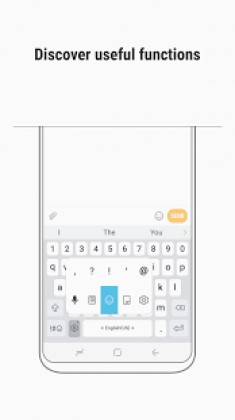
• Personalized keyboard customization – Custom key shortcuts: Press and hold the customizable key to reveal a quick-access menu for tools such as emojis, voice input, one-handed mode, clipboard, or symbols. – Favorite symbols: Keep your most frequently used characters within easy reach, or long-press the period (.) key to pull up the full symbol drawer. – Adjustable sizing and layout: Tailor the keyboard dimensions to your liking from all four sides, with full control over displaying dedicated number rows or alternate characters. – High-contrast themes: Built-in visual accessibility options provide bold, high-contrast layouts tailored for users with low vision or color sensitivity.
• Additional highlights – Rich emoji collection: Brighten up your conversations with an extensive library of over 3,000 emojis. – Dynamic language updates: Periodically pulls new vocabulary and slang packs directly through the in-app settings. – Cloud sync and backup: Securely archive and restore your personal dictionary and layout preferences via Samsung Cloud. – Multi-environment support: Features dedicated interfaces tailored for Samsung DeX, Car mode, and physical keyboard accessories.
※ Feature availability and specific capabilities may vary based on your region or device model.
Supported Languages English (US, UK, AU), Italian, Spanish (US, ES), Galician, Catalan, Basque, Dutch, Polish, Portuguese, Norwegian, Danish, Swedish, Finnish, Icelandic, Estonian, Romanian, Bosnian, Latvian, Lithuanian, Slovak, Turkish, Azerbaijani, Albanian, Vietnamese, Tagalog, Uzbek, Afrikaans, Javanese, Sundanese, Turkmen, Swahili, Yoruba, Igbo, Hausa, Twi, Zulu, Sesotho, Xhosa, Irish, Silesian, Indonesian, Malay, German, Czech, Croatian, Slovenian, Hungarian, Serbian, French (FR, CA), Malagasy, Russian, Bulgarian, Ukrainian, Kazakh, Macedonian, Mongolian, Kyrgyz, Tajik, Belarus, Arabic, Farsi, Urdu, Hindi, Tamil, Kannada, Gujarati, Telugu, Malayalam, Bengali, Assamese, Punjabi, Sinhala, Nepali, Marathi, Oriya (Odia), Maithili, Greek, Hebrew, Georgian, Armenian, Korean, Simplified Chinese | Mainland, Traditional Chinese | HK, Traditional Chinese | TW, Japanese, Thai, Lao, Khmer, Myanmar, Tibetan.
Samsung Keyboard Apk
Samsung Keyboard Apk
What’s New: Routine bug fixes and general performance enhancements
How to install
- Download the APK file above to your phone.
- Allow “Install unknown apps” when prompted.
- Open the downloaded APK and tap Install.
- If the package includes OBB/XAPK data, follow the bundled instructions.
MOD APKs are modified builds, so Play Protect may show a warning. Install only if you trust the file; use at your own risk.