

Screenshots


Description
Rings ExtendedWith this simple application, you will be able to set custom music individually for each of your phonebook contacts, as well as set your favorite music as other sound notifications.
Gameplay
After installing this application on your device, not even a program shortcut will appear in your app list.
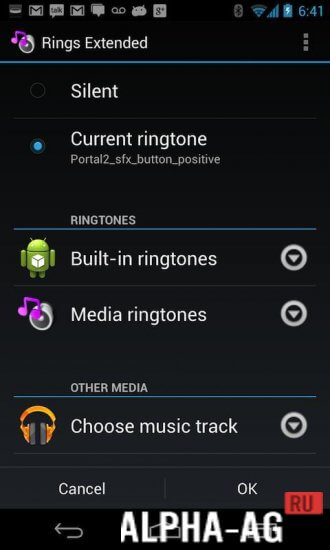
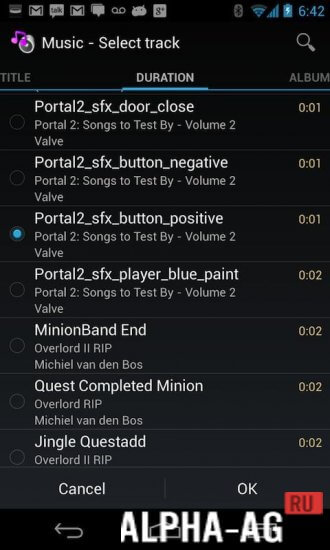
After all, it will be integrated into the system, and to work with it, you just need to go to your phone settings, where you will be prompted to select this application to use it for choosing ringtones.At the same time, you can remember these actions so that you always select music using this program. After you have selected the app, you will see a list of ringtone usage options, where you need to choose the appropriate one. Now select the music track you need.
It is stored in your phone's memory, so use it however you want. You can set a custom ringtone for each contact in your phonebook, and you will also have the ability to use your ringtones as an alarm clock or sound notifications.
Key Features
Thanks to this utility, you no longer need to use default ringtones for calls. With this app, you can easily use your favorite MP3 music stored on your device as a ringtone or other sound notifications.
0 Dec 06 Additional information:- Android version required: 2.2 or higher
- Age rating: 3+
- Russian localization: none
- OBB/Cache installation: not required
Subscribe to our YouTube channel!
Add a commentHow to install
- Download the APK file above to your phone.
- Allow “Install unknown apps” when prompted.
- Open the downloaded APK and tap Install.
- If the package includes OBB/XAPK data, follow the bundled instructions.
MOD APKs are modified builds, so Play Protect may show a warning. Install only if you trust the file; use at your own risk.