
Screenshots
Description
ProShot MOD APK is a powerful camera app packed with features, settings, and options that can feel overwhelming at first, but are easy to pick up with a bit of practice.
This ProShot MOD APK offers a patched version of the photography app that removes the need for a paid license from the official store. It gives you access to the full range of manual controls and professional-grade shooting modes without going through the standard purchase process.
What's Modified in ProShot
- The app has been patched to bypass license verification.
- The paid version is unlocked so you can use it without buying it from the store.
This build is ProShot version 8.33, with a file size of 6 MB and package name com.riseupgames.proshot2. It is a re-signed file, so it cannot be installed over an existing version from the official store.
About ProShot
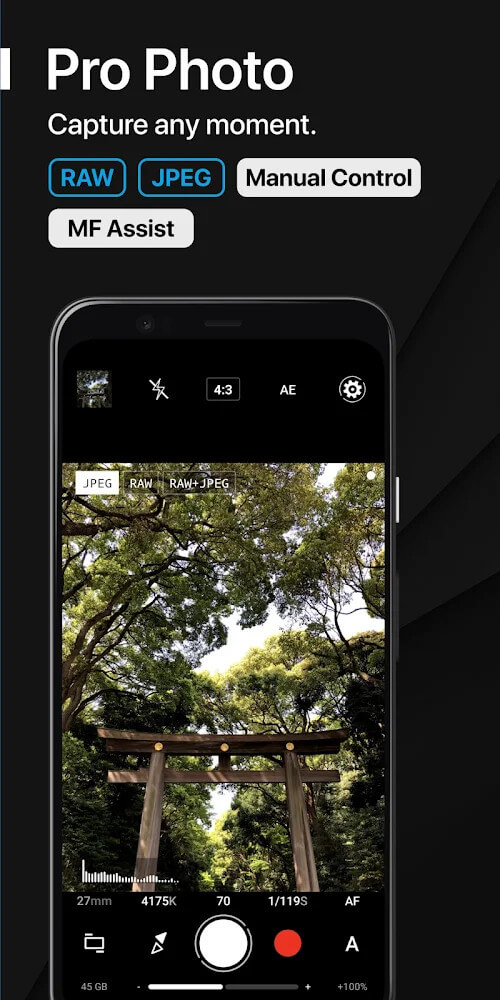
ProShot is designed to bring a more professional style of mobile photography to your phone. Most standard mobile camera apps offer few adjustments, but ProShot lets you make many of the same changes that professional photographers rely on. The main controls include White Balance, Exposure Compensation, Focus Mode, Flash Mode, Shutter Speed, ISO, and Torch. The app's layout is built around the four core shooting modes found on DSLR cameras: Auto, Program, Manual, and Custom. The Custom mode can be configured to offer the same controls and options available in Manual mode. Every control and option in the app can be explored and adjusted with a level of freedom rarely found in mobile photography apps.
The app's main draw is its enhanced image quality, especially through its range of shooting modes, including Light Painting. Light Painting captures subjects using exposures of 15 seconds or longer, and/or records trails of light. It includes three sub-modes: Star, Water, and Bulb. Star and Water modes are used for capturing moving subjects, such as star trail photographs and time-lapse shots of flowing water. Like other photography apps, ProShot lets you control shutter speed, but what sets it apart is that you can also watch a live preview of the photo as it is being captured, which takes much of the guesswork out of photography. The app also supports a variety of aspect ratios to suit different social media platforms. You can shoot in traditional ratios such as 1:1, 4:3, and 16:9, as well as non-traditional ones like 21:9, 17:10, and 50:3.
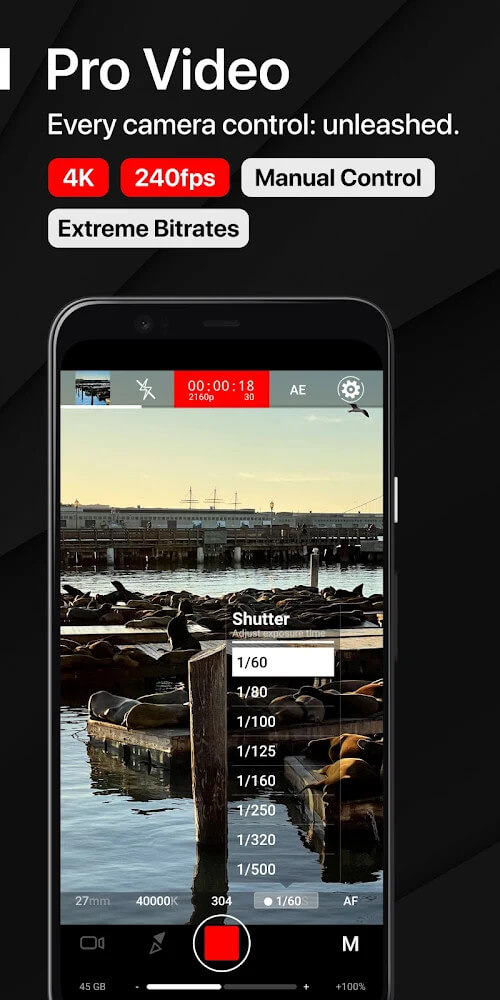
ProShot offers plenty of high-end video recording features and is one of the few mobile apps that can capture video in 4K resolution. You have considerable control over your footage by adjusting the bitrate and frame rate. The app supports the 180-degree shutter rule, a cinematic guideline for achieving consistent motion blur. While recording, you can adjust various settings on your phone's camera, including optical zoom. The app also gives you control over many features while providing real-time feedback on your audio input. Together, these features and the detailed control over video and audio make ProShot a great choice for mobile videography.
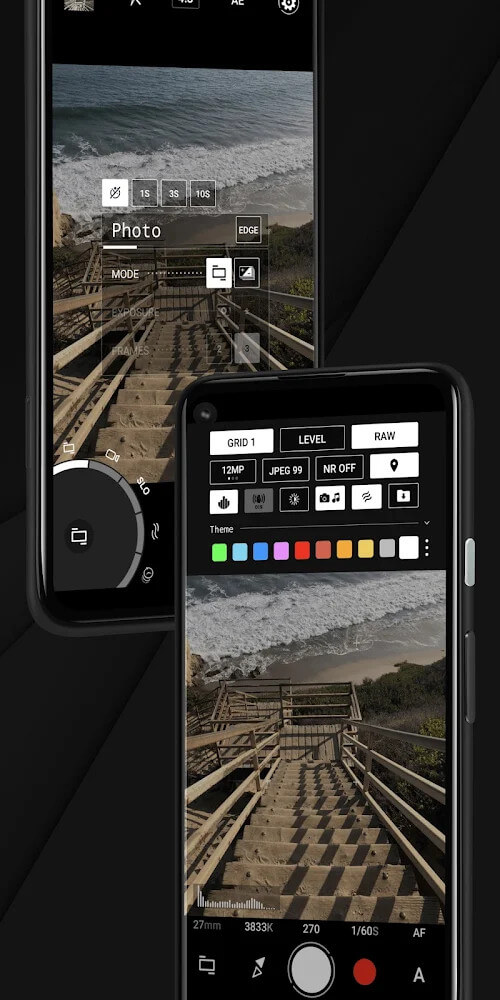
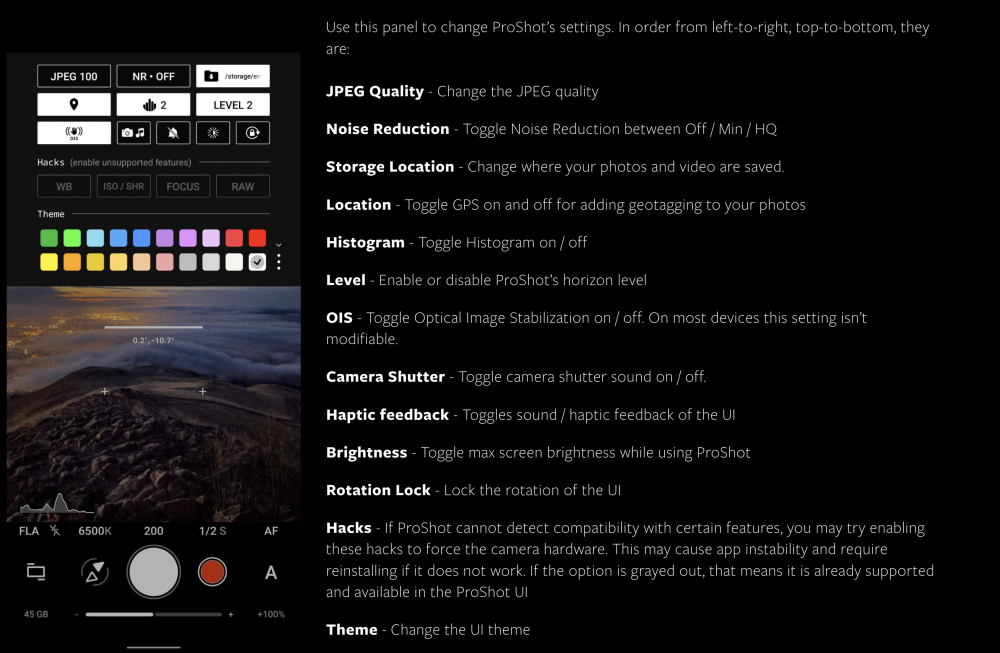
The app lets you adjust file management settings depending on how you plan to use it, whether for casual photos or for professional work. It supports the RAW file format and the Apple-standard DNG format, and it can capture RAW and JPEG images at the same time. The built-in Camera Roll sits within the app's viewfinder, giving you quick access to recently captured images and media. You can edit EXIF data, view media files, and share or delete them. Other tools let you edit JPEGs by changing the compression level or applying noise reduction. You can also tag images with location data and adjust other settings based on the type of image you are capturing.
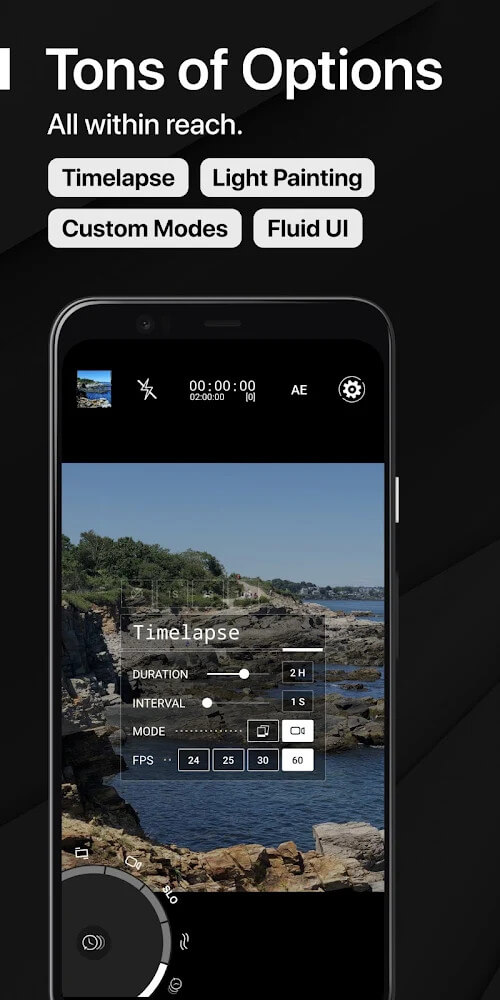
ProShot's interface packs a lot of controls into a clean, streamlined layout. Quick shortcuts give you fast access to screen brightness, GPS settings, and the shutter. Manual timelapse is built right in, letting you adjust the interval and exposure as you go. Like most pro camera apps, ProShot lets you fine-tune many settings by hand, including zoom. Frequently used modes and options sit together on a single level, so you can capture all kinds of scenes without digging through menus. With ProShot, you get near-total control over the camera, from sensitivity down to the bitrate and resolution of your files.
Key Features
- Manual, semi-manual, or fully automatic control over exposure, flash, focus, ISO, shutter speed, and white balance.
- Support for JPEG, RAW, and RAW + JPEG (.DNG) file formats.
- Light Painting mode with Water, Star, and Bulb settings and a live preview.
- Custom Aspect Ratio Mode with 21:9, 17:10, and 50:3 options.
- Video recording up to 4K with adjustable frame rate and bitrate.
- Zero-latency exposure bracketing up to 3 stops in 1/3-stop steps.
- Real-time audio input levels and 180-degree rule options for video.
- Full manual control over timelapse mode.
- Built-in Camera Roll with EXIF data support and media management.
- Shutter Priority mode when using Auto ISO in manual mode.
- One-finger zoom and front camera exposure control.
Related MOD APKs
- Picsart Photo Editor
- Adobe Lightroom
- VSCO
- FaceApp Pro
FAQ
What does the ProShot MOD APK unlock?
This 8.33 version of ProShot is Paid and Patched. It works like the Rise Up Games release, with every modification active right after installation.
What is the latest version of ProShot MOD APK?
Version 8.33 matches the Rise Up Games update from August 13, 2026. We don't keep older builds here. To update, install this file over your current app. If you get a signature error, uninstall the old version first.
Is the ProShot MOD APK safe to download?
This ProShot 8.33 build from Rise Up Games has only been modified to be Paid and Patched. It has a 3.6/5 rating from 126 users and does not require root. Expect a Play Protect warning during installation, and always download it from GameMod.dev.
Can I use the ProShot MOD APK on PC or iPhone?
This Android package won't install on an iPhone or iPad. To run it on Windows or macOS, use an emulator such as BlueStacks or LDPlayer. Install the emulator first, then drag the file into it.
How to install
- Download the APK file above to your phone.
- Allow “Install unknown apps” when prompted.
- Open the downloaded APK and tap Install.
- If the package includes OBB/XAPK data, follow the bundled instructions.
MOD APKs are modified builds, so Play Protect may show a warning. Install only if you trust the file; use at your own risk.