
Screenshots


Description
Pixel ColorA simple and relaxing pixel coloring game that is definitely beneficial for children, helping them develop motor skills and teaching them to recognize numbers and colors.
,
Gameplay
Launch the game and pick any drawing you like from a large collection divided into various categories, making it easier for you to find the one you want to color.
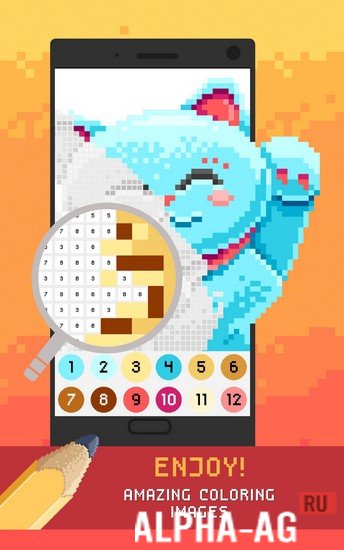
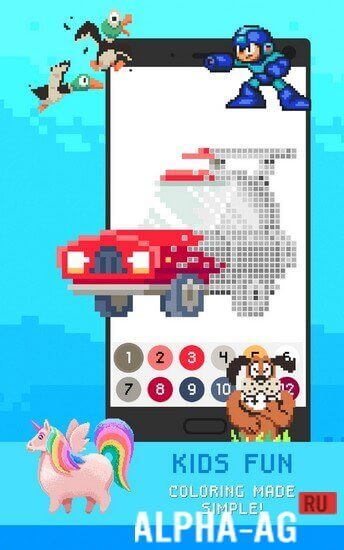
At the same time, some drawings will be available immediately, while others can be unlocked by watching ads. Each drawing consists of numerous pixels, with each pixel assigned a number that guides how you color the picture.To do this, simply select the required color at the bottom of the screen corresponding to a specific number. Then find the pixels with that number on the picture and tap on them to apply the desired color. Color all the pixels on the picture to complete the illustration and add it to your wonderful world. In addition, you can create your own drawings simply by uploading any picture you like from the gallery.
Game features
In this coloring game, you will have access to a vast collection of drawings, including princesses, unicorns, superheroes, animals, landmarks, vehicles, monsters, and many more.
New drawings are added every day, so you will always find something to color. Moreover, you don't need to be good at drawing, as you color the pictures using numbered templates. 0 Nov 07 Additional information:- Android version required: 5.0 or later
- Age rating: 3+
- Russian localization: none
- OBB/cache installation: not required
Subscribe to our YouTube channel!
Add a commentHow to install
- Download the APK file above to your phone.
- Allow “Install unknown apps” when prompted.
- Open the downloaded APK and tap Install.
- If the package includes OBB/XAPK data, follow the bundled instructions.
MOD APKs are modified builds, so Play Protect may show a warning. Install only if you trust the file; use at your own risk.