
Screenshots



Description
- Payment
iLite InfosoftSize
30 MBVersion
1.6.6Requirements
5.0Get it on
Report this app
Images
Mod Info
- Full Version
Description
PDF Reader, PDF Viewer, PDF Tools & PDF Utility. PDF Reader – PDF Tools is an ultimate combination of 17 PDF Tools & Utilities with PDF Editor.
PDF Reader: Quickly open and read the pdf file with an inbuilt pdf reader & pdf viewer.
- Zoom In & Zoom out in PDF Reader
- Scroll horizontally (Book Reading View) or Scroll vertically continues page mode in the pdf viewer
- Jump to a specific pdf page in the pdf reader
- Bookmark the content of the pdf with notes for future reference
- Night mode in pdf reader for comfortable reading at night
- Read password-protected PDF
- Jump to a specific page from PDF content & index
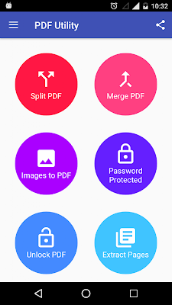
Split PDF: Split a PDF file on a particular page into multiple files. Now no worries about a large file to split.
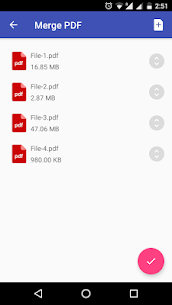
Merge PDF: Select two or more PDFs and merge them into a Single PDF Document.
Images to PDF(PNG to PDF or JPG to PDF): Select one or more images to create a PDF file of it. Now enjoy an album of your golden memory in PDF and share it with anyone.
Lock PDF (Encrypt PDF): Enjoy unlimited privacy of your PDF Document by encrypting it with a Password.
Unlock PDF (Decrypt PDF): Remove the password from a PDF to enjoy hassle-free access.
Extract Pages: Extract specific pages from a PDF.
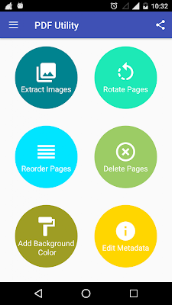
Extract Images: Extract all images from a PDF.
Rotate PDF Pages: Rotate specific pages of PDF. Portrait to Landscape & Landscape to Portrait by an angle of 90,180 or 270 clockwise.
Reorder PDF Pages: Reorder the pages of PDF by changing the order of pages by drag & drop on long press.
Delete PDF Pages: Delete specific pages from a PDF
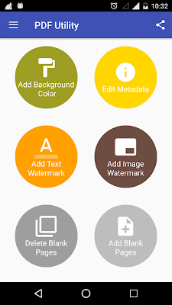
Add Background Color or Add Background Image to PDF: Select any color or image to apply to the background of the PDF
Add/Edit Metadata of PDF: Add/Edit Metadata of PDF will allow to add or edit the Title, Author, Creator, Producer, Subject, and Keywords of the PDF
Add Text watermark to PDF: Apply a text watermark to all pages or specific pages of PDF with many other options e.g Watermark Position(Top, Center, Bottom), Watermark Font Style (Normal, Bold, Italic, BoldItalic), Watermark Rotation (0 degrees, 45 degrees, 90 degrees, 135 degrees), Select the watermark placement type(Over Content or Under Content), Watermark Font Size, Watermark Font Color.
Add Image Watermark to PDF: Apply an image watermark to all pages or specific pages of PDF with many other options e.g Select the watermark placement type(Over Content or Under Content), Watermark Opacity, Watermark Size (Full/Fit Screen or Can select specific size).
Add Empty/Blank Pages: Add empty/blank pages to a specific page of the PDF.
Delete Blank Pages: Delete blank pages from a PDF automatically.
Related apps
Computer Science Calculations 4.5.0 Ettore Gallina 29.87 MB Pro Unlocked Poke Genie 8.19.1 Poke Genie 107.92 MB Speechify 6.4.0 Speechify - Voice AI Assistant 139.56 MB Premium Unlocked Stay Focused 13.0.3 INNOXAPPS LLP 21.19 MB Premium Unlocked To Do List 5.1.15 Splend Apps 21.38 MB Premium UnlockedHow to install
- Download the APK file above to your phone.
- Allow “Install unknown apps” when prompted.
- Open the downloaded APK and tap Install.
- If the package includes OBB/XAPK data, follow the bundled instructions.
MOD APKs are modified builds, so Play Protect may show a warning. Install only if you trust the file; use at your own risk.