

Screenshots


Description
EZ OfficeSize
36 MBVersion
5.16.0Requirements
4.4Get it on
Report this app
Images
Mod Info
- Premium features unlocked
Description
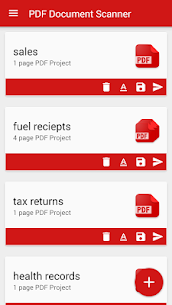
PDF Document Scanner is quick and easy to use. Simply set your document on the table and then frame it up on the screen. Tap on the screen to focus your device camera on the document.
Why keep filing cabinets full of old documents and paperwork? It’s the 21st century after all. Sure those tax returns from 1976 are fun to dig out and look at from time to time, but do you still need the paper copy after all these years? Fear not, now there is an easy way to create digital copies of your old documents with a PDF Document Scanner!
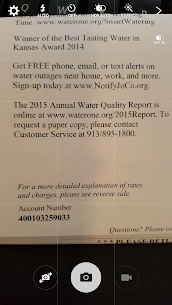
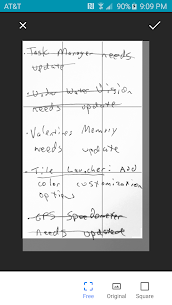
PDF Document Scanner is quick and easy to use. Simply set your document on the table and then frame it up on the screen. Tap on the screen to focus your device camera on the document. If lighting is bad in your room, tap on the light bulb icon to turn on your device camera flash. Then tap on the save icon. The document will be converted to a PDF file and stored on your SD card. From there you can copy it to your computer and burn it to a DVD or CD for safekeeping!
– Now with post-processing effects to clean up scans before saving!
– Turn those old documents into digital Adobe PDF files.
– Use the flash torch on your device to illuminate your document.
– Tap on the screen to focus on your document for the highest clarity.
– Save the PDF files to your SD card.
– Tap on the file name after save to open the document in your default PDF Viewer
– Transfer the PDF files to your Mac or PC for safekeeping.
– Impress the ladies. Chicks dig dudes with document scanners on their phones.
– Back up your entire document collection. Store them digitally and protect your important files against flood, fire, or another catastrophe!
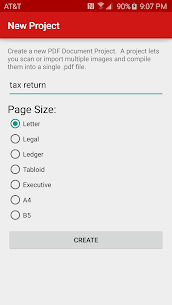
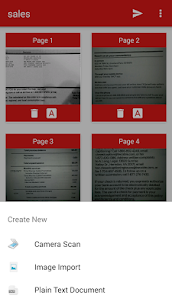
– Now features multi-page support!
– Import existing images into your PDF files!
– Send your finished PDF files to Dropbox, Google Drive, OneDrive, and other such applications!
– Samsung multiwindow support! The app can now be used side by side with other apps on devices that support Samsung’s multi-window feature.
Related apps
Computer Science Calculations 4.5.0 Ettore Gallina 29.87 MB Pro Unlocked Poke Genie 8.19.1 Poke Genie 107.92 MB Speechify 6.4.0 Speechify - Voice AI Assistant 139.56 MB Premium Unlocked Stay Focused 13.0.3 INNOXAPPS LLP 21.19 MB Premium Unlocked To Do List 5.1.15 Splend Apps 21.38 MB Premium UnlockedHow to install
- Download the APK file above to your phone.
- Allow “Install unknown apps” when prompted.
- Open the downloaded APK and tap Install.
- If the package includes OBB/XAPK data, follow the bundled instructions.
MOD APKs are modified builds, so Play Protect may show a warning. Install only if you trust the file; use at your own risk.