
Screenshots





Description
- Home /
- Apps /
- Photography
Powder CodeSize
30 MBVersion
1.18.0Requirements
7.0Get it on
Report this app
Images
Mod Info
- VIP Unlocked
Description
Partial Color Master Mod APK is a photo edit tool focused on color slpash, color pop, selective color or partial color effect.
Introduction to Partial Color Master
Partial Color Master is an innovative photo editing tool designed for those who wish to add a dramatic flair to their images through techniques like color splash, color pop, selective color, or partial color effects. This tool not only enhances your photos but also allows for creative expression through color manipulation.
Advanced Color Manipulation Features
Color Swap Feature
One of the standout features of Partial Color Master is the Color Swap functionality. This tool enables users to alter the colors within an image, replacing them with entirely new hues. This feature is perfect for those looking to give their photos a surreal or thematic twist, transforming ordinary scenes into extraordinary visual stories.
Color Frame Feature
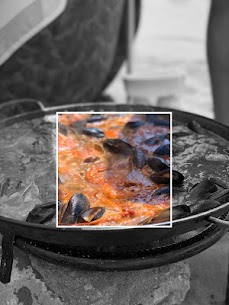
Another unique addition to the toolset is the Color Frame feature. Unlike traditional editing where the entire image might be converted to black and white, this feature allows users to select a specific section of the photo to remain in color while the rest turns monochrome. Users can choose from a variety of frames to apply this effect, offering a blend of creativity and control over the aesthetic outcome.
The Partial Color Technique
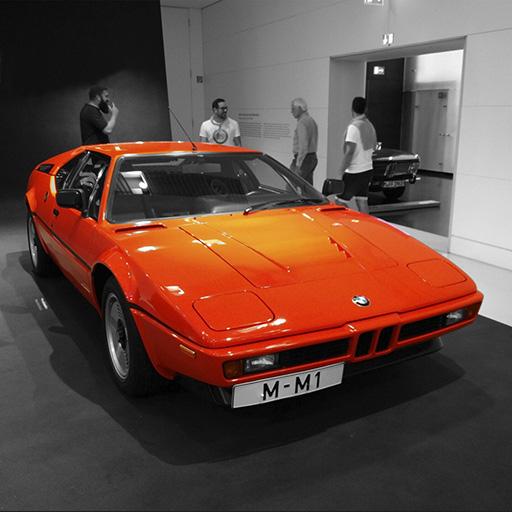
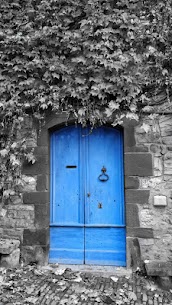
Partial color editing involves converting a photograph to black and white and then selectively reintroducing color to specific areas. This technique not only draws attention to particular elements within the image but also creates a striking visual contrast. Partial Color Master simplifies this process with its intuitive interface, allowing users to either capture new photos or select existing ones from their gallery.
Unique Color Intensity Selector
A notable aspect of this tool is the color intensity selector, which streamlines the editing process. This feature allows users to adjust how vibrant or subdued the colors appear, providing a nuanced control over the final look of the image.
Step-by-Step Editing Process
The editing process in Partial Color Master is structured into three straightforward steps, ensuring users of all skill levels can achieve professional-looking results.
Step 1: Color Splash
- Color Selection: In this initial phase, users can directly select the colors from the image they wish to highlight. This step is crucial as it sets the foundation for the partial color effect, determining which parts of the image will remain colorful against a monochromatic background.
Step 2: Manual Edit
- Precision Editing: After selecting the colors, the manual edit phase allows for detailed adjustments. Users can use a brush tool to refine the areas where color is applied or removed, ensuring precision in the color splash effect. This step is where creativity meets control, enabling users to perfect their vision.
Step 3: Publish
- Finalizing and Sharing: The final step involves saving the edited photo to the device. Once saved, users can easily share their creations on various social media platforms, showcasing their artistic flair to a broader audience.
Conclusion
Partial Color Master stands out as a versatile tool for photo editing enthusiasts who wish to explore beyond the conventional. Its features like color swap and color frame, combined with the ease of applying partial color effects, make it an invaluable asset for creative expression. Whether for personal projects or professional portfolios, this tool empowers users to transform ordinary photos into visually compelling artworks with just a few steps. With its user-friendly interface and powerful editing capabilities, Partial Color Master is set to become a favorite among photographers and digital artists alike.
Related apps
Bazaart AI Photo Editor 4.7.0 Bazaart LTD. 133.23 MB Premium Unlocked Photo Gallery – Album, Vault 5.7.5 Mobile_V5 21.88 MB Premium Unlocked Mark Camera 4.5.1 MarkCameraTeam 47.38 MB Premium Unlocked Refoto 1.1.9 mAst App 2026 67.96 MB Premium Unlocked Keepsafe 14.24.0 Keepsafe 56.53 MB Premium UnlockedHow to install
- Download the APK file above to your phone.
- Allow “Install unknown apps” when prompted.
- Open the downloaded APK and tap Install.
- If the package includes OBB/XAPK data, follow the bundled instructions.
MOD APKs are modified builds, so Play Protect may show a warning. Install only if you trust the file; use at your own risk.