

Screenshots




Description
CholawareSize
2 MBVersion
1.0.4Requirements
4.1 and upGet it on
Report this app
Images
Mod Info
- Ads Removed
Description
One DNS uses 1.1.1.1 which is the new DNS server provided by Cloudflare and APNIC. It is by far the fastest DNS compare to others. DNS have always been controlling the speed and privacy of us, accessing the Internet.
What is a DNS?
Nearly everything on the Internet starts with a DNS request. DNS is the Internet’s directory. Click on a link, open an app, send an email and the first thing your device does is ask the directory: Where can I find this?
Why default DNS is bad?
• Default DNS is slow.
• Default DNS is insecure.
• Your ISP, and anyone else listening in on the Internet, can see every site you visit and every app you use — even if their content is encrypted with the default DNS.
• DNS providers uses your default DNS to sell data about your Internet activity.
• DNS providers uses your default DNS to target with ads.
Why use One DNS and it’s app?
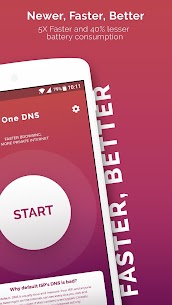
• One Touch : Connects to 1.1.1.1 server in one touch.
• Temporary Connection : User can connect to 1.1.1.1 and revert back to default DNS in one touch.
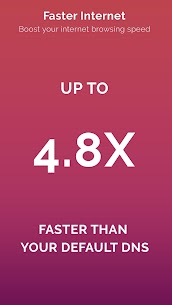
• Faster Internet browsing : You will experience up to 4.8x faster browsing.
• Privacy First : Cloudflare will never log your IP address and sells your data. They retained KPMG to audit their systems annually to ensure that they’re doing what we say. This means, complete freedom of internet, no sneaking.
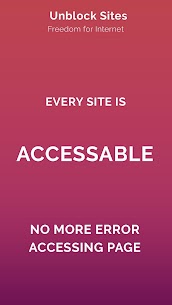
• Unblock Sites : All blocked sites are usually done by default DNS providers. By connecting to 1.1.1.1, you can basically access to all sites without problem.
In general, gain more freedom and speed by enjoying using One DNS app in your Android phone.
Related apps
Multi Parallel: Multi Accounts 4.1.60.1022 Winterfell Applab - Clone App & Status Downloader 9.58 MB Premium Unlocked IP Scanner 2.0.3 DigitalBox Studios 8.54 MB Premium Unlocked Computer Launcher Pro 19.27 Pro Themes and Launchers 12.29 MB Premium Unlocked Notifications archive 1.6.12 Difer 9.23 MB Premium Unlocked APN Varies with device APN Tech Ltd. Premium UnlockedHow to install
- Download the APK file above to your phone.
- Allow “Install unknown apps” when prompted.
- Open the downloaded APK and tap Install.
- If the package includes OBB/XAPK data, follow the bundled instructions.
MOD APKs are modified builds, so Play Protect may show a warning. Install only if you trust the file; use at your own risk.