

MOD features
- Premium Unlocked
Screenshots
Description
Transform your Android smartphone into an interactive digital answer sheet with OMR Master, an efficient application crafted specifically for practicing multiple-choice assessments. Skip the hassle of printing physical paper bubble sheets by setting up custom digital mock tests directly on your device, customizing question totals, choice counts, exam durations, and grading criteria. After finishing, check your score effortlessly via manual input or by instantly scanning printed answer keys with your camera.
Overview of OMR Master
Rather than supplying question banks, OMR Master excels at serving as a dedicated companion for taking tests and evaluating your overall performance. Simply pull exam questions from your physical textbooks, mock test booklets, or study guides, and let OMR Master function as your versatile digital bubble sheet. You can design exams, answer questions, and view score summaries entirely offline, though camera-based answer key scanning requires an active internet connection.
Create OMR Tests and Simulate Exams
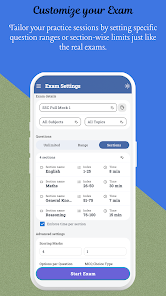
Before beginning any session, OMR Master gives you total control over test parameters, including total question counts, option formats (4 or 5 choices), time limits, and point values for both correct and incorrect responses. Built-in negative marking support allows you to replicate the exact scoring standards of competitive examinations. Additionally, a live countdown timer monitors your pace while logging the total time spent across the test.
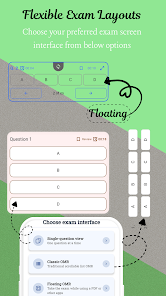
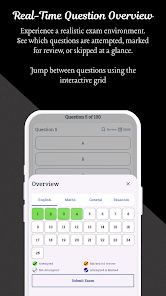
While working through an exam, you can switch between List View to view all items at once or Sliding View to tackle questions individually. The sliding layout also logs your exact time investment per question, making it easy to spot challenging prompts. If you encounter a tricky item, simply bookmark it to revisit before submitting.
Answer Scanning and Result Analysis
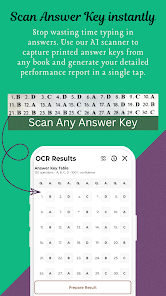
A standout highlight of OMR Master is its smart camera-assisted answer key scanner. Sourced from Google Play details, this utility identifies letter sequences like A/B/C/D or numeric formats like 1/2/3/4 directly off book pages and matches them automatically to your test layout. Prefer standard entry? You can still key in answer keys manually at any time.
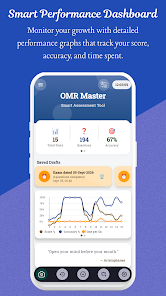
Upon wrapping up a session, you receive an in-depth score report detailing which items you got right, wrong, or left blank. The app also calculates your average answering speed, helping you uncover bottlenecks and follow your historical growth through insightful charts. Past attempts are neatly sorted by subject, topic, or custom tags, and complete test summaries can be exported as PDF files for easy sharing.
Tips and Guide for OMR Master
To maximize the benefits of OMR Master, align your digital setup with your real exam's question limits and official time allocations. When negative marking applies, specify precise positive and negative score values so your simulated results mirror actual test-day conditions. This trains you to make smart strategic choices about whether to guess or pass on uncertain questions.
While answering, take advantage of the bookmarking tool to flag uncertain items instead of getting bogged down on a single prompt. Once finished, examine the question-level time breakdown to detect areas that slowed you down. If specific topics consistently land in your incorrect answers list, earmark them for focused review.
Conclusion
OMR Master delivers the ultimate test-prep solution for students and test-takers aiming to ditch disposable paper answer sheets. From building customized exams with negative scoring and custom timers to choosing display formats, scanning keys via camera, and reviewing granular pacing data, every stage of your practice routine is covered. Reliable offline functionality and straightforward PDF export make archiving your study progress simpler than ever. For test-takers working alongside physical prep books and mock exams, OMR Master stands out as a powerful study companion.
How to install
- Download the APK file above to your phone.
- Allow “Install unknown apps” when prompted.
- Open the downloaded APK and tap Install.
- If the package includes OBB/XAPK data, follow the bundled instructions.
MOD APKs are modified builds, so Play Protect may show a warning. Install only if you trust the file; use at your own risk.