
Screenshots


Description
Notepad
Compatible with 4 major operating systems and more than 50 text encodings, this full-featured text editor delivers smooth formatting tools, automatic saving, and quick access to recently opened files.
Key Specifications
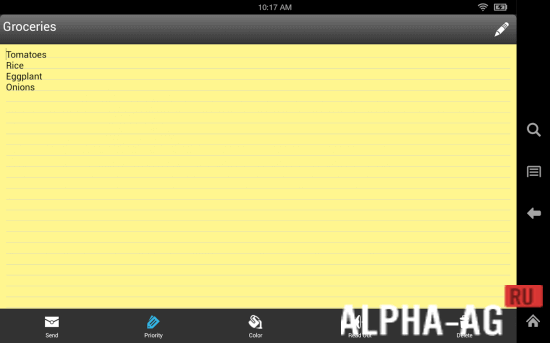
Notepad offers a clean, distraction-free environment focused purely on writing and editing, packing all essential utilities without unnecessary clutter.
Seamlessly open, customize, and store any text document wherever you choose. Built-in autosave functionality guarantees your progress remains completely safe at all times.
Main Features
Universal file compatibility: Easily launch text files formatted for Linux, Mac, Windows, and DOS environments. With compatibility across 50+ encodings, you can consult the complete format list right inside the app.
Comprehensive text customization: Beyond simple viewing, enjoy complete freedom to edit content, personalize font size and color scheme, customize app background tones, adjust margins, and configure indentations.
Automatic saving and quick search: Never lose an edit thanks to instant autosave on exit. Plus, smoothly navigate and update your drafts using practical search and replace tools.
Quick file history: Keep track of your latest projects without searching your folders. The app records recent documents right on your dashboard—showing 5 files by default, which can be modified in settings.
Grab the latest version of Notepad for Android at GameMod.dev at zero cost.
Additional Details:
- Android requirement: 5.0 and up
- Content rating: 3+
- Russian language support: Yes
- OBB / Cache: Not needed
App Version: 3.0.6 | GameMod.dev Rating: 9/10 | Related Apps: GoldenDict, Office Lens, DosBox Turbo, Quick Notepad
Follow Our Official Channel
Leave a Comment
How to install
- Download the APK file above to your phone.
- Allow “Install unknown apps” when prompted.
- Open the downloaded APK and tap Install.
- If the package includes OBB/XAPK data, follow the bundled instructions.
MOD APKs are modified builds, so Play Protect may show a warning. Install only if you trust the file; use at your own risk.