

Screenshots
Description
Nice Launcher 2.5 Apk Prime latest is a Personalization Android app
Download last version Nice Launcher Prime Apk For Android with direct link
Nice Launcher is a Personalization android app made by Nice Launcher Apps that you can install on your android devices and enjoy!
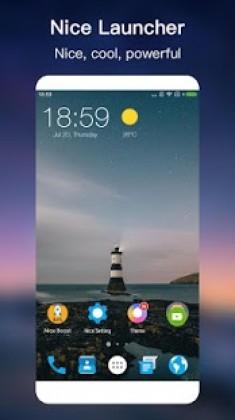
Nice launcher is a NICE launcher with many nice features, base on 2017 Android™ native launcher experience, make your phone look brand new; Nice launcher also improve your phone’s performance, improve your productivity with many handy tools.
Just try this NICE Launcher, you will like it!👍👍
★ Nice Launcher main features:
– 8000+ launcher themes, third-party icon pack support
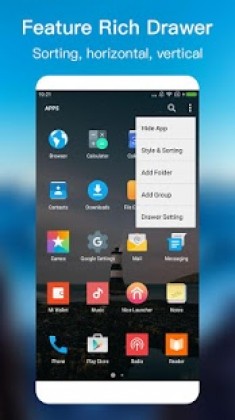
– Launcher apps Drawer that can be sorted by installed time, by alphabet, by mostly used, etc.
– Launcher apps Drawer with horizontal, vertical, list
– Launcher all apps Drawer with a-z quick locator
– Hide app: hide unused app or lock hidden app
– Lock app: app lock for privacy
– Gestures: Pinch in/our, Swipe up/down, Double tap, two fingers gesture, etc.
– Unread notifier for SMS, Email, and other apps
– Useful handy tools: Booster, Cleaner, Battery Saver, Torch, T9 search
– Build-in circle/round launcher icon pack
– Handy side panel with favorite tools, favorite apps, memory booster
– Multi dock pages support
– Many cool launcher desktop transition effect
– Adjust launcher app icon size, grid size, label color, drawer color, folder style, etc.
– 10 search widget style for your choice
– Private folder, it is unique feature in play store launcher products
– Notification toolbar for your quick access
Android is a registered trademark of Google, Inc.
💋 👍 If you love Nice Launcher, please rate us and help to spread the word, thanks a lot!
Nice Launcher Apk
Nice Launcher Apk
What’s New:
1. Extend the notification badge on the icons to all apps
2. Add dock label option
3. Optimize the dock icons adaptation
4. Optimize support for third-party icon packs
How to install
- Download the APK file above to your phone.
- Allow “Install unknown apps” when prompted.
- Open the downloaded APK and tap Install.
- If the package includes OBB/XAPK data, follow the bundled instructions.
MOD APKs are modified builds, so Play Protect may show a warning. Install only if you trust the file; use at your own risk.