

Screenshots


Description
Fit TechSize
14 MBVersion
1.9Requirements
Varies with deviceGet it on
Mod Info
Pro Unlocked Report this app
Images
Description
Network Tools: WiFi Analyzer, IP Utilities app is a combination of tools to help you to understand your network’s configuration, WiFi states, any potential issues, the availability of the network and its performance.
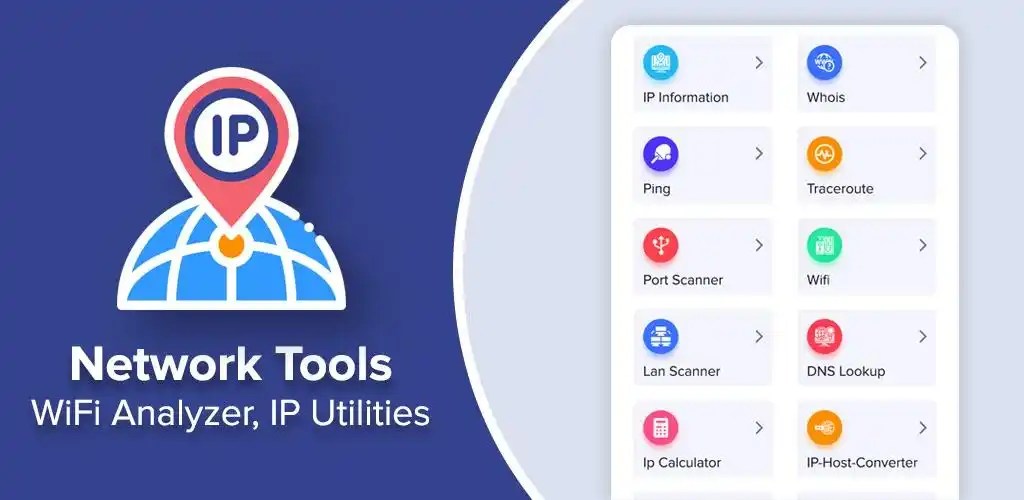
• IPInfo: Network Summary, Wireless network type, status, name and IP address
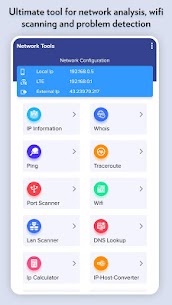
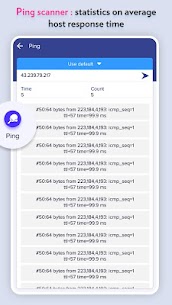
• Ping – TCP and HTTP ping, Shows how long it takes for packets to reach host.
• Traceroute – discover all intermediate hops that packets pass on their way to their destination.
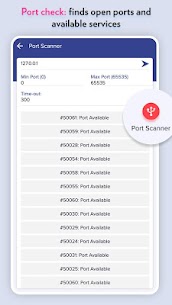
• Port scanner – TCP ports scanner, you can know which ports are open on the host.
• Whois lookup – view DNS records for a given domain/hostname
• Wi-Fi scanner – available wifi connections, WiFi band, Signal strength, Security and SSID
• DNS Lookup – reverse lookup & just type in a numeric address
• IP Calculator – subnet/IP address calculator for setting up routers and addresses on IP networks
• Wifi signal meter can view your current WiFi signal strength and detect WiFi Signal Strength around you in real time.
Very useful features of Network Tools: WiFi Analyzer, IP Utilities app:
– Ultimate tool for network analysis, wifi scanning and problem detection
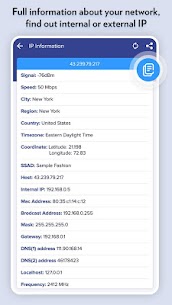
– Network Summary: Wireless network type, status, name and IP address
– Full information about your network, find out internal or external IP
– Ping scanner : statistics on average host response time
– Port check: finds open ports and available services
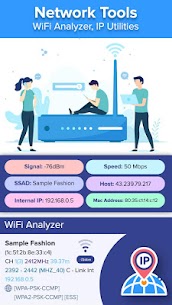
– WiFi analyzer : detail information about wifi networks & connected devices
– Identify nearby WiFi Access Points & channels signal strength
– Configure your WiFi Router Settings setup page, 192.168.0.1 on router setup page
*WiFi Analyzer offers very useful functions for WiFI analysis such as Access points, channel rating, channel graph, WiFi strength and recommends the best available wifi channels.
– Supports 2.4GHz/5GHz and WiFi Channel Optimizer
– Provides you information individually on wifi channels
– WiFi Analyzer tool shows signal strength in history graph
Developer's apps
Business Letterhead Templates MOD APK (Pro Unlocked) 1.10 Fit Tech 32 MBRelated apps
AdGuard 4.16.0 ADGUARD SOFTWARE LIMITED 56.82 MB Premium Unlocked Full Battery Charge Alarm 1.0.368 Syrupy 5.84 MB Premium Unlocked 1DM+ 20.0 Vicky Bonick 176.91 MB Full Version Video Converter, Compressor 20.16.0 Inverse.AI 60.07 MB Premium Unlocked txtpad — Notepad & TXT Editor 3.5.1-premium My Cat's Lab 17.20 MB Premium UnlockedHow to install
- Download the APK file above to your phone.
- Allow “Install unknown apps” when prompted.
- Open the downloaded APK and tap Install.
- If the package includes OBB/XAPK data, follow the bundled instructions.
MOD APKs are modified builds, so Play Protect may show a warning. Install only if you trust the file; use at your own risk.