

MOD features
- Mod feature with all characters unlocked
How to set up the Naruto GNT MOD
- Step 1: Download the Dolphin APK emulator app, the 7z-compressed Naruto game file, and the Save Data file to your device.
- Step 2: Install the Dolphin app, then extract the 7z file and the Save Data file (ES File Explorer makes extraction easy).
- Step 3: Launch Dolphin, tap the + icon, go to the folder where you extracted the 7z game file, and select Naruto GNTS {rzHighCompressed}.iso.
- Step 4: Open the game, swipe down from the top of the screen to switch the button layout to GameCube Controller. Your game installation is now complete.
- Step 5: Activate the mod. Open the extracted Save Data folder, move the folder "534e584a" to Internal Storage → dolphin-mmj → Wii → title → 00010000, then tap Overwrite the old folder. Reopen the game to start playing right away.
Screenshots
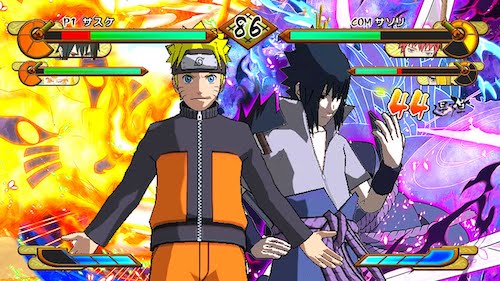
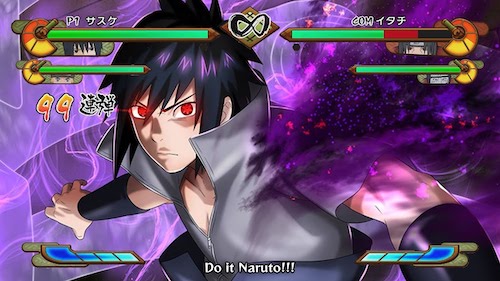
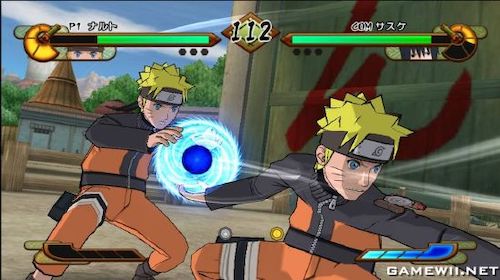
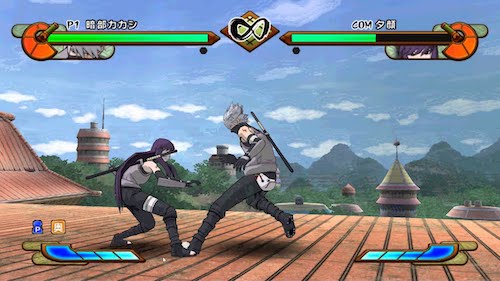
Description
Naruto Shippuden: Gekitou Ninja Taisen Special, which the community also calls Naruto Shippuden GNTS, is a hugely popular fighting game on the Wii. In this guide from GameMod.dev, we walk you through downloading and installing it so you can enjoy the version with every character unlocked.
Naruto Shippuden: Gekitou Ninja Taisen Special MOD APK – The ultimate Naruto fighting game
Fans of the Naruto manga and anime will already know the roster well, so we won't linger on it. Overall, Naruto Shippuden: GNT faithfully recreates each character along with their skill sets. Paired with a gripping storyline and sharp 3D visuals, the game has consistently earned strong praise from the gaming community.
Naruto: Gekitou Ninja Taisen! is a well-known Japanese action fighting video game series based on the legendary Naruto manga and anime by Masashi Kishimoto. Every installment was developed by Eighting and published by D3 Publisher and Tomy. The series has landed on several platforms: four titles for the GameCube and five for the Wii. Nearly all versions were released in Japan, with the exception of Revolution and Revolution 2, which launched in the US. Naruto: Clash of Ninja and Clash of Ninja 2 were also translated into English for American players. Gameplay mechanics shift in flexible ways from one installment to the next.
Key features of the Naruto Shippuden: GNTS MOD
- Engaging and distinctive gameplay
- Diverse character roster
- Dramatic mission chain
- Top-tier challenge levels
- A familiar playstyle reminiscent of Naruto Ultimate Ninja
- Expressions and subtitles are also displayed in English.
What does this version offer?
- Mod feature with all characters unlocked
How to set up the Naruto GNT MOD
- Step 1: Download the Dolphin APK emulator app, the 7z-compressed Naruto game file, and the Save Data file to your device.
- Step 2: Install the Dolphin app, then extract the 7z file and the Save Data file (ES File Explorer makes extraction easy).
- Step 3: Launch Dolphin, tap the + icon, go to the folder where you extracted the 7z game file, and select Naruto GNTS {rzHighCompressed}.iso.
- Step 4: Open the game, swipe down from the top of the screen to switch the button layout to GameCube Controller. Your game installation is now complete.
- Step 5: Activate the mod. Open the extracted Save Data folder, move the folder "534e584a" to Internal Storage → dolphin-mmj → Wii → title → 00010000, and choose Overwrite the existing folder. Reopen the game to start playing right away.
How to install
- Download the APK file above to your phone.
- Allow “Install unknown apps” when prompted.
- Open the downloaded APK and tap Install.
- If the package includes OBB/XAPK data, follow the bundled instructions.
MOD APKs are modified builds, so Play Protect may show a warning. Install only if you trust the file; use at your own risk.