
Screenshots

Description
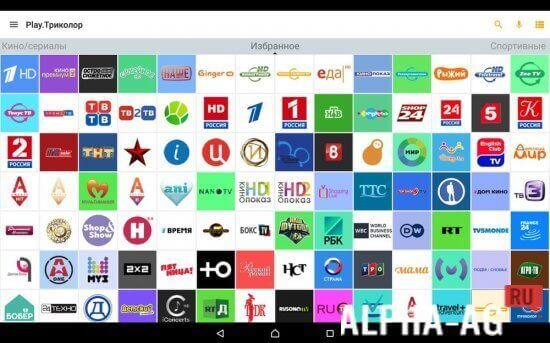
Multiscreen (Play.Tricolor)Play.Tricolor lets you use your smartphone or tablet as a receiver. You can watch broadcasts directly or duplicate the video.
Specifications
Application lets you turn your mobile device into a receiver for watching Tricolor TV channels.
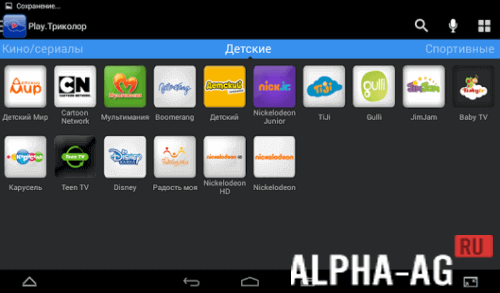
By installing the program on your tablet or smartphone, you can duplicate broadcasts across several screens, or use your mobile device independently by connecting it separately to a dual-tuner receiver.The app lets you watch TV channels on your mobile device in several modes. For user convenience, it offers easy interface navigation and quick channel search by genre, by name, or by voice (simply say the channel name out loud).
The app has a built-in up-to-date TV guide for all channels. A recording timer function is provided.
Finally, with the mobile app, your smartphone or tablet can be used as a remote control.
Features
- Control your viewing! Use your smartphone instead of a remote control;
- Switch channels by voice. Just say the channel name out loud, and Play.Tricolor will open it automatically;
- Watch current TV programs in real time, record shows to watch at any convenient time, and plan your viewing schedule.
On our website You can download the "Play.Tricolor" app for Android for free.
1 24 May Additional information:- Requires Android version: 4.4 or higher
- Age rating: 3+
- Russian localization: available
- Cache installation: not required
Subscribe to our YouTube channel!
Leave a commentHow to install
- Download the APK file above to your phone.
- Allow “Install unknown apps” when prompted.
- Open the downloaded APK and tap Install.
- If the package includes OBB/XAPK data, follow the bundled instructions.
MOD APKs are modified builds, so Play Protect may show a warning. Install only if you trust the file; use at your own risk.