
Screenshots

Description
My AndroidWith this utility, you can find out all the necessary system information about your device.
Gameplay
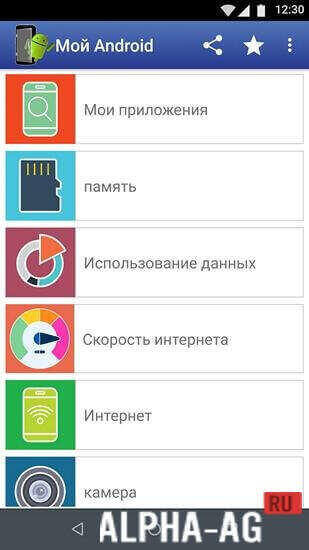
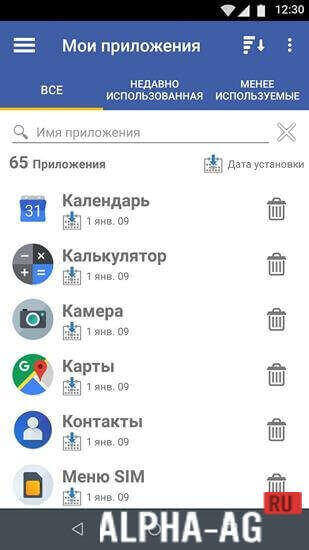
Launching the application will open the main menu, which consists of several tabs such as: My Apps, Memory, Data Usage, Internet Speed, Camera, and others. By going to the "My Apps" section, you can view certain data.
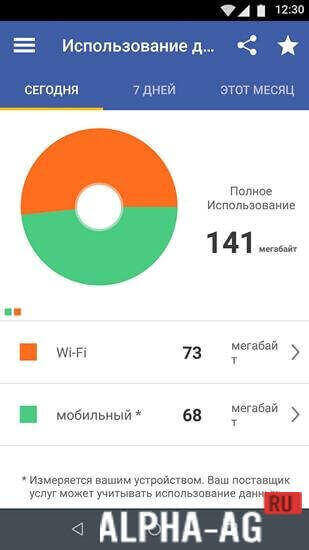
Specifically, how many and which applications are installed on your smartphone, as well as the date they were installed. In the "Data Usage" tab, you can see how many megabytes were downloaded over mobile data or a Wi-Fi connection in a day, week, or month.
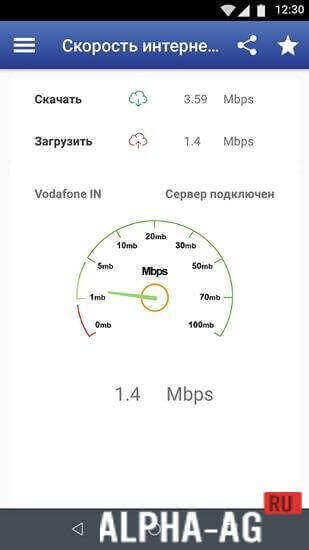
By going to the "Internet Speed" section, you will see which server is connected to your device, as well as the speed available to you.
In the "Camera" section, you will be provided with information about how many megapixels your main and front cameras have, as well as how many photos have been taken with the device's cameras.Key Features
With this application, you can find out all the necessary system information about your device. Here you can view a list of all applications installed on your phone, and you can either launch or uninstall each of them.
In this application, you can view information about the main and front cameras, get data on your internet connection, screen size and specs of your device, storage capacity, and much more.
You can also view your call history for the period you need. 0 Nov 21 Additional Information:- Android version required: 6.0 or higher
- Age rating: 3+
- Russian localization: present
- Cache installation: not required
Subscribe to our YouTube channel!
Add commentHow to install
- Download the APK file above to your phone.
- Allow “Install unknown apps” when prompted.
- Open the downloaded APK and tap Install.
- If the package includes OBB/XAPK data, follow the bundled instructions.
MOD APKs are modified builds, so Play Protect may show a warning. Install only if you trust the file; use at your own risk.