
Screenshots


Description
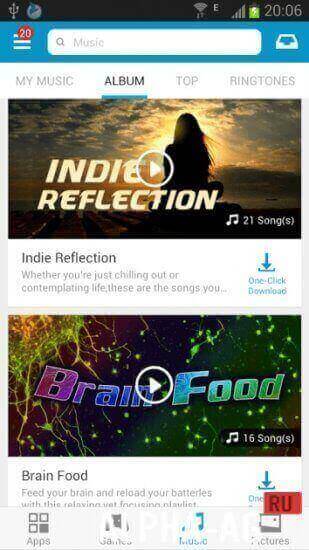
MobogenieHere is an alternative digital content store for mobile devices running on Android OS. This alternative marketplace is the main competitor to Play Market in Western countries and can offer users far more interesting features—all you need to do is download the Mobogenie app.
Characteristics
Mobogenie is a store featuring apps, software, videos, books, wallpapers, music, and other digital content.
Here you will find free content. Ad-free content. Content that costs significantly less than in the official store thanks to minimal developer fees.Mobogenie is more user-oriented.
For instance, it curates selections of genuinely useful rather than overhyped apps, allows you to disable auto-updates, makes it easy to find any files with sorting features, and so forth.Features
- Regular updates. No roadblocks for developers, who can release updates for their apps faster and easier, delivering them to their users promptly.
- Ability to disable automatic app updates.
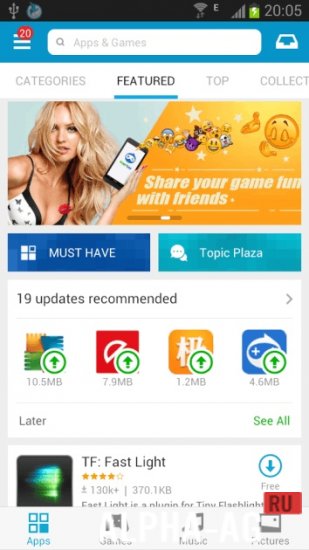
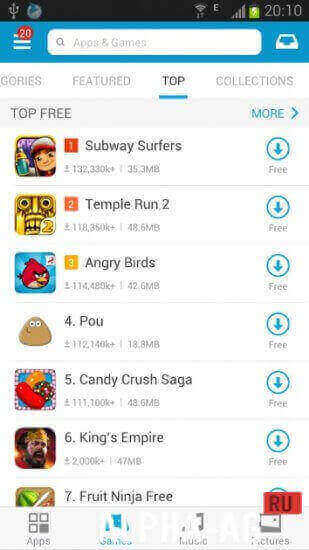
- Convenient catalog. TOP free apps, fast downloads of the content you need.
- Fast performance. Mobogenie runs faster. This is one of its key highlights. Fast page loading, quick content downloading—you'll feel the difference compared to Google Play!
- Genuine ratings. While paid and heavily promoted apps end up in the top charts on the official market, Mobogenie's top charts feature genuinely useful utilities in their genres.
- Russian localization. Professional translation of the entire interface ensures easy navigation throughout the app.
You can download the full version of the Mobogenie app for Android on our website completely free of charge!
0 09 Jan Additional information:- Android version required: 4.1 or higher
- Age restrictions: None
- Russian localization: Present
- Cache installation: Not required
Subscribe to our YouTube channel!
Add a commentHow to install
- Download the APK file above to your phone.
- Allow “Install unknown apps” when prompted.
- Open the downloaded APK and tap Install.
- If the package includes OBB/XAPK data, follow the bundled instructions.
MOD APKs are modified builds, so Play Protect may show a warning. Install only if you trust the file; use at your own risk.